
Latest: OMG new page to make you iaptus superhuman, for more information read about our new task feature here.

iaptus helpsite / Admin / Therapist tools / Working on behalf of

Working on behalf of

Table of contents

Description

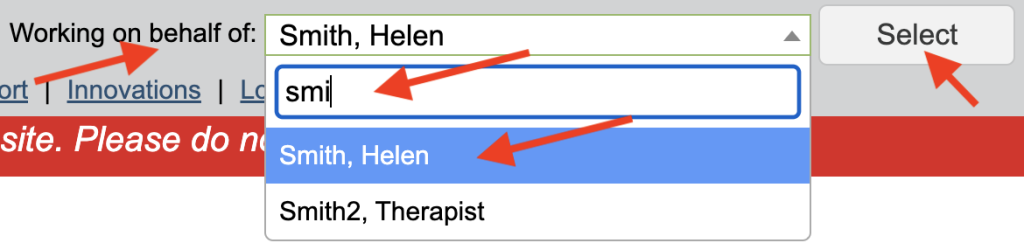
If you are an admin user, there is an additional section at the top, where you can specify the therapist you are working with. This allows you to view that therapist’s caseload and diary amongst other options.

Selecting a Therapist

Click on the down arrow to display the list of therapists, there is a search field at the top that you can use to quickly find the relevant therapist.

Be sure to click select after choosing the relevant therapist.
My Episode

Their case load will now be active in the My Episode area of the Navigation Bar
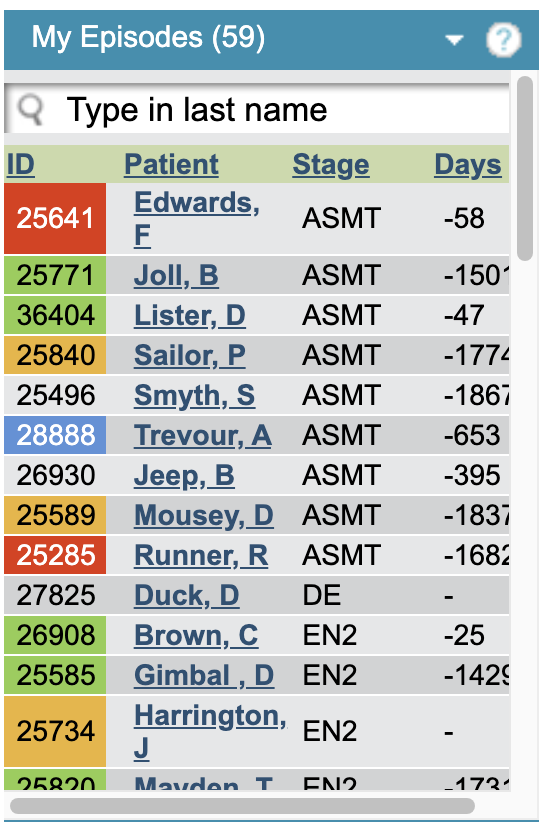
Therapist Active Caseload

Diary View

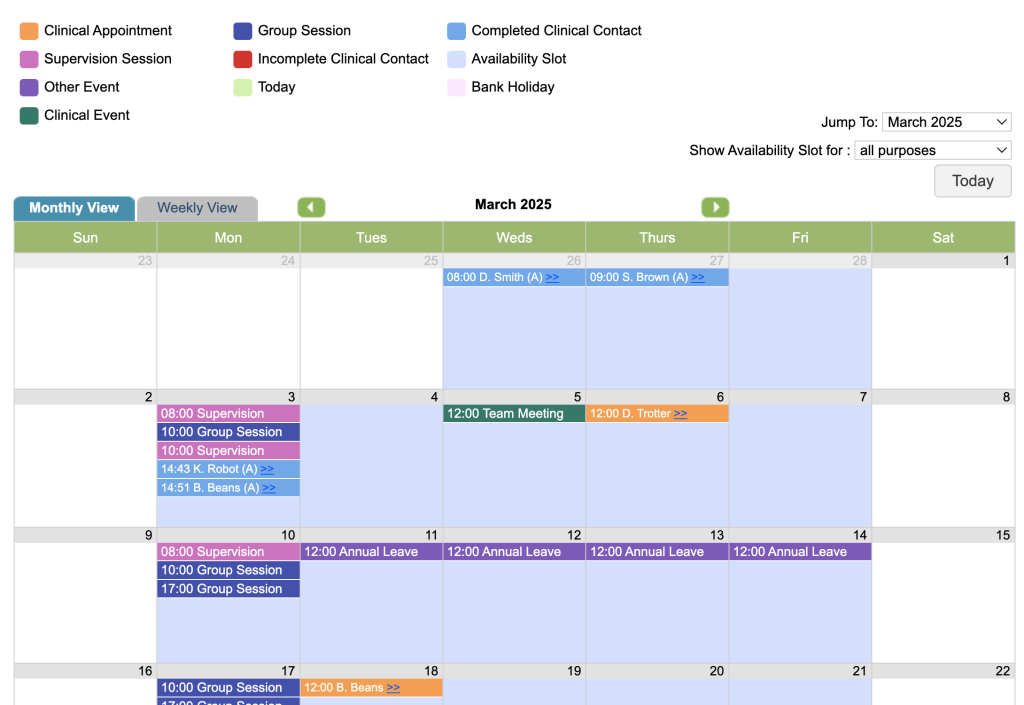
Also, when you click on the Diary icon you will be presented with diary of the therapist and are able to book availability, events and appointments on their behalf.
Related posts
Messages – user

iaptus has a built in basic messaging function to send internal messages to anyone in your service who has an iaptus login. Send Message To send

Find Patients – Advanced search

Advanced Search allows users to apply more filters to a search and create and save searches in My Searches. Within Advanced Search, you will see

My Searches

My Searches are searches which have been created and saved in the Advanced Find area of iaptus. These are specific to the user who created

Table of contents