
Latest: OMG new page to make you iaptus superhuman, for more information read about our new task feature here.

iaptus helpsite / Treatment / Patient Referrals / Viewing a patient referral

Viewing a patient referral

Table of contents

To view a patient’s referral, locate their patient record then click on the Referral Data tab.
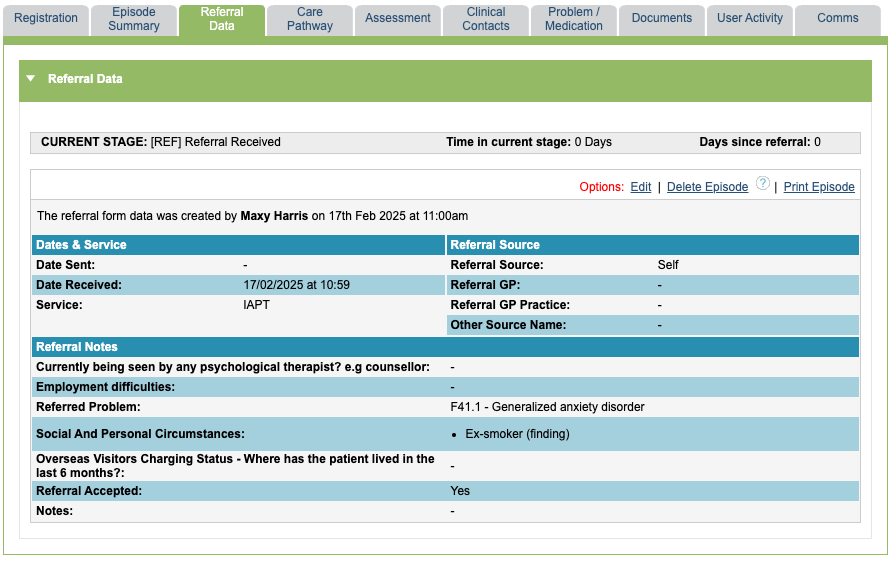
You can see the information recorded within the referral form fields. There is a print option, in the top right hand corner of the tab if you need to print this information.

If the patient has multiple referrals or episodes of care. Click on the referral number within the Episode section of the boarding card to change which episode you are viewing.

Related posts
Editing a patient’s referral

To edit a patient’s referral, find the patient record and select the correct referral on the boarding card(if they have more than one). Go to

Deleting a patient’s referral

Superusers can only delete a patient referral if there are no clinical contacts or other treatment information attached to the referral. If this has not

Table of contents