Here, you can record treatment goals for a patient. To find this within iaptus, click into the Assessment tab and scroll down.

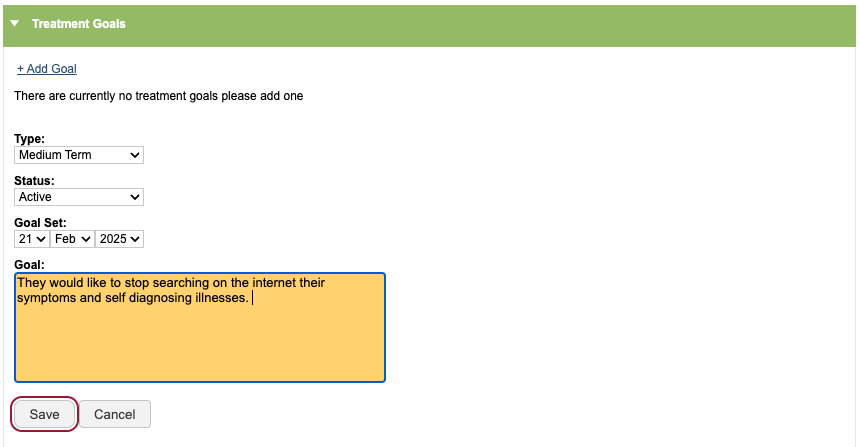
To add a treatment goal, you will need to complete the following fields
- The type of goal – if it’s long, medium or short term
- The status of the goal – active, inactive or completed
- The date the goal was set – this will default to today’s date
- Details and notes about the goal
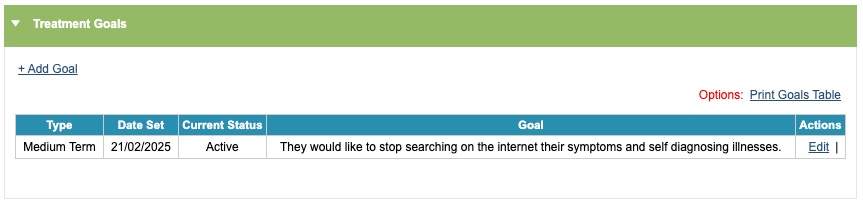
When you have saved the goal, it will then appear in the goal history table.
You can edit goals, print the goals table or continue to add more goals.
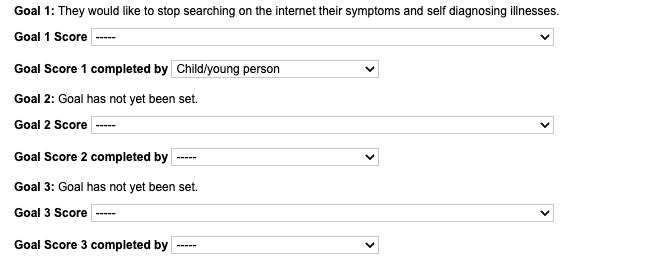
If you are working on a Children and Young Persons (CYP) instance of iaptus, within the Clinical Contacts tab you will have an additional field to record who completed the goal and the abilty to give a completion score against the goal.