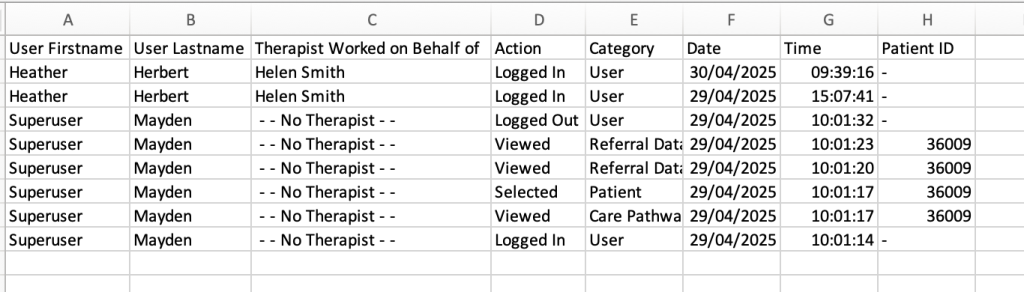
The superuser user activity allows Superusers to monitor all actions across the whole service.
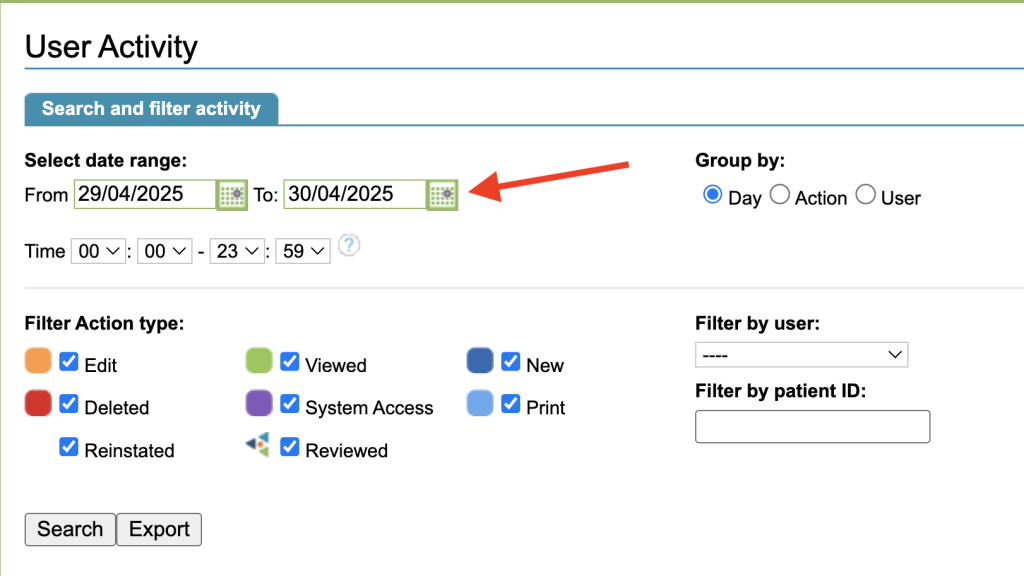
Date Range
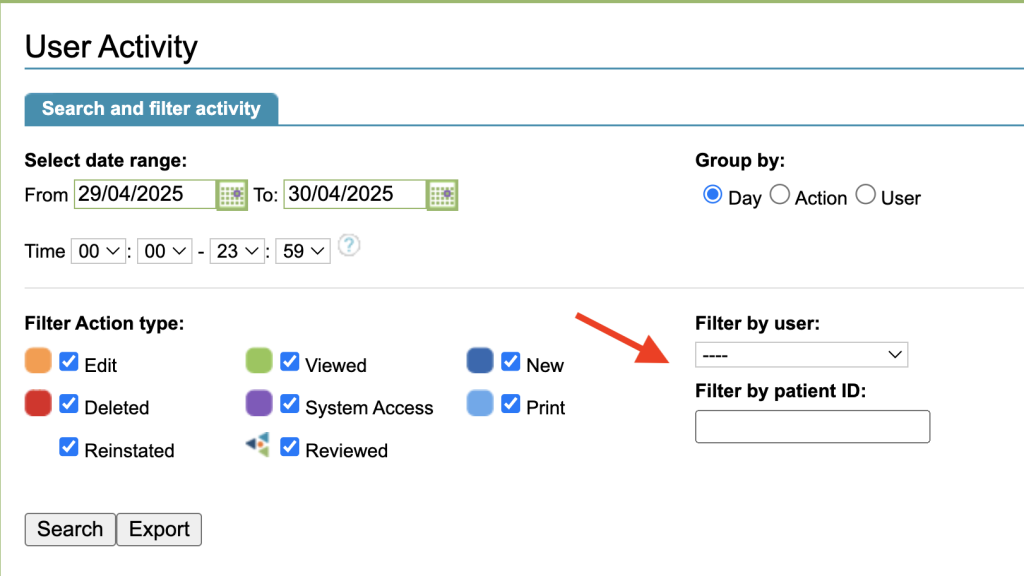
Select the date range of the actions you are looking for.
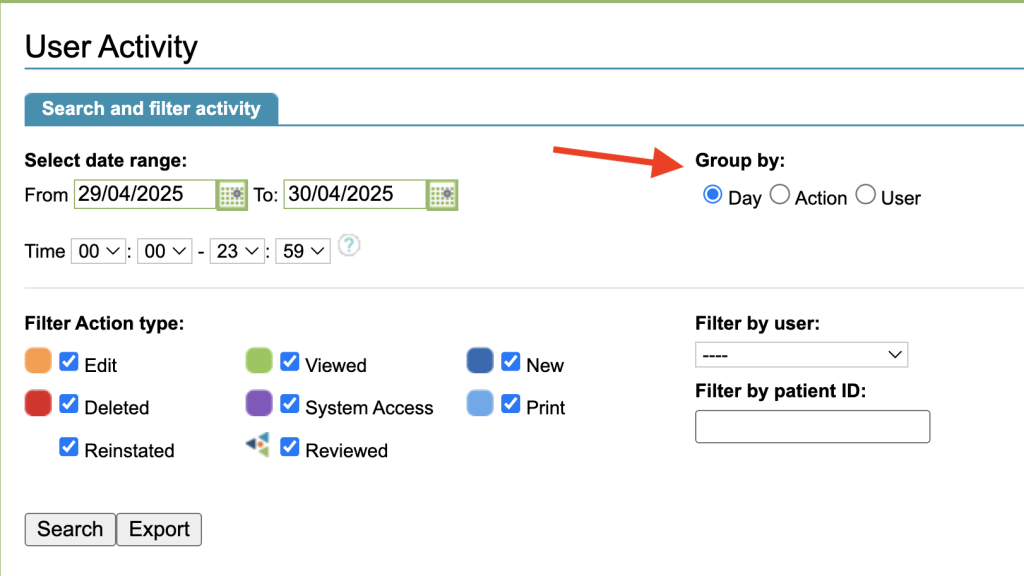
Group by
You can choose to Group the results by:
- Day – to list them in date order
- Action – to group similar actions
- User – to order by the user who carried out the action
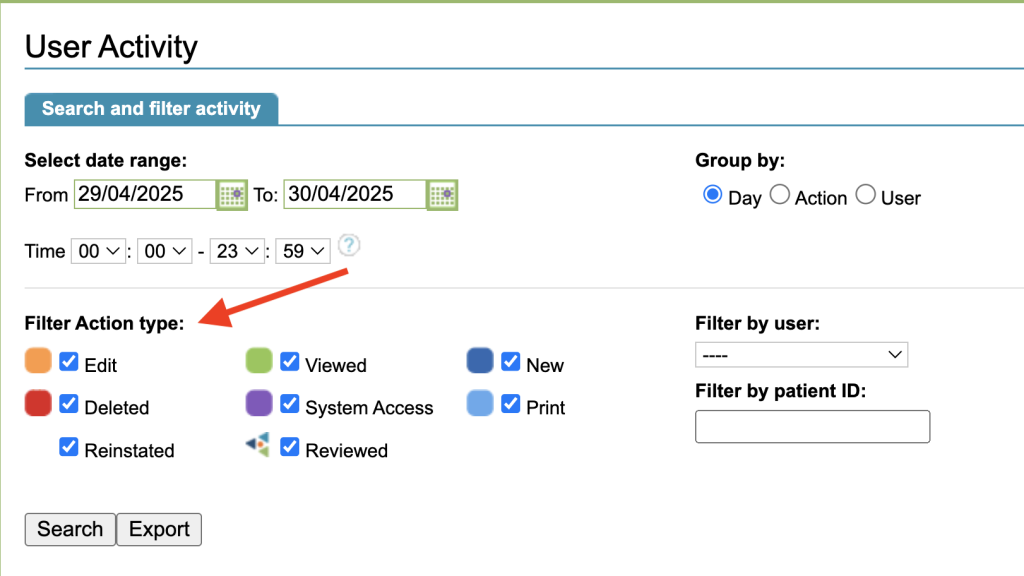
Action Type
You can filter by the Action type. For example, to only see where things were deleted, untick the rest of the options and leave Deleted ticked.
User & Patient ID
To only show actions by a specific user, select a user from the Filter by User drop down.
To search for actions against a specific patient, type the patient ID in the Filter by patient ID box.
Search Results
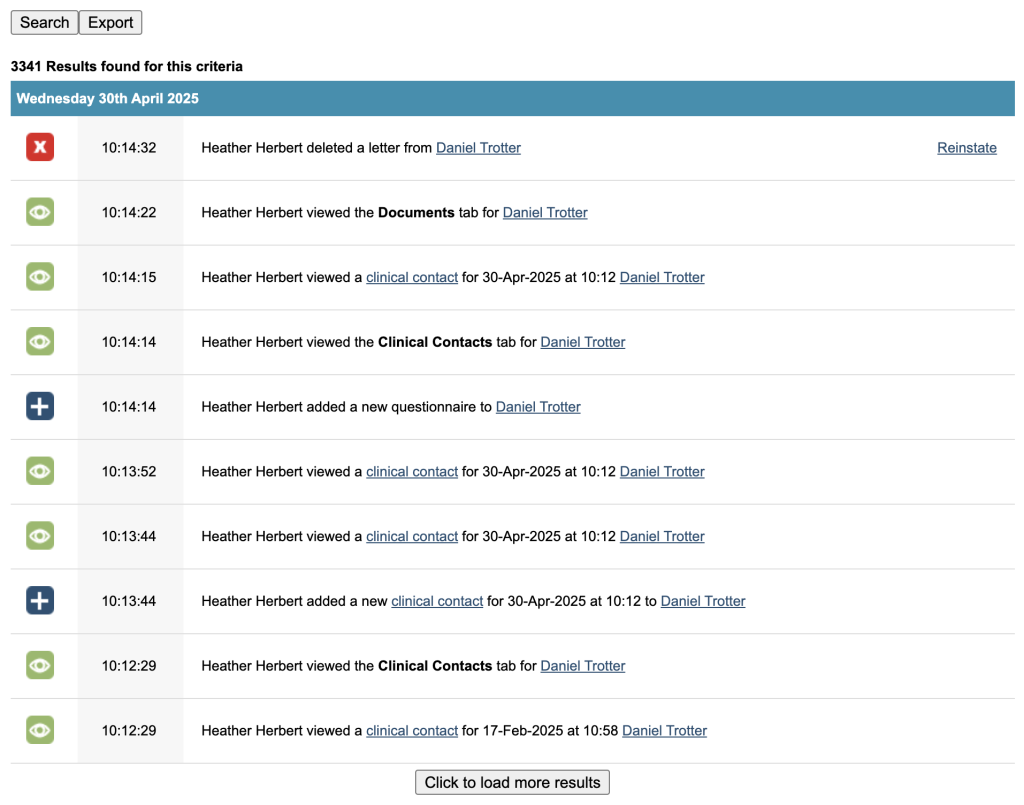
Once you have selected your filters, select Search. The first 10 results will be displayed. Select Click to load more results to load the next 10.
The total number of results will be displayed above the results.
The results are grouped and separated by a blue bar.
The results include:
- Action icon
- Time of action
- User
- Details of action
- Link to patient record and/or item affected if appropriate
- Reinstate option for deleted items
Export
The Export option will export the results in a .csv file.