
Results table
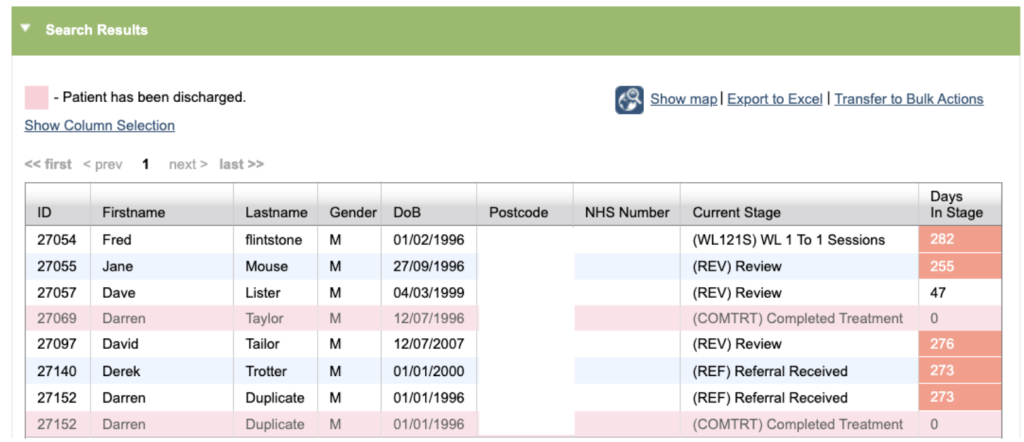
All the patient records and referrals that meet the search criteria will be shown in the search results table. Any rows highlighted in pink will indicate that the record has been discharged.
Column Selection
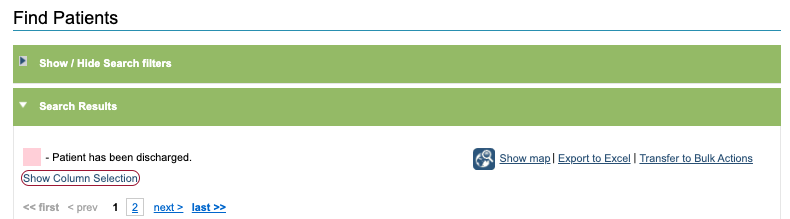
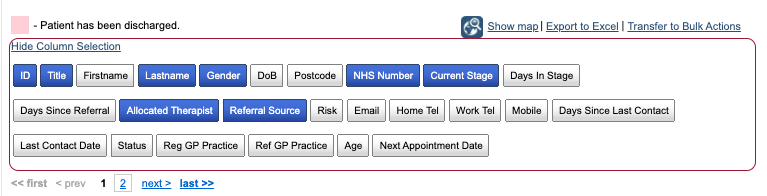
Additional information about the referrals can be seen by clicking Show Column Selection. Items shown in blue indicate columns that are currently visible. Click on a light grey option to add the column to the results. You can remove a column by clicking on a blue option to switch it off.
Show Map
The ‘Show map’ option will allow users to see the patients from the search results plotted on a map. This is useful to use when identifying geographical trends or clusters within patient searches. The map will open in a new window and referrals will be represented on the map as a red dot based on the patients postcode. When you click on a Dot, the patients Postcode, iaptus Id, Name and Therapist will be shown.
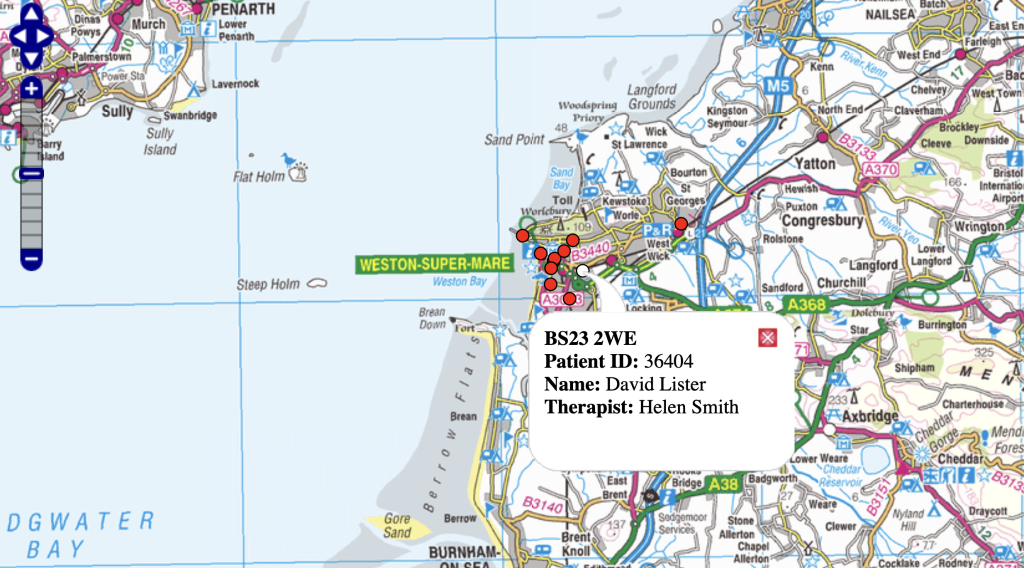
The tools on the top left hand corner within the map will help you navigate the map, as well as using your mouse to move in or around the map.
Export to Excel

Click Export to Excel to download the list of patients in the results onto your computer. A .csv file will be downloaded which you can view as a spreadsheet in Excel. You may wish to check your organisation’s policies and guidelines around storing patient information on your computer.
Transfer to Bulk Actions

The ‘Transfer to Bulk Actions’ option will take the records and referrals identified in the search to the Bulk Action feature. A Bulk Action allows you to either perform an action or send communication to a group of patients in one go instead of individually. For more information on this, search for our bulk actions post.
Please see Bulk Letters, Bulk SMS and Bulk GP Practices for more information on Bulk Actions