
Referral Closure Reason Manager allows Superusers to add, remove and configure the referral closure reasons that appear when closing a patient’s record in the Care Pathway.
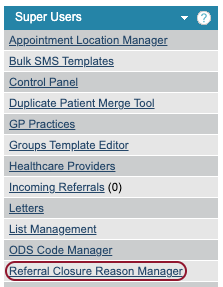
Care Pathway service levels
Care Pathway service levels can be used to group your care pathway stages together, based on factors like step intensities or provider pathways. Mayden can add new service levels; please add a support log if you would a new service level added.
The table shows the Service, the Level/Tier and the number of Enabled reasons.
Referral Closure reasons can be added via list management. The Enabled Reasons column shows how many reasons have be activated for each service, out of the total number of available reasons.
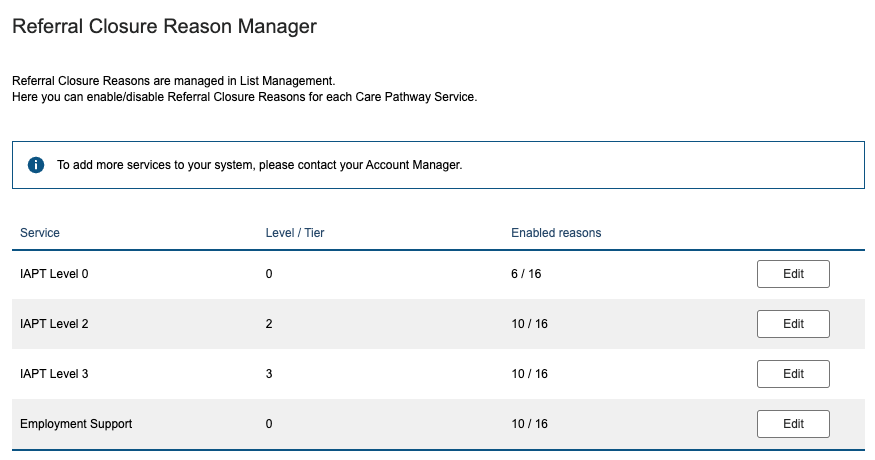
Once Mayden has added the service levels, you can assign closure reasons to each service level. Each stage in the care pathway has a service level assigned and you can choose to have different referral closure reasons for each service level. For example, you may have assessment area of your pathway which has different closure reasons to the treatments areas. You can see which stage a level belongs in the stage card.

Configuring a closure reason for a service level
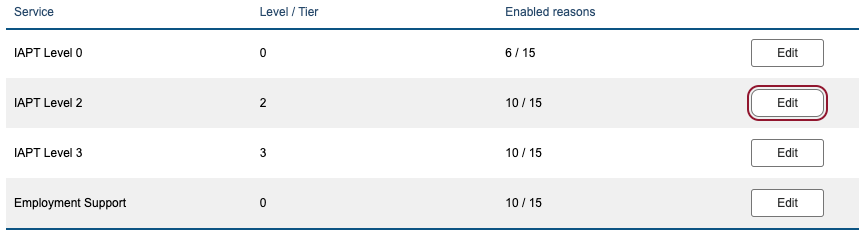
Click Edit on a service level to add and remove closure reasons as required.
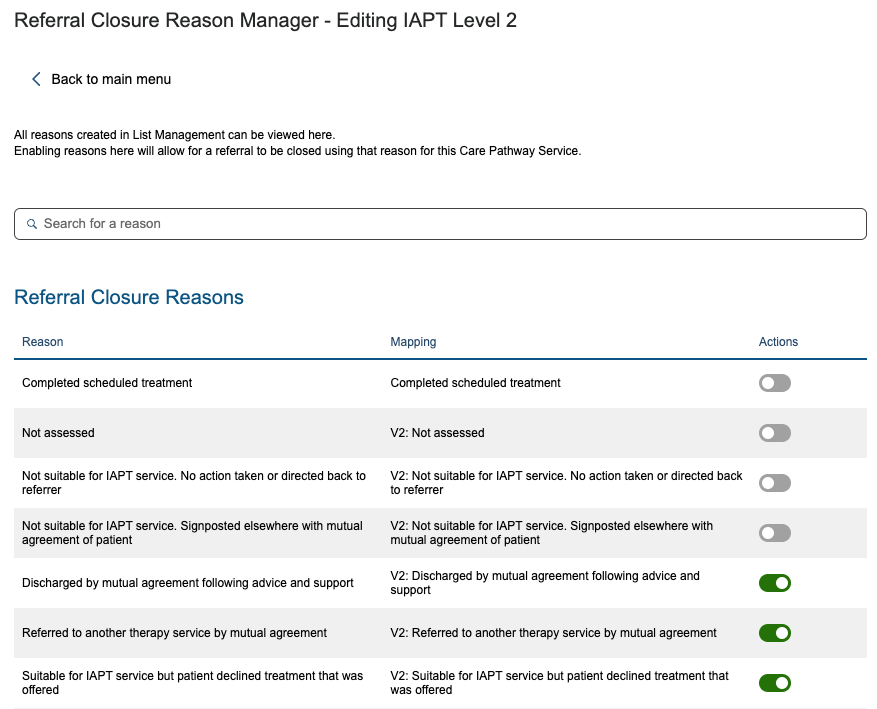
The toggle under Actions will indicate if the closure reason is enabled for this service level; grey means it is disabled and green means it is enabled. Click on the toggle to switch between enabled and disabled.
Click Save towards the bottom of the page to save your changes.