
The Medication area allows you to record the medication details for the patient’s selected episode. This is in addition to the Use of Psychotropic Medication field recorded in clinical contacts.
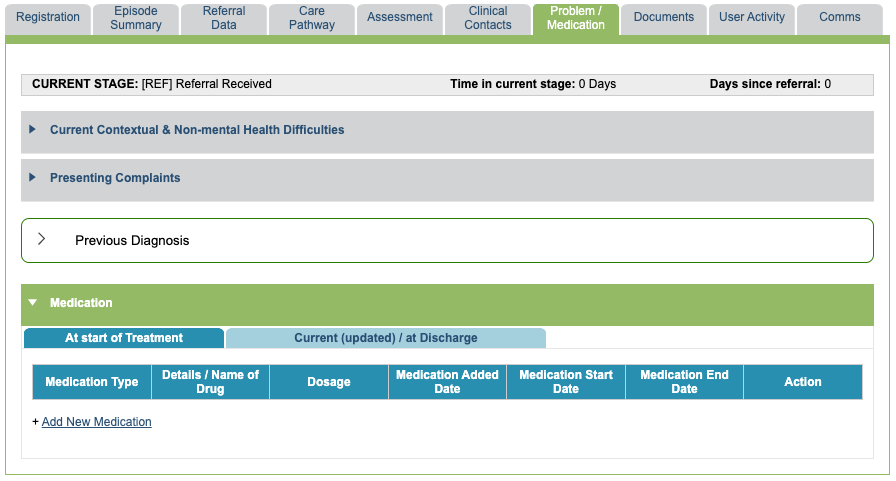
There are two tabs in the section, At start of Treatment and Current (updated) / at Discharge.
The At start of Treatment section is intended to record the first assessment of the patients medication, and subsequent updates should be recorded in the Current (updated)/at discharge tab.
Recording a medication
To add new medication details, select Add new Medication and select the desired category from the drop down menu.
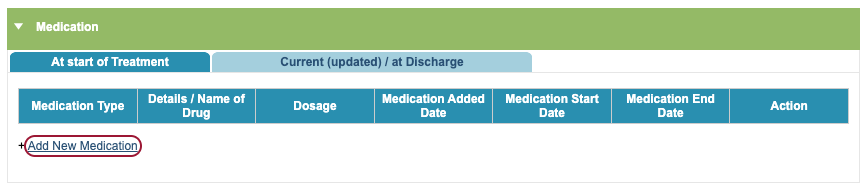
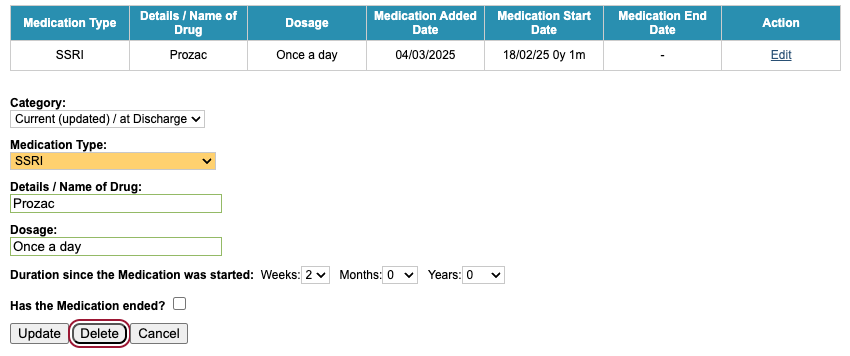
You will then be able to input the the following information:
- Medication type
- Details/name of the medication
- Dosage
- Duration since the medication was started
- If the medication has ended
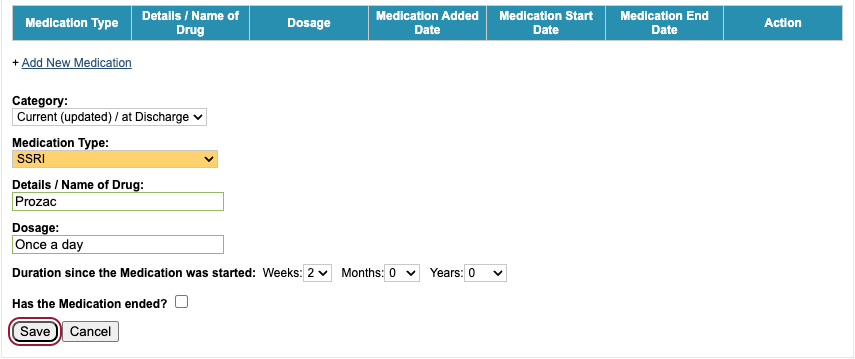
Based on the selected category, the medication details will sit under the appropriate tab.

Editing a recorded medication
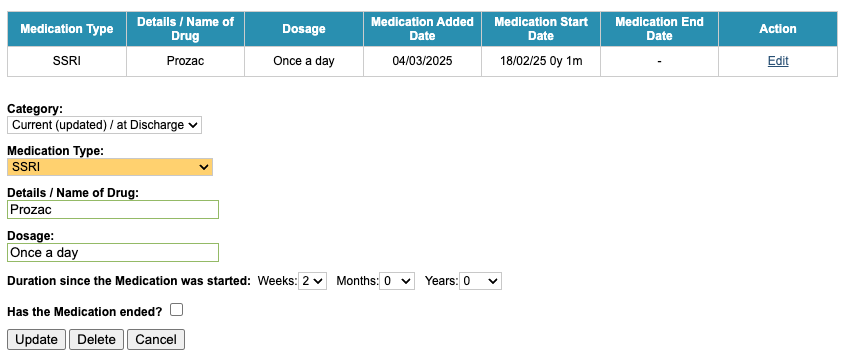
If the details have been entered incorrectly, standard users have the ability to edit any medication they have recorded. Superusers can edit all medication details.

Click Edit to open the edit form.
Deleting a recorded medication
To delete a recorded medication, find the medication details entry you wish to remove and select the Edit option. Here, you will have the option to either Update, Delete, or Cancel. Select the Delete option.
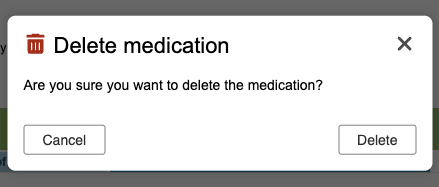
The entry will be removed, but Superusers can reinstate this if needed be via User Activity.
