
Questionnaires
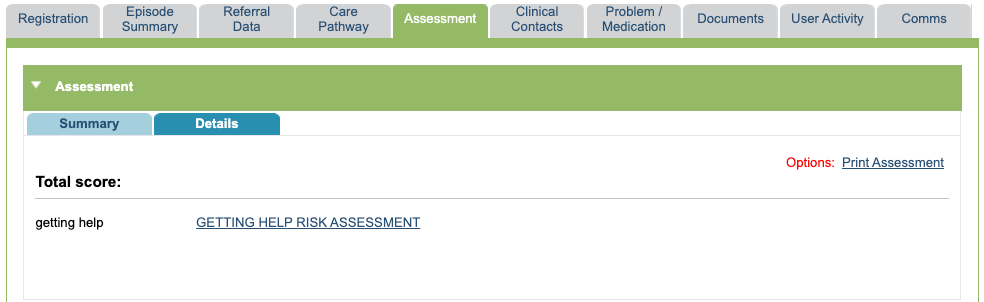
Questionnaires can be accessed by either the Assessment tab or the ‘Complete a new Questionnaire’ section in the Clinical Contacts tab.
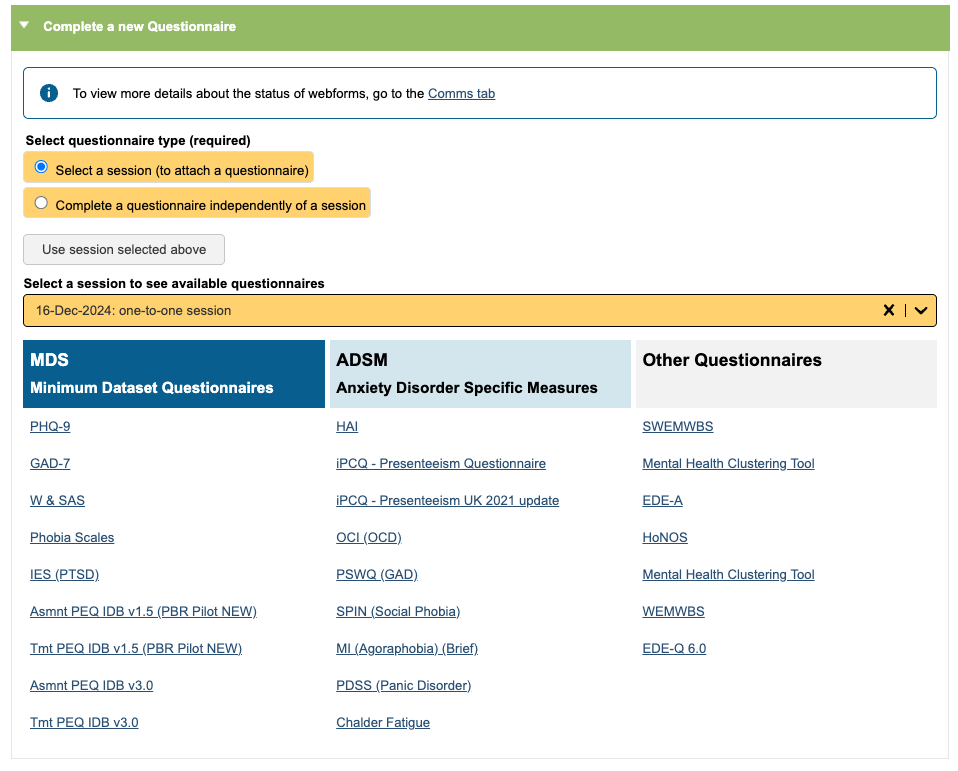
Questionnaires or outcome measures completed via the Clinical Contacts tab must be linked with a clinical contact, which you can select in the ‘Select a session to see available questionnaires’ field.
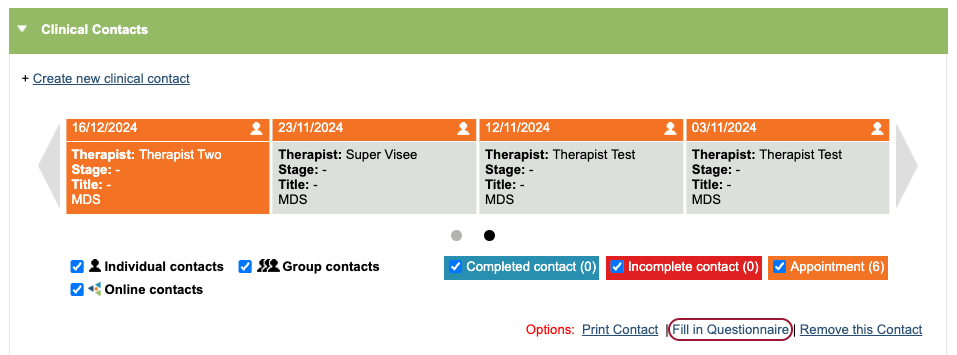
You can also navigate to the questionnaire selection for a clinical contact using the ‘Fill in Questionnaire’ hyperlink.
Completing a questionnaire
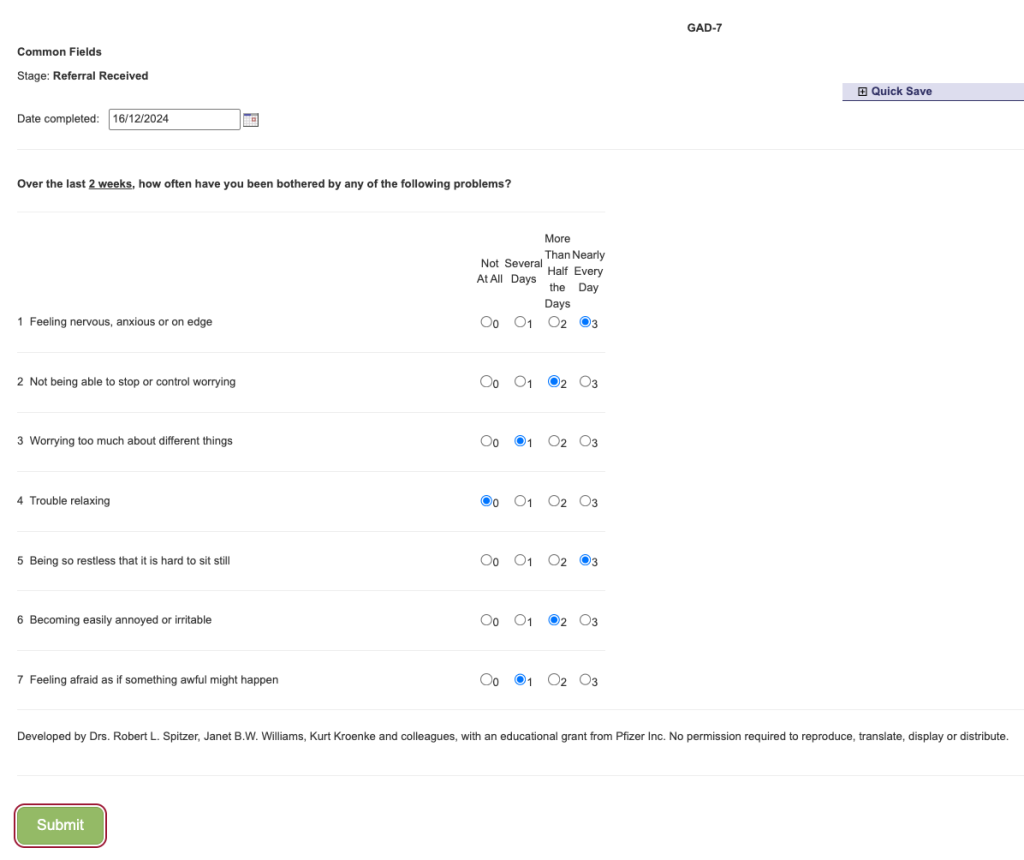
Once you have selected the questionnaire, complete all the fields and click ‘Submit’ when you are ready to save this.
Viewing a completed questionnaire
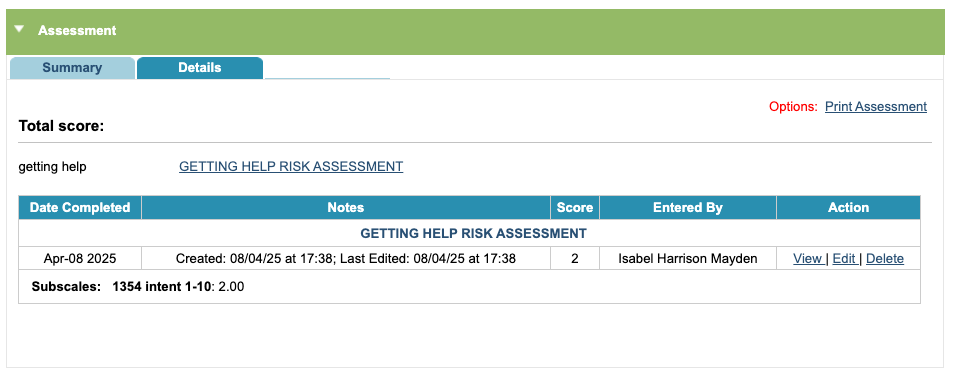
A history of questionnaires completed via the Assessment tab will show below any hyperlinked questionnaires. Within the table, you can view the questionnaire, edit or delete this.
You can also print a summary of the assessment by selecting the ‘Print Assessment’.
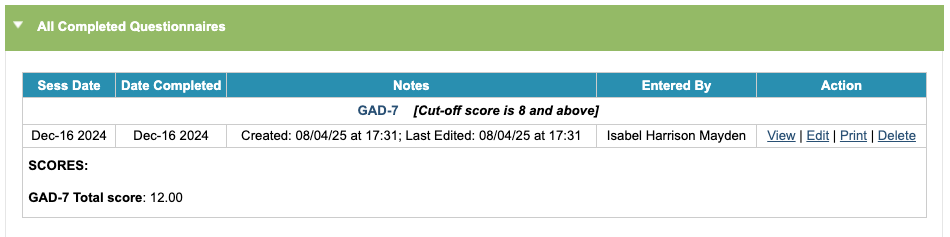
In the Clinical Contacts tab, you will be able to see all completed questionnaires for that episode of care in the ‘All Completed Questionnaires’ section.
Within the table, you can view the questionnaire, edit, print or delete this.
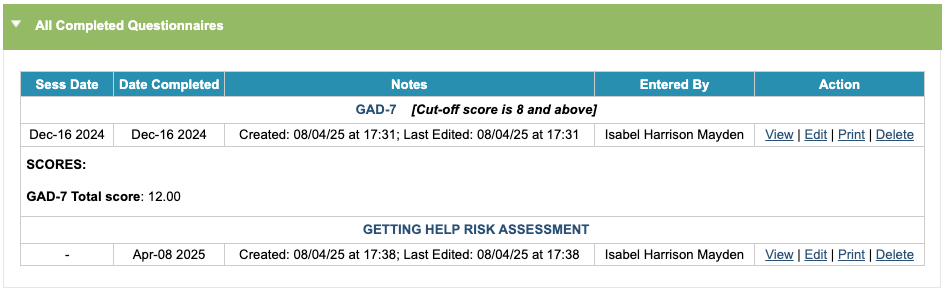
The ‘All Completed Questionnaires’ section in the Clinical Contacts tab will show any questionnaires completed via the Assessment tab for that episode of care, however there will be no linked session date for this.
Completing a questionnaire independently of a session
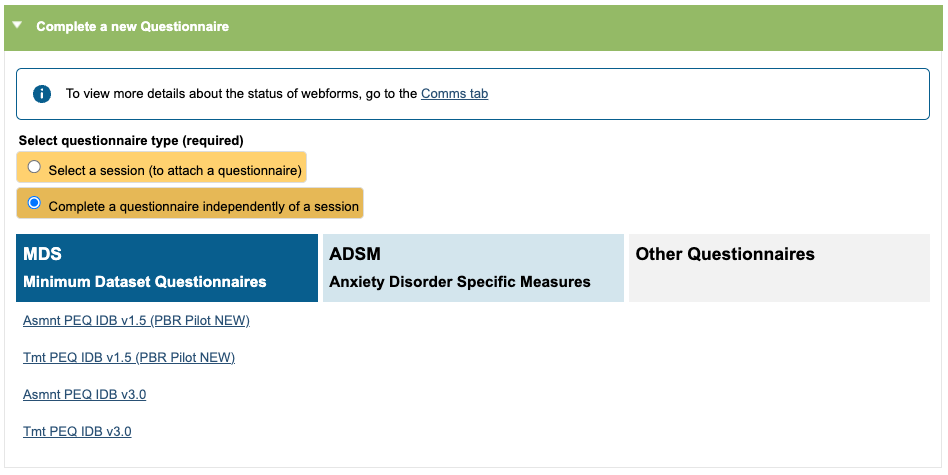
For Adult Talking Therapies services, you can complete a Patient Experience Questionnaire without attaching this to a session, as these are often sent after the treatment has ended. To do this, click on the radio button option ‘Complete a questionnaire independently of a session’ and choose the appropriate PEQ.
Adding new questionnaires or outcome measures to your iaptus system
If there is a questionnaire or outcome measure you would like to use but you cannot see this in the list of questionnaires available, please contact Mayden by raising a support log. Mayden will ask you to provide any necessary copyright information and let you know if there is a cost attached to building a measure or questionnaire that is not yet available in iaptus.