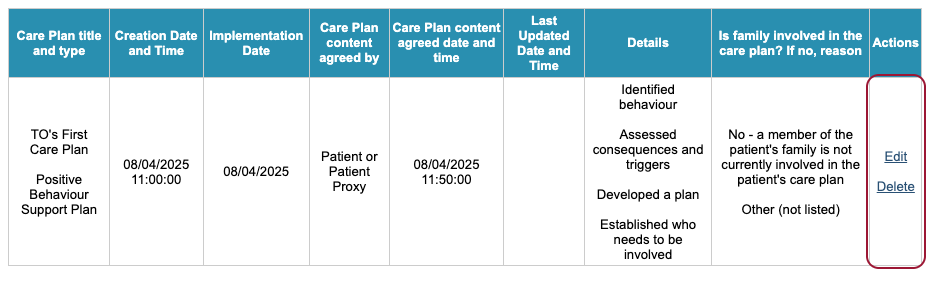
The Care plan area of iaptus helps to capture personalised needs required by the young person or patient and how those needs can be met.
It can be found within the Assessment tab when viewing a person’s record.
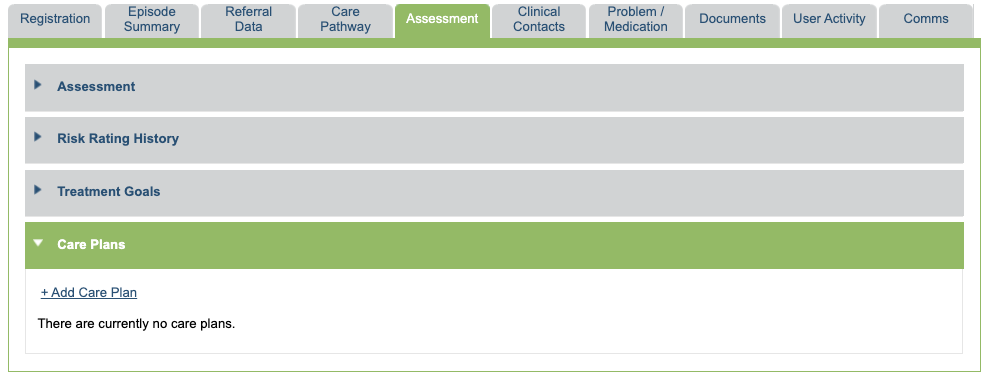
To add a Care Plan, click the ‘+ Add Care Plan’ option and complete the fields.

Here, we can see some free text areas which allows you to capture details of the Care Plan.
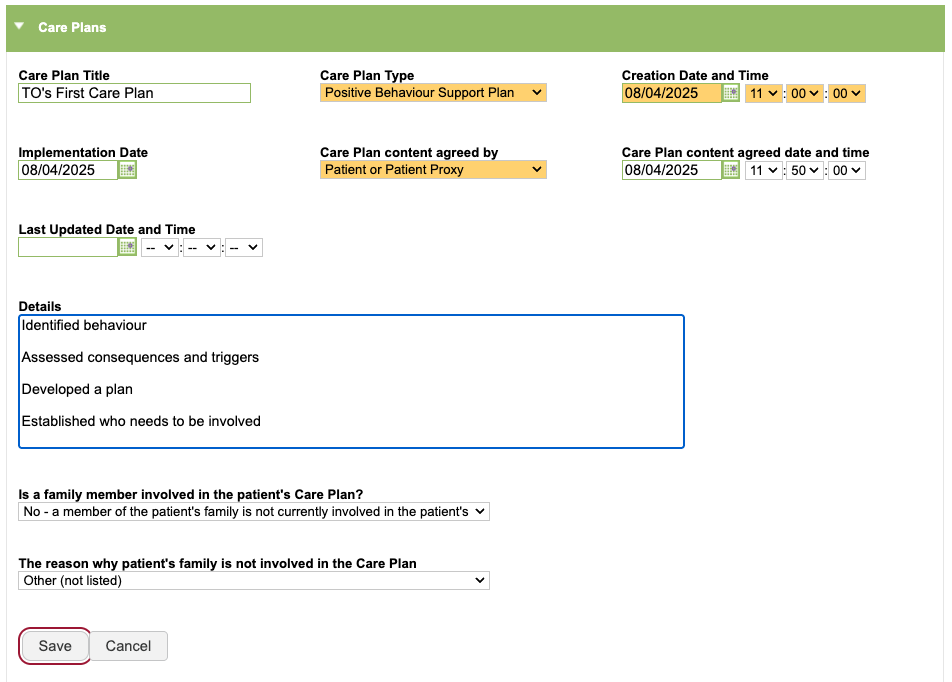
Fields that are orange are mandatory and this field behaviour can be changed by raising a support log to your account manager. The fields that have drop down list items which can be configured by a Superuser using List Management.
After inputting all the information you need to record, click the ‘Save’ option. You will then see the Care Plan is captured in a table which summarises the information recorded.
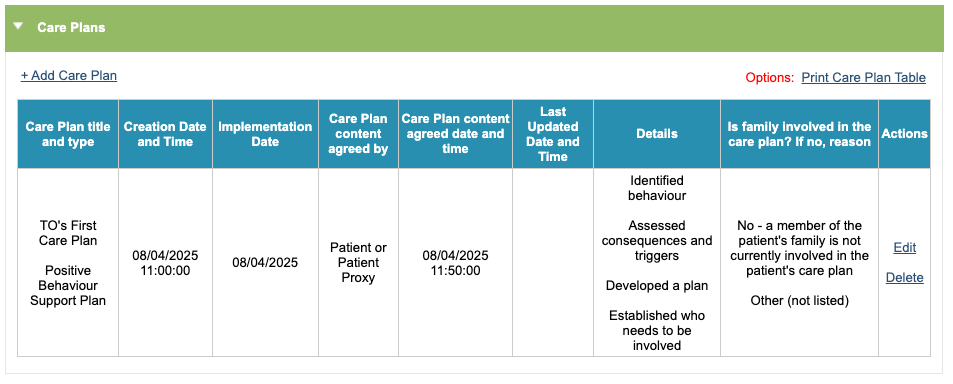
Above the table, there is an option to print the Care Plan information.

The Care Plan details can be amended by clicking on the ‘Edit’ option and then saved after all amendments are done.
The Care Plan can be deleted by selecting the ‘Delete’ option; deleted items on iaptus can be reinstated by a Superuser within your service if this was done in error.