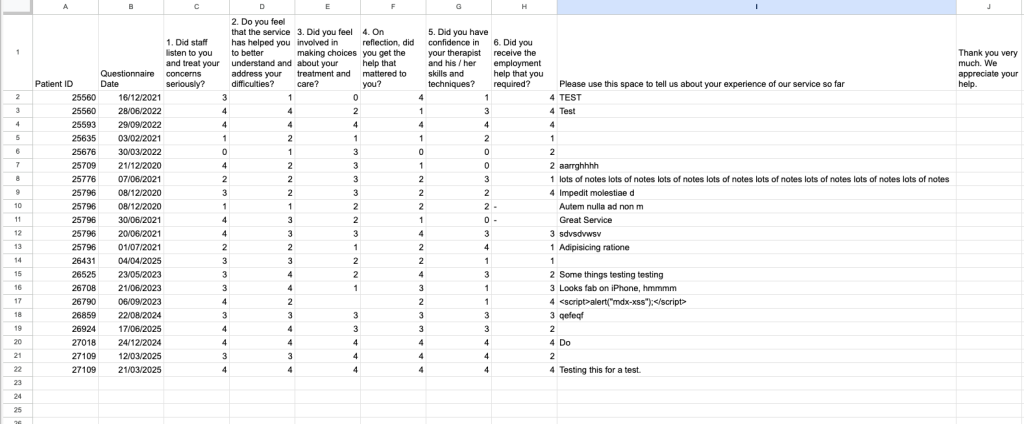
This will export all results for a questionnaire straight to an excel file. This report is particular useful to export PEQ Answers, as this questionnaire cannot be viewed from the patient record.
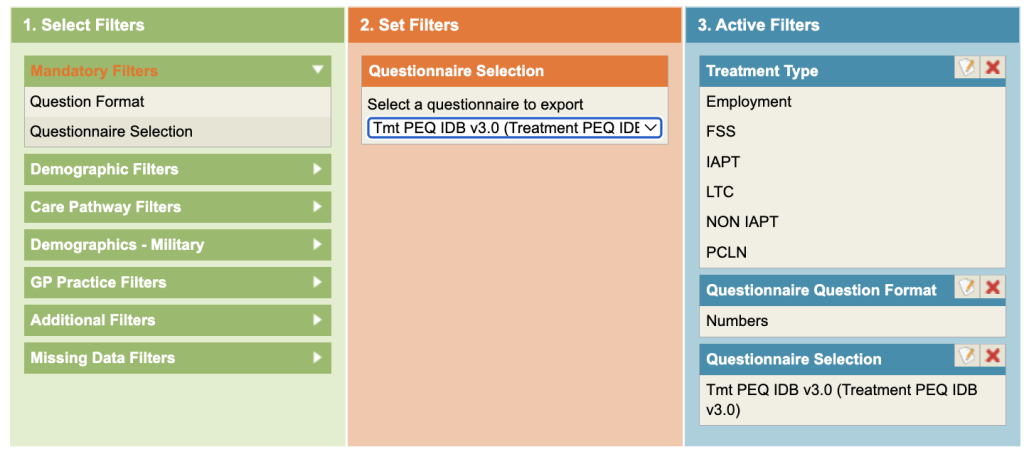
You can select the questionnaire and also if you want the results in text form or in number form (ie if the questions were scored).
Click on the Mandatory Filters and chose either word or number format.
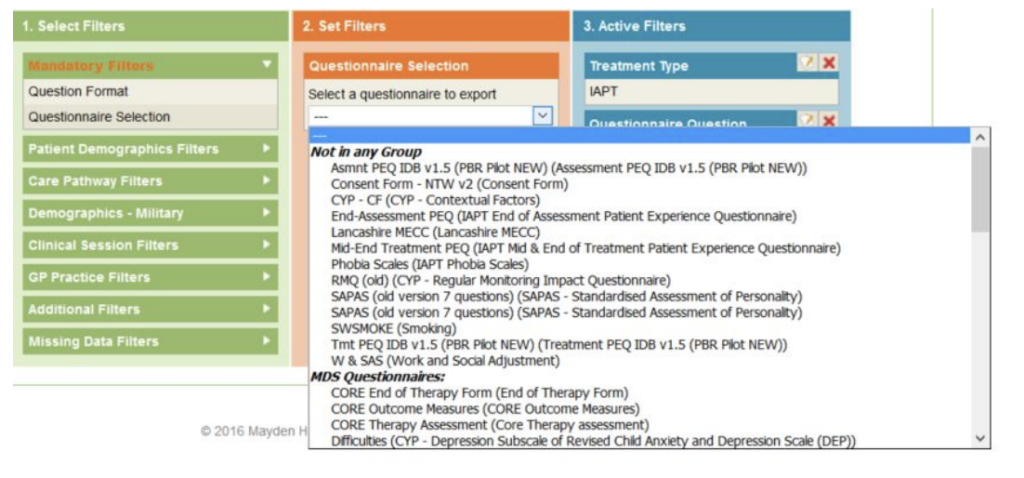
Click on Questionnaire Selection, from the 2nd column, scroll through to find the questionnaire you want to report on.
.The scroll area is divided into four areas. The Not in any Group, represents old questionnaires that are no longer visible in the bottom section of a clinical contact. MDS Questionnaires, represents the questions showing in the first column in the bottom section of the clinical contact tab. Anxiety Specific Questionnaires as those in the second column and
finally Other are the questionnaires in the third column.