
Presenting Complaints can be recorded against a person’s referral by using the add option in the Clinical Contact form or within the Problem/Medication tab.
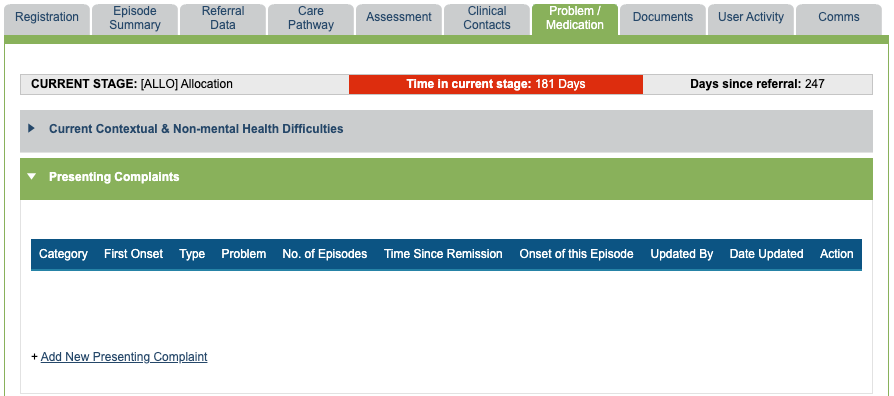
The Presenting Complaint is diagnosed by a healthcare professional in your service and is different to the referred problem which is recorded when adding a new referral. Both of these fields share the same list values which can be amended by a Superuser in List Management.
Adding a new Presenting Complaint from the Clinical Contact form
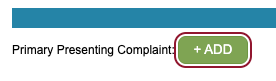
When there is no Presenting Complaint recorded on the episode of care, the + Add option will be shown in the Clinical Contact form to add a Presenting Complaint.
If a Presenting Complaint has been previously added, you will be able to see it in the Clinical Contact form, and the + Add option will not be shown.

Adding a new Presenting Complaint from the Problem/ Medication tab
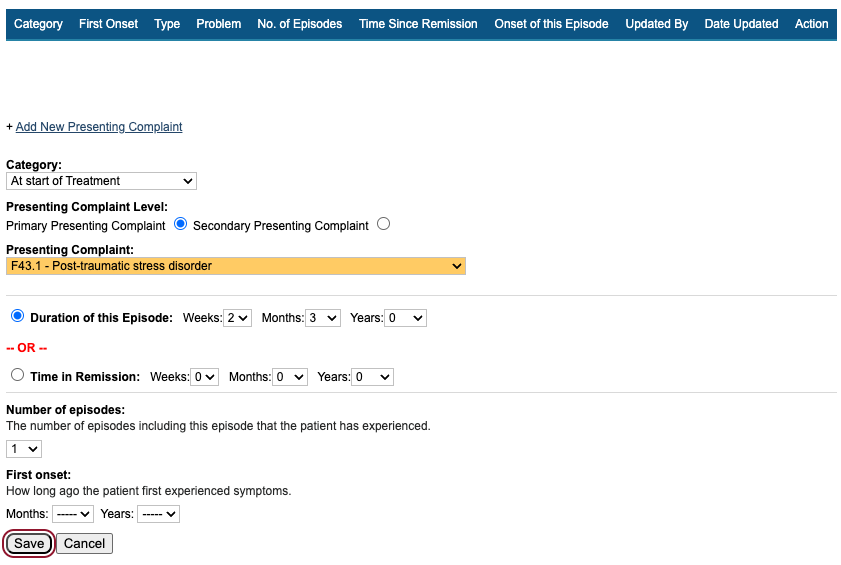
To add a new Presenting Complaint, select Add new Presenting Complaint and select the correct category from the drop-down list.
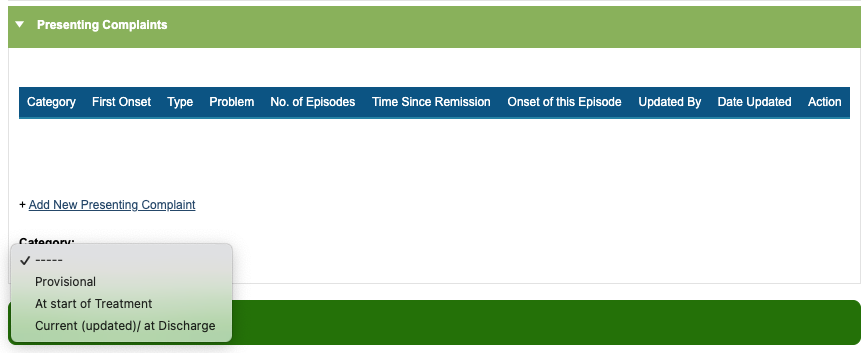
The Provisional option is to record any provisional Presenting Complaints. The At start of Treatment option is intended to record the first assessment of the patient, and subsequent updates should be recorded as Current (updated)/at Discharge.
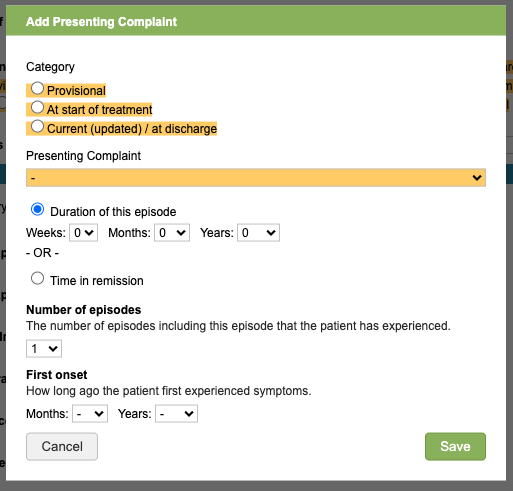
Once the category has been selected, the form will expand to include additional fields.
- The Presenting Complaint Level (primary or secondary)
- Presenting Complaint
- Duration of the current episode or how long they have been in remission.
- How many episodes the patient has experienced.
- The first onset of this problem descriptor
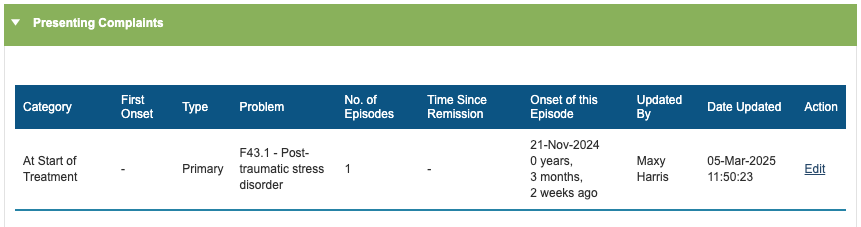
Once an entry is saved, you will be able to see them listed in the Problem/Medication tab.
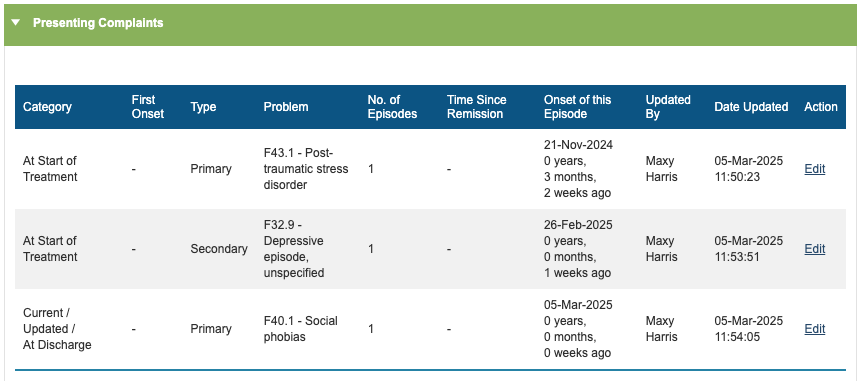
All recorded Presenting Complaints will be shown here, regardless of many are added and which category they belong to.
Editing a recorded Presenting Complaint
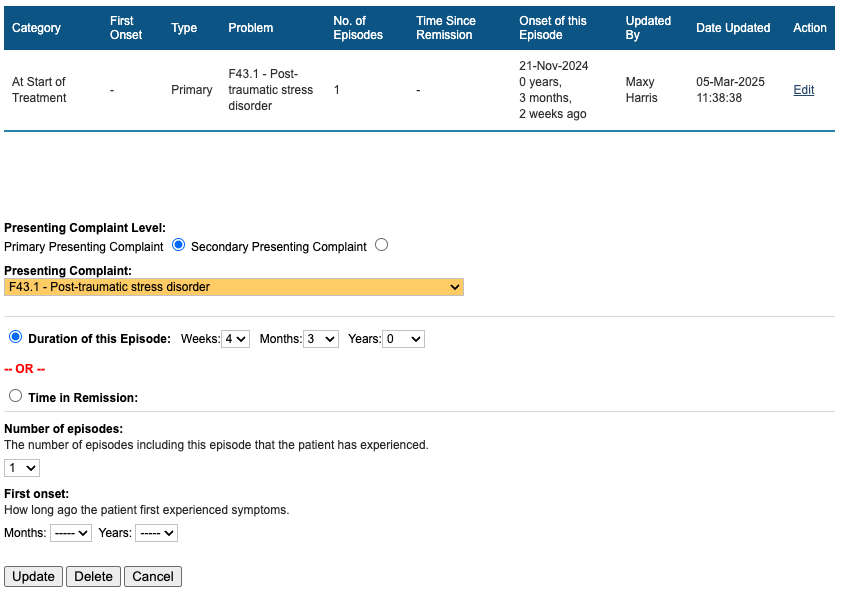
If the details have been entered incorrectly, standard users have the ability to edit any Presenting Complaints they recorded. Superusers can edit all problem descriptors. To edit, go to the Problem/Medication tab, and select Edit next to the recorded entry.
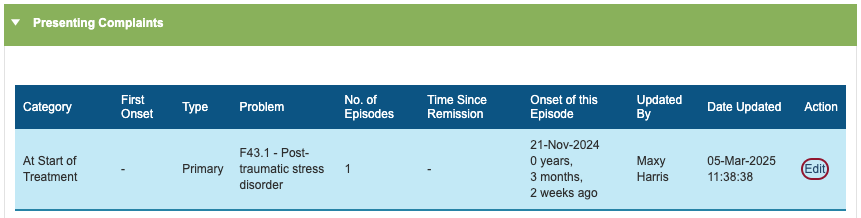
Here, you can make changes and update the entry.
Deleting a recorded Presenting Complaint
To delete an entry, click Edit next to the recorded Presenting Complaint, then select the Delete option.
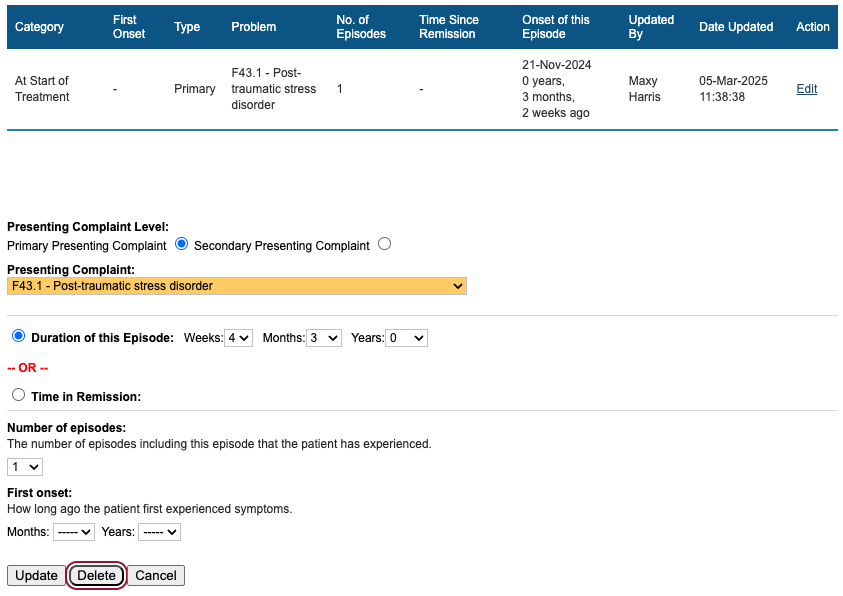
Superusers can reinstate deleted entries via User Activity.

Recovery Calculations
The first time a presenting problem is recorded, it should be with the ‘at start of treatment category’. If this needs to change throughout treatment, a user can add a new presenting problem with the ‘current/ updated’ category
Data submissions will look for presenting problems recorded in this order:
current/ updated, if there isn’t one recorded at this level, it will look for
at start of treatment if there isn’t one recorded at this level, it will look for
provisional