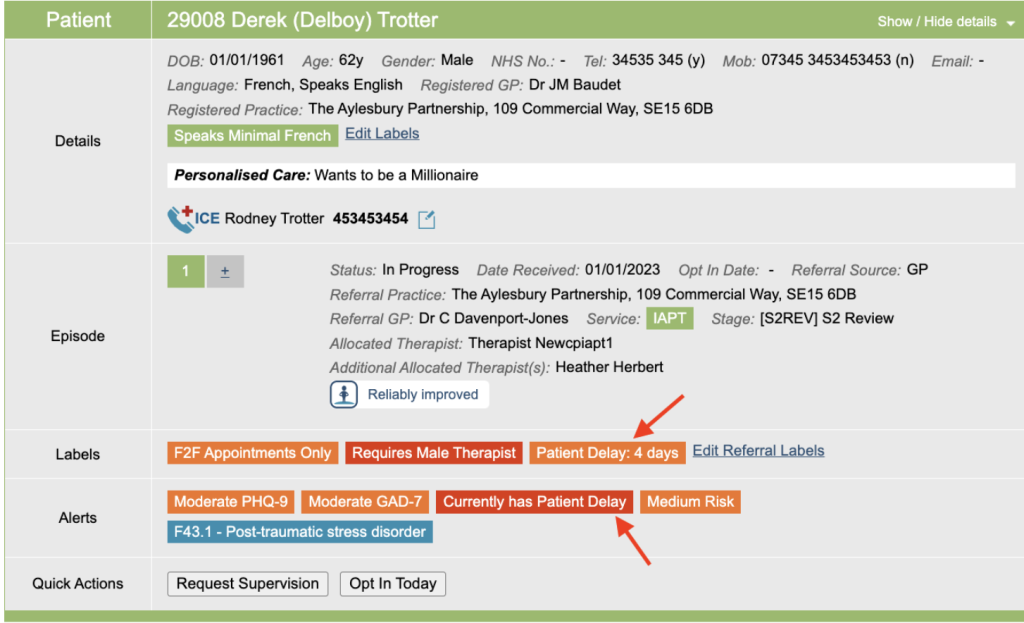
This area allows you to record when a patient is unavailable to interact with your service for a certain amount of time. If the referral is within the date range of the delay added, an alert on the Boarding Card will be displayed.
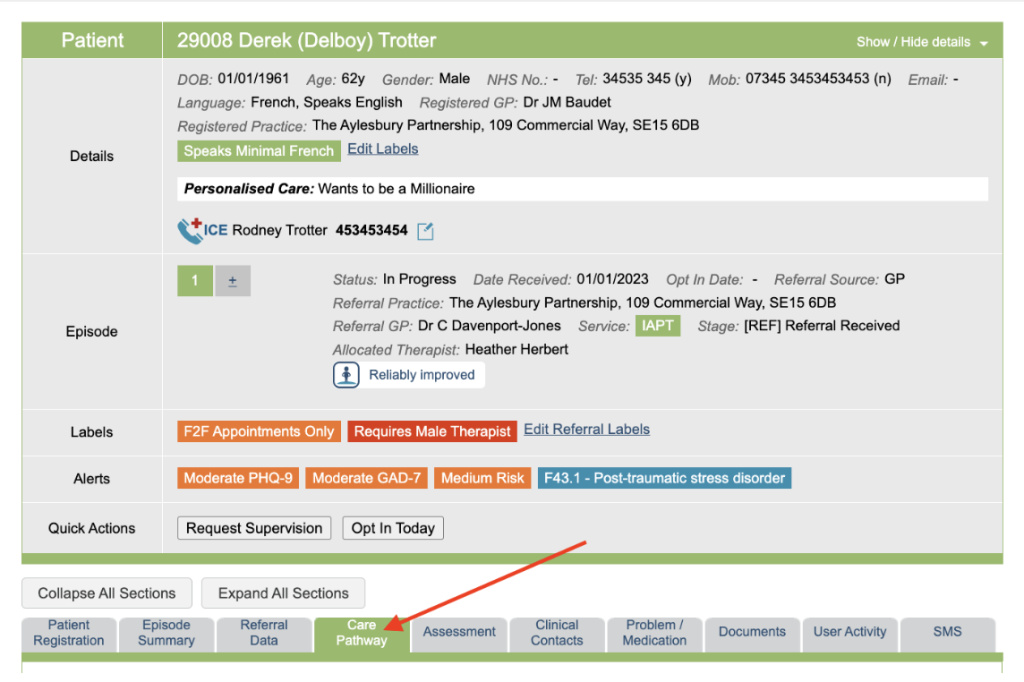
For example – a patient may be unavailable to attend an assessment appointment as they are on holiday.
This can be recorded in two areas in iaptus:
- Care Pathway Tab
- Clinical Contacts Tab
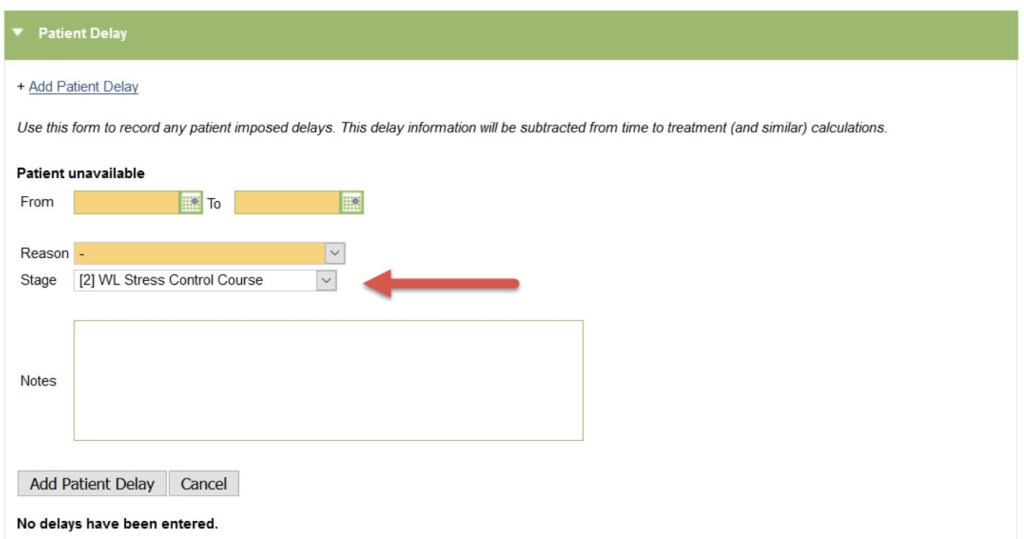
To add a patient delay, select the Add Patient delay option.
This will open a new form allowing you to record the delay details. Any orange field is mandatory and must be completed. You will need to select which stage in the care pathway this delay is applicable to.
Once complete, a table will appear showing all the patient delays that have been recorded for this referral.
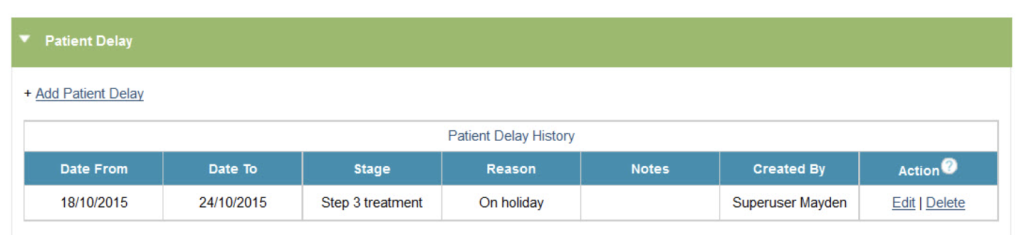
Patient delays can be deleted by their creator if less than 48 hours have passed since they were created. After this time, only a superuser will be able to delete the patient delay.
Patient Delay Alert
If the patient is currently within the date range of a delay, an alert flag will appear on their Boarding Card. If activated, a countdown flag will appear under Labels displaying the number of days until the patient is available.
This flag is RAG colour coded the 1st 33% of the date range will highlighted green, the 2nd 33% highlighted in amber and the last 33% highlighted in red.