Analyse data from the last contact.
Please note that the definition of ‘Last contact’ may change depending on the filters you select. For example, if you chose to include ‘Attended’ contacts only, the report will automatically pick up the last attended contact as the last contact, otherwise, the last contact could be a DNAed contact.
Scores and Caseness at end of treatment.
This report is useful for seeing if patients were still above caseness at their last session or close to recovery.
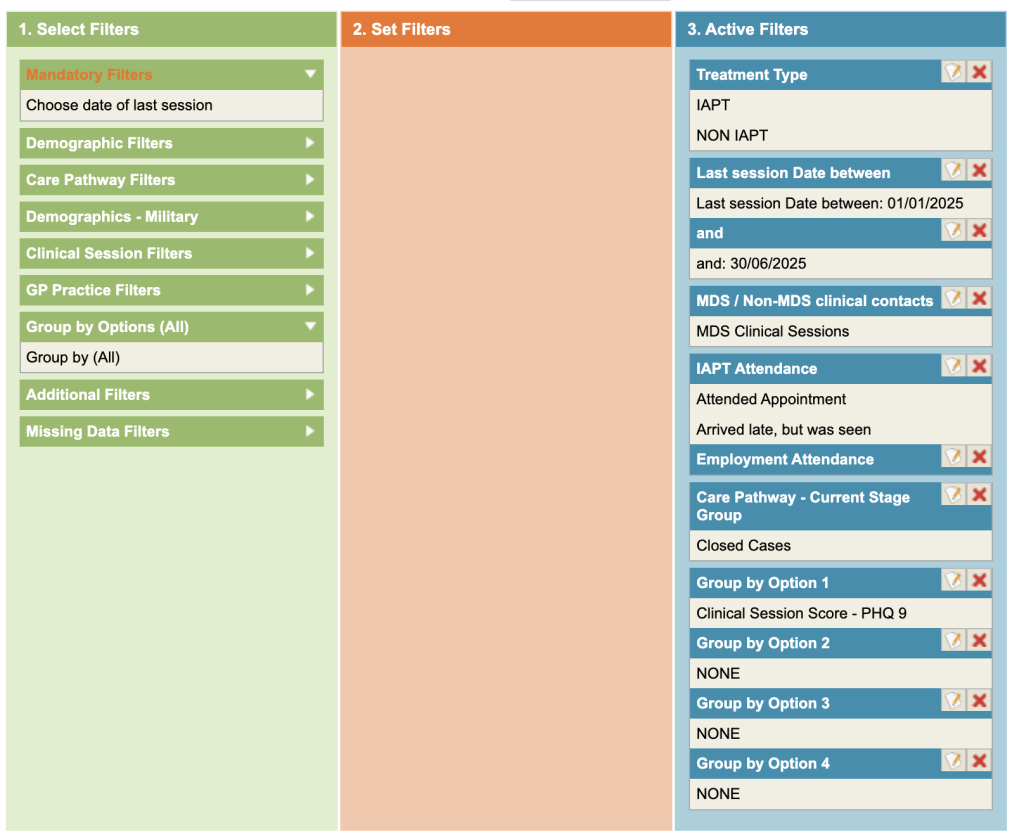
- Click on the Mandatory filters (top of green column) and enter the dates in which you wish the last session to be considered.
- Under Additional Filters and select MDS only.
- Click on Attendance within clinical session filter and select the attended options
- Click on the Appointment Purpose within Clinical Session Filters
- Group by Clinical Session Score – PHQ9
- You may want to consider filtering by Care pathway Enter stage(s) (or Enter Stage Group(s))
discharge stages to include only patients who completed treatment
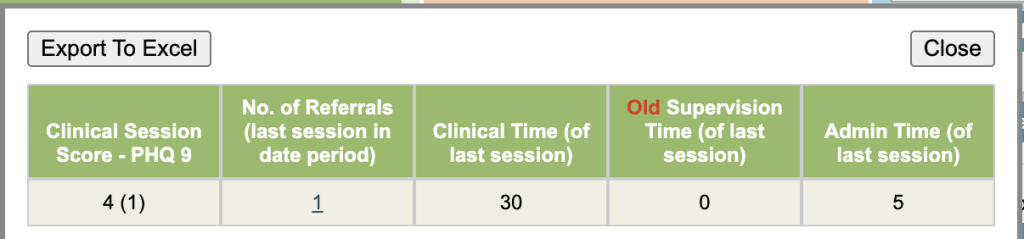
This report will show the number of referrals against each PHQ9 score so you can identify the patients above caseness etc.
This report can be used for GAD7 etc.