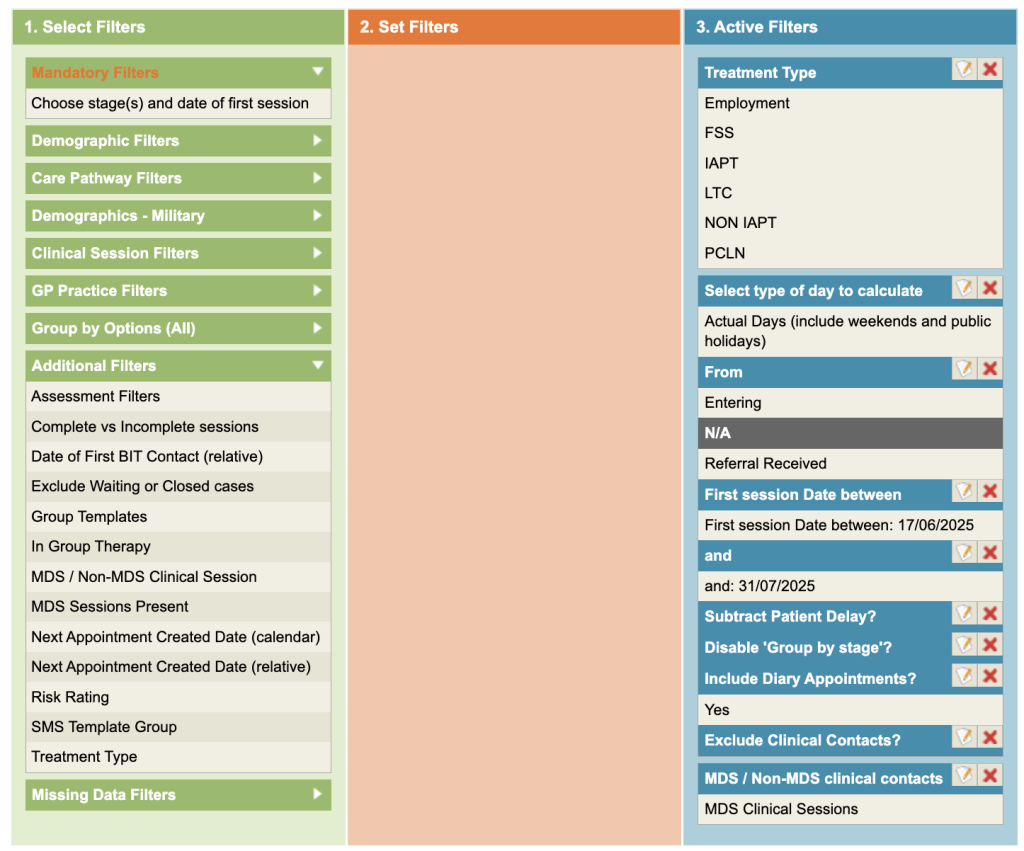
This report calculates the number of days between selected stage(s) to the first contact.
This report groups the results into the stage(s) you have chosen and No. of referrals by default. You may remove the group by stage option by ticking the Disable Group by stage box under the mandatory filters section.
Please note, the definition of first sessions may change depending on the filters you select. For example, if you chose to include ‘Attended’ contacts only, the report will automatically pick up the first attended contact as the first contact, otherwise, the first contact could be a non attended contact.
6 – 18 week waiting times for Closed cases
Where referrals have been discharged within reporting reporting period. This report is also available in the Dashboards.
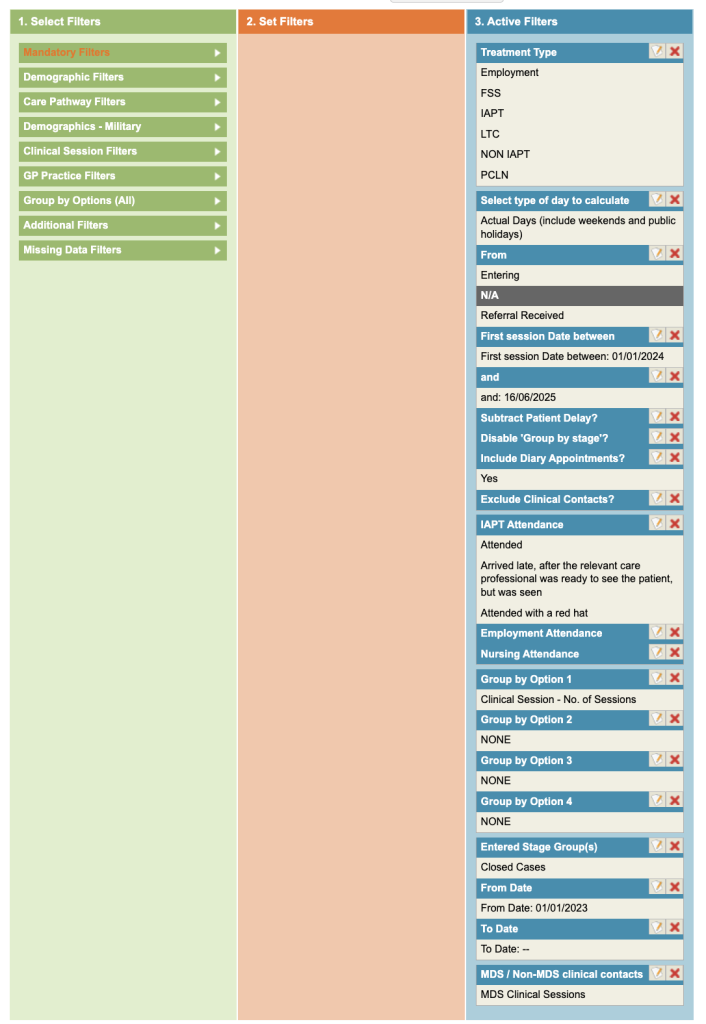
Complete the mandatory filters – Types of days, Entering/exiting, First session dates (put in a while range representing when you think they may have had a first session in view of when they were discharged.
Click on Clinical Contact Filters and select attendance and appointment purpose filters. Choose all options relating to attended and treatment appointments.
Select MDS Sessions (additional filters).
Group by Clinical Session – No. of Sessions
To ensure only closed cases are selected, click on the Care Pathway Filters, select the Entered Stage Group(s) and select the group that contains the Referral Closed stages (if this is not available, your Superuser is able to set Stage Groups up for you).
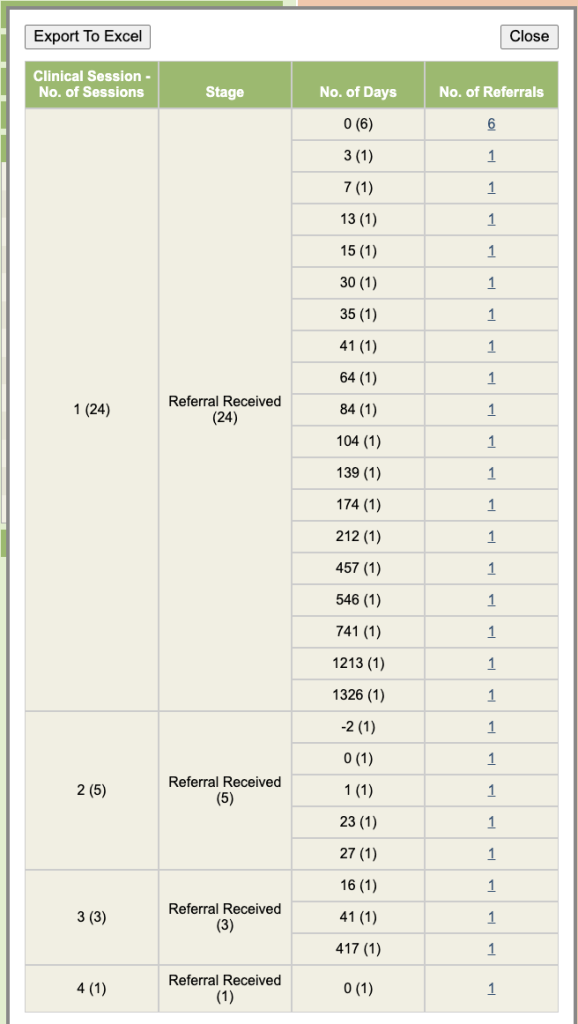
You can export the results. You can ignore the entries where there has only been one session and then analyse the remaining entries into the 6 and 18 week period etc.
6 – 18 week waiting times for all cases
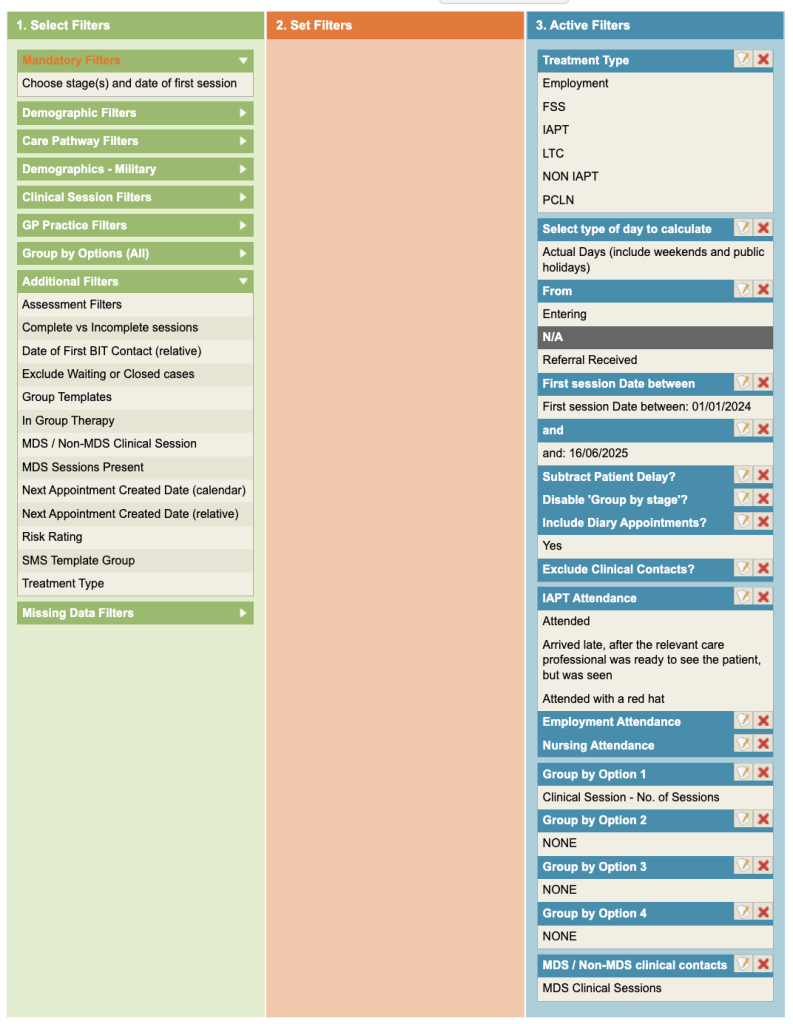
Include MDS (additional filters) and then complete the Mandatory filters. From within the Clinical Contact Filters, select attended appointments which have an appointment purpose of treatment.
This will then show the waiting times for all referrals so it can indicate if your service is on track to meet the waiting times.
6 – 18 week waiting times for future diary bookings,
all cases
Include MDS (additional filters) and complete the Mandatory Filters but at the bottom, tick Include Diary Appointments. Ensure the dates selected in the mandatory filter are future dates.