
The National Reports App has been built to allow services to generate the required reports for their dataset submissions – either the IDB or the MHSDS reports – depending on the service’s dataset.
The National Report App is available to access via the ‘Reports’ Icon at the top of the iaptus page, if a user has been granted system permissions to access the National Reports, they will see it available as a tab.
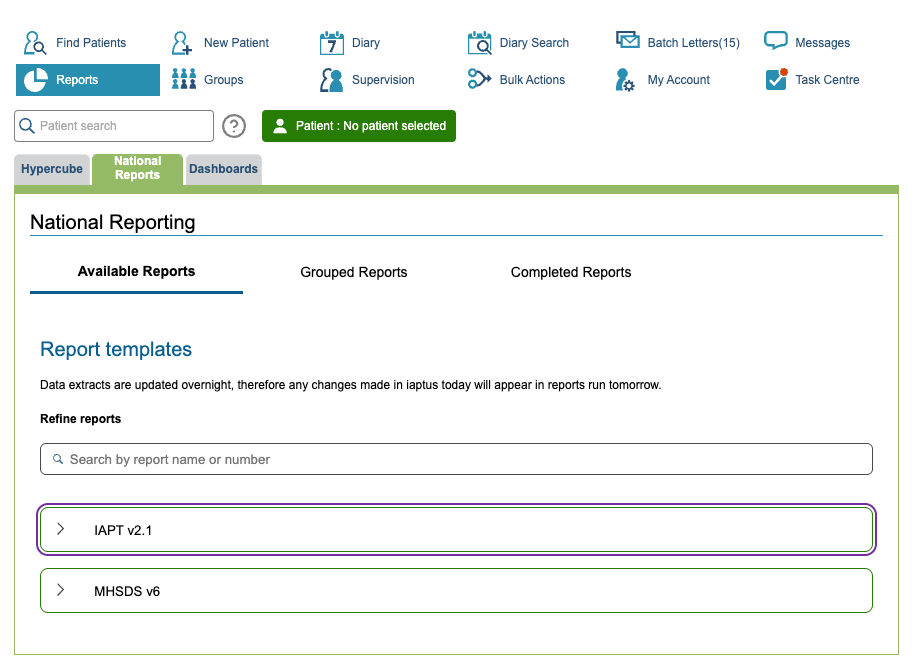
These reports have been built by our Data and Development teams to meet the format and content requirements for the dataset submissions, so services do not have to create these reports themselves. The app allows for easy generation and downloading of the reports, which means service users can save valuable time and resources.
Available Reports
When navigating to the National Reports, you will see 3 tabs: Available Reports, Grouped Reports, and Completed Reports. ‘Available Reports’ is automatically selected.
In this tab, you will see all the individual dataset reports listed, under a collapsible heading that confirms which dataset is enabled for reporting. You can either scroll or use the search bar to find the report you wish to run.
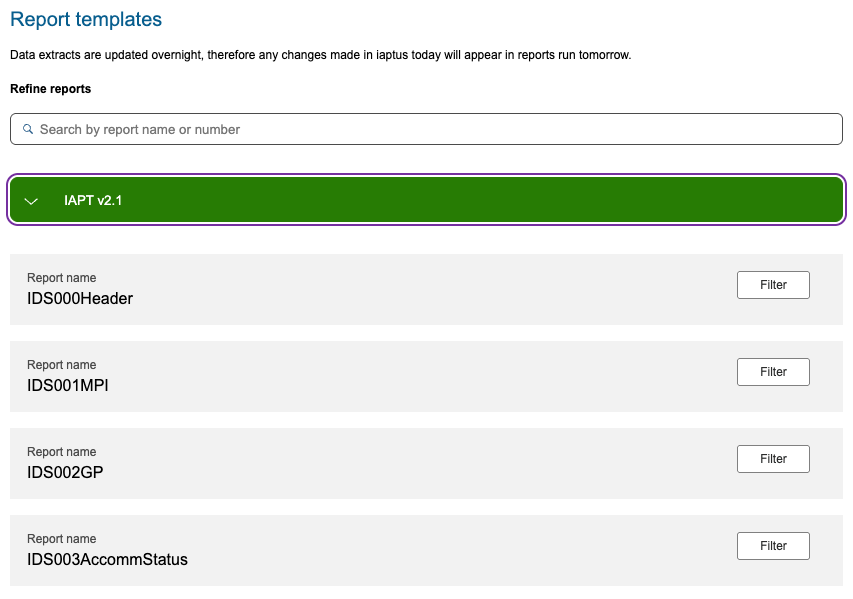
When you have located the report you need, click the ‘Filters’ option.
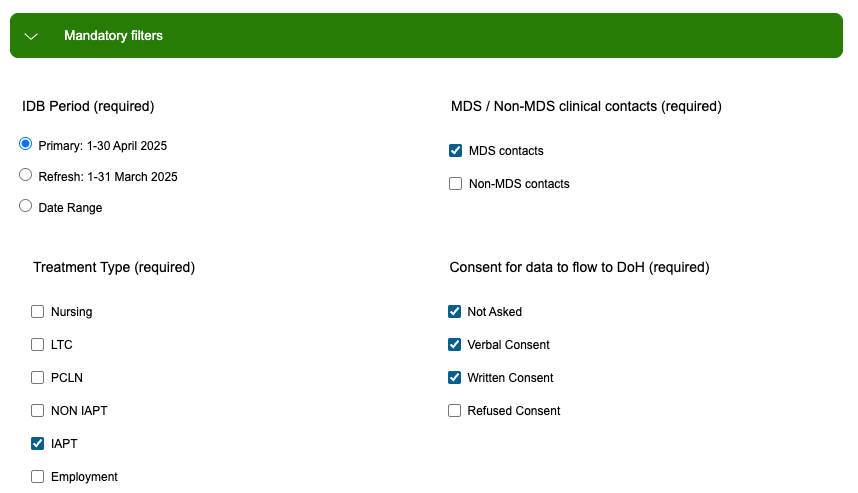
You will be presented with a selection of mandatory filters. You are required to select these filters before running the report. Not all the reports will have the same mandatory filters available, the system will only show the filters required for the report and dataset you have selected.
If you try to run the report without all the Mandatory Filters applied, the Run Report button will be greyed and this message will be displayed until you select an option for all filters.
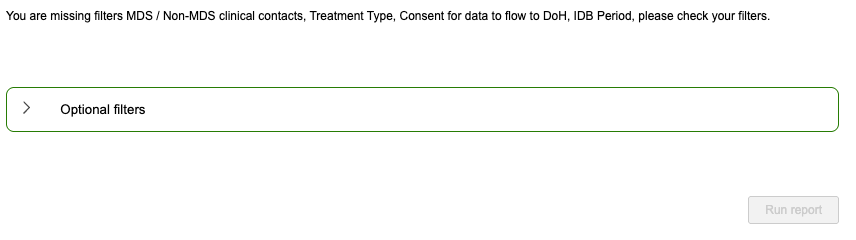
You also have the ability to apply further optional filters to the report before running the report.
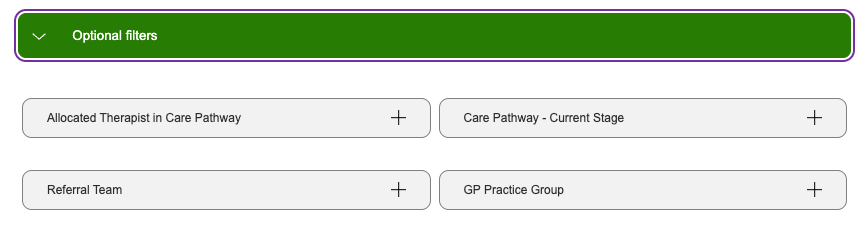
You can use these to filter out data that is not required to be submitted. If you ever need to discuss your submissions from iaptus and how to use the system to organise the data, you can raise a support log and your Account Manager will be able to advise you.
Once you have selected all applicable filters, you will be able to click ‘Run Report’.
The report will now be generated in the background where you can either navigate to ‘Completed Reports’ to download it or continue to run individual reports, which will also be sent to the ‘Completed Reports’ section.
Grouped Reports
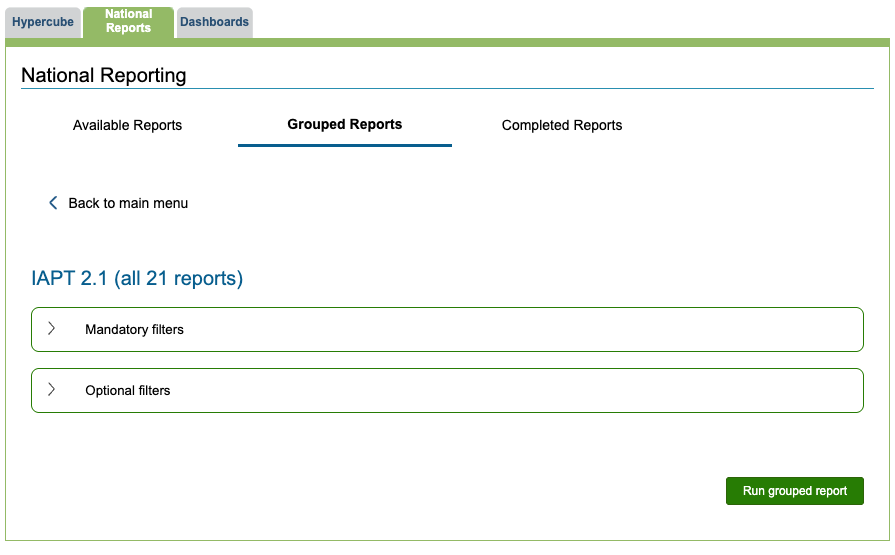
The ‘Grouped Reports’ option allows users to run all of the submission reports in one go, without the need to individually run and export each submission file. You will need to complete the mandatory filters and apply any optional filters you need.
After clicking ‘Run grouped reports’ you will need to give this collection of reports a name then select the option to ‘Confirm and run grouped report’.
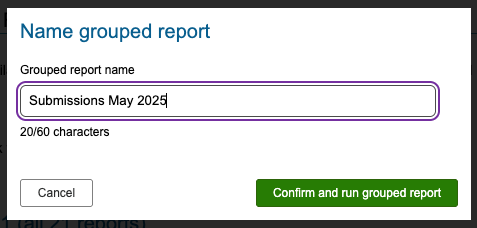
Once completed, this collection of reports will available to access and export in ‘Completed Reports’.
Completed Reports
When a report is ready to download, you will see a notification against the ‘Completed Reports’ tab that will show how many reports are ready – this will also display against the ‘National Reports’ tab and against the ‘Reports’ icon at the top of iaptus.

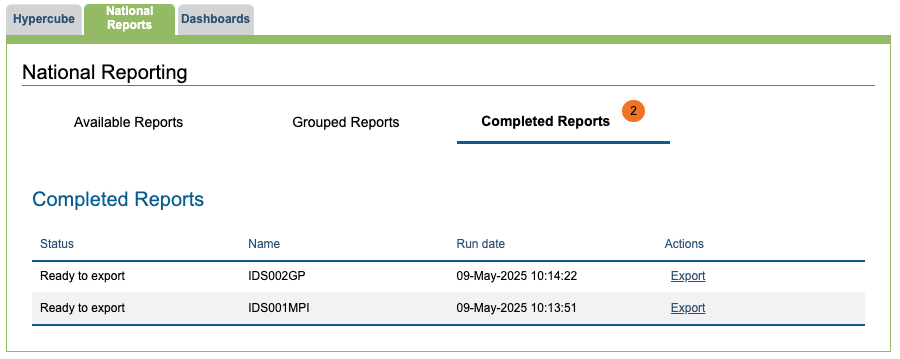
On the ‘Completed Reports’ tab, you will see a table containing all the reports you have generated, and their current status from one of the following:
- Processing, where the report is still being generated
- Ready to export, where it is now available to download
- Exported, for ones you have previously downloaded
- Failed, where the report has not generated
To download a generated report, click the ‘Export’ option and the file will download in the required .csv format, ready to be submitted.