
If you are a therapist, My Episodes gives a quick snapshot of all active referrals that are currently allocated to you. If you are an admin user, this will display the caseload for the therapist you are working on behalf of, as selected in the Working on Behalf of option at the top.
You can choose to hide or expand this section by clicking on the ‘My Episodes’ or the dropdown arrow.
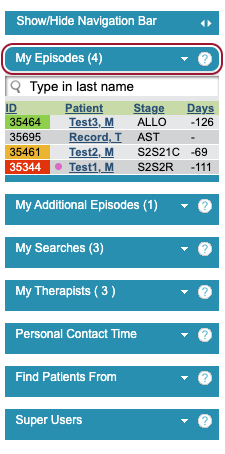
There are 4 columns in this section.
ID. This is the Patient’s iaptus ID. This may be colour coded, which is taken from the Risk rating selected for the patients referral.
Patient. The patients last name and first initial of their first name.
Stage. The stage short code which represents current Care Pathway stage that the patients referral is in.
Days. This is the number of days, by default, when the patient is next expected to be seen. This is taken from the ‘Next expected contact within’ field when saving a Clinical Contact. If this hasn’t been completed, the number will appear blank with a ‘-‘.
Superusers can switch this field to represent the days until the patient’s next booked appointment.