Moving a Patient
In this area patients can be moved through the Care Pathway, which indicates where in the current stage of treatment they are.
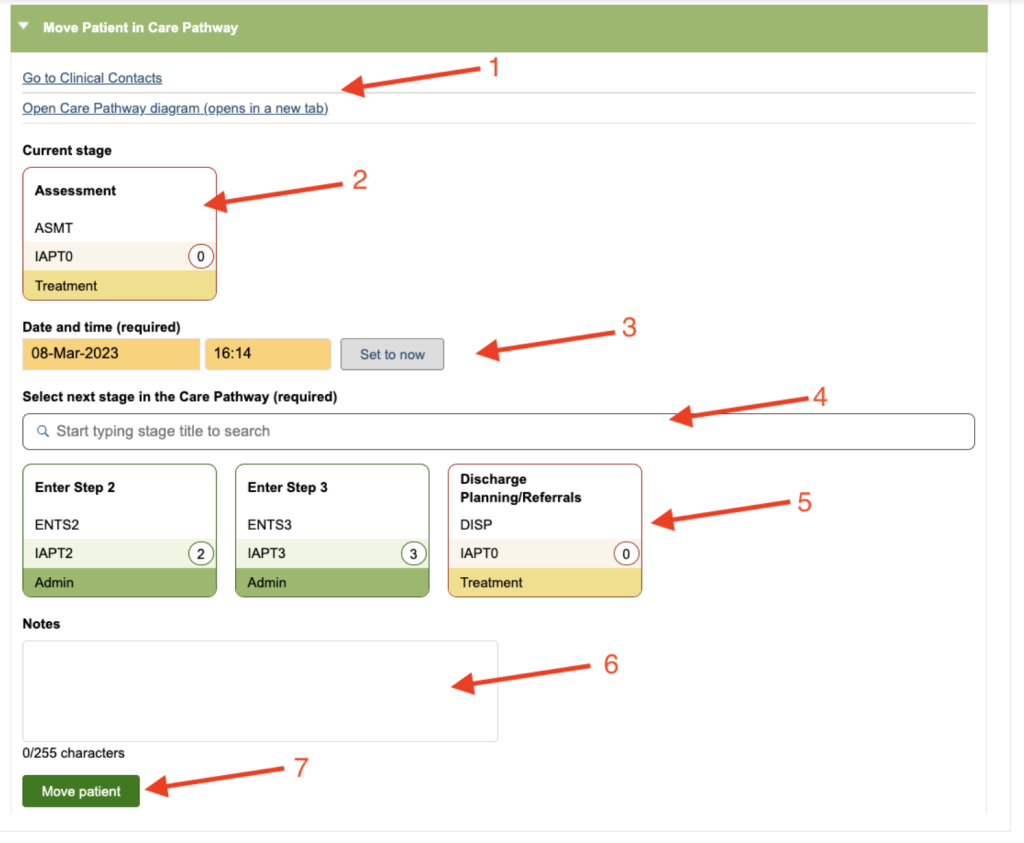
| 1. Hyperlinks | Here there are 2 Hyperlinks. One will jump you to the Clinical Contact tab and one will open the Care Pathway Diagram in a new tab for you to view. |
| 2. Current Stage | This is the stage where the patient currently is in your Care Pathway. |
| 3. Date & Time | This is the date and time of the move you are making, it will default to now, also there is a button to set it to now. |
| 4. Select a Stage Search Box | If your Care Pathway is large and you have multiple stages linked to the current stage, you can use this box to search for a specific next stage. |
| 5. Next Stages | These are the stages that are linked (black arrow – forward move) to the current stage. Click on the stage that you wish your patient to be moved into. |
| 6. Notes | Here you can add any notes concerning this specific move. |
| 7. Move Patient | Once you have completed steps 3, 5 & 6 above, click this to complete the Care Pathway move. |
Backward Moves
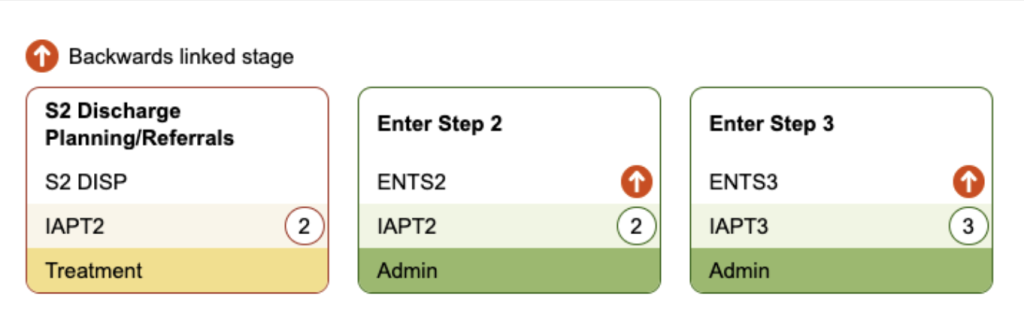
If there are any moves in the Next Stages area that are a backward move (orange arrow) then you will see a orange circled arrow next to the short name.
Editing or Deleting Moves
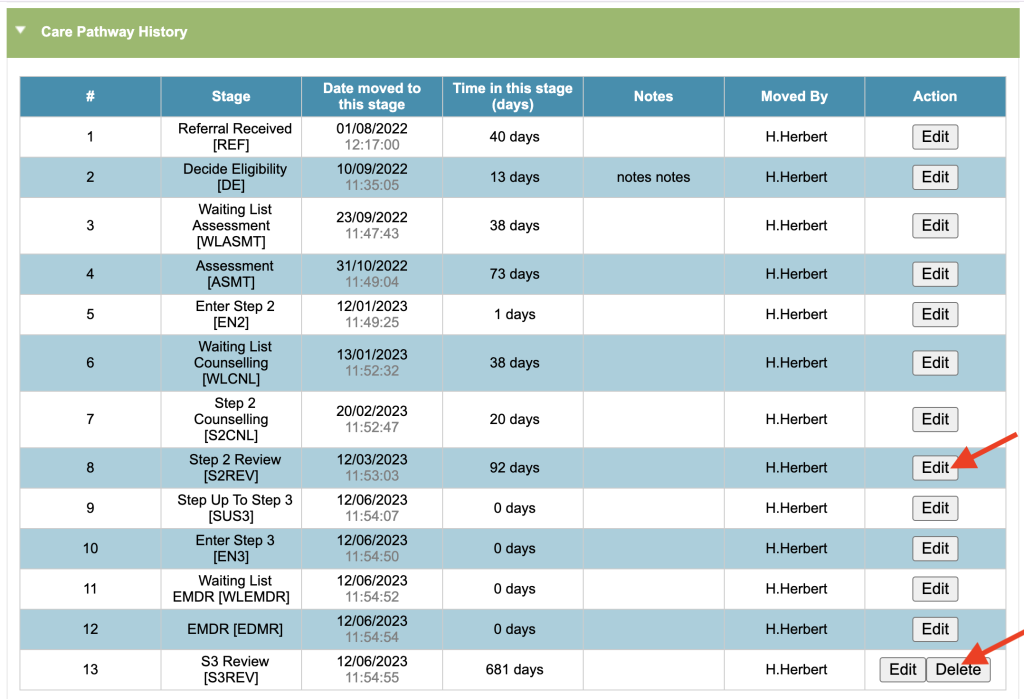
You can also delete and edit Care Pathway moves via the Care Pathway History in the Care Pathway Tab.
To edit an entry, press ‘Edit’ next to the relevant Care Pathway Stage. You then have the option to amend the date and time of when the patient moved into the stage, and also add notes. Once the amendments are done, press Save.
This should only be used when information has been entered in error, and not to change the Care Pathway Stage that the patient is currently in, or when they moved to that stage.