
iaptus stores a list of all schools from the Department of Educations list of schools. You can switch on just the schools relevant to your service, so patients are only assigned to schools in the area you cover. The Schools area of the Superuser menu allows you manage the list.

Mayden periodically updates the selection of schools you can pull through from the EduBase, the Department for Education’s register of schools.
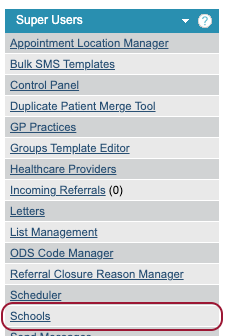
To configure Schools, go to your Superuser menu and click on the Schools section.
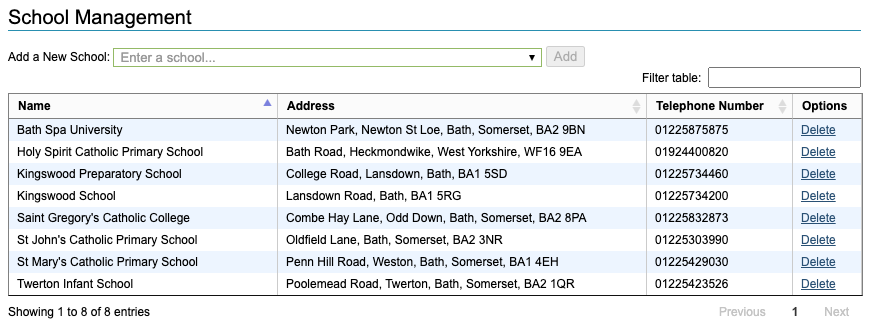
Within this area you will see a table of the schools you currently have available.
Adding a School
To add a new school, first search for it using the search bar above the table. You can search using the name of the school/educational establishment, part of the address or postcode.

Once you have found the option you would like to add, select the option from the results and click the ‘Add’ to add the school to your table.

A successful message will be displayed and the option will now show as an option for your users.

Deleting a School
To delete schools from your iaptus, find the school you wish to delete and click the Delete button. You will then be asked to confirm the deletion.
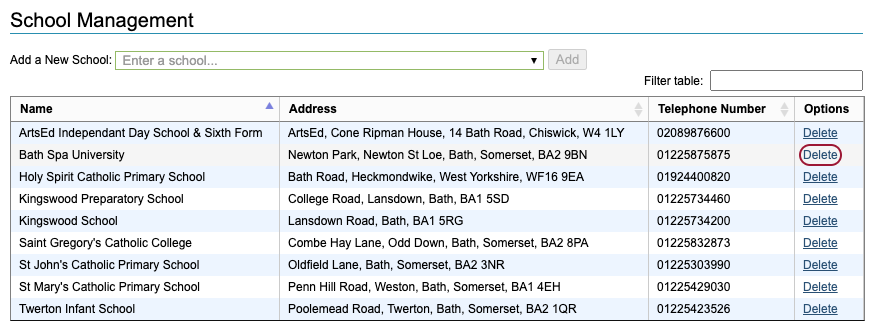
Users will no longer be able to assign the deleted school to a patient. Any patient already assigned to that school, will be unaffected.