
Introduction
With iaptus Connect enabled, the patient boarding card will display a blue flag if a corresponding entry for that patient has been found within a connected iaptus instance. Click on the flag to open the matched record in the connected iaptus instance(s) and view details of the patient’s previous and/ or ongoing care within linked services.
Record Found
Matches are found using the NHS number as the unique patient identifier to check whether the person has a record in one or more connected instances.
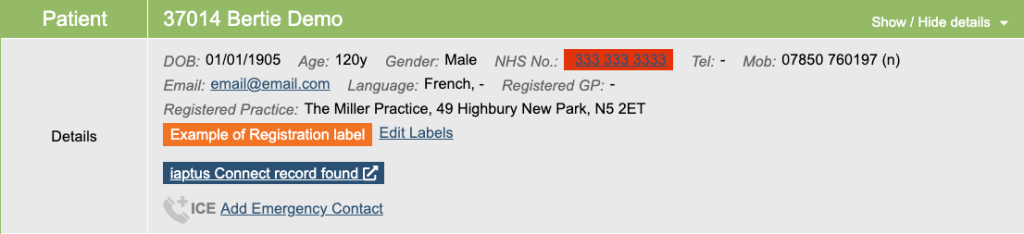
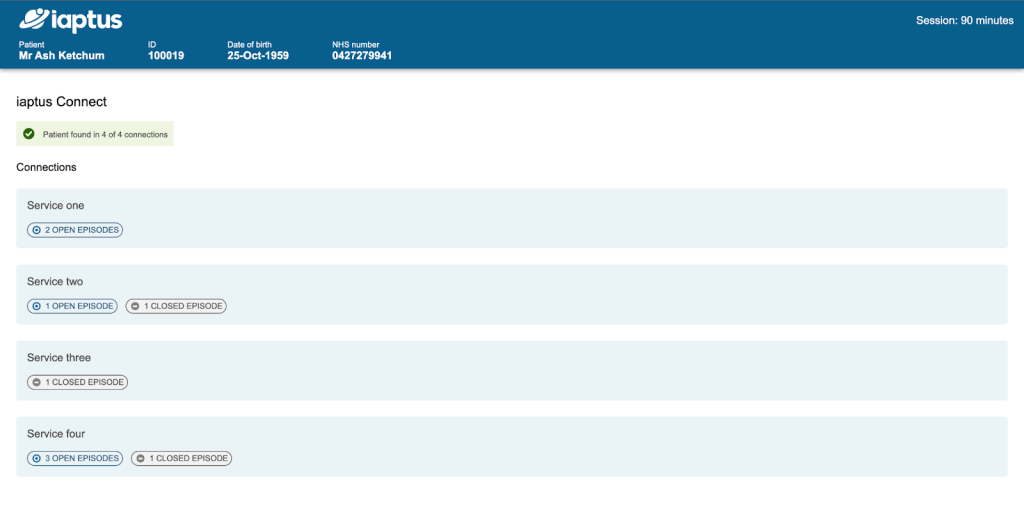
Click on the blue record found flag on the boarding card to open a new tab on your browser summarising the findings in any connected iaptus instances. This includes details of all connected records found for the patient, and the number of open or closed episodes found within each connected instance.
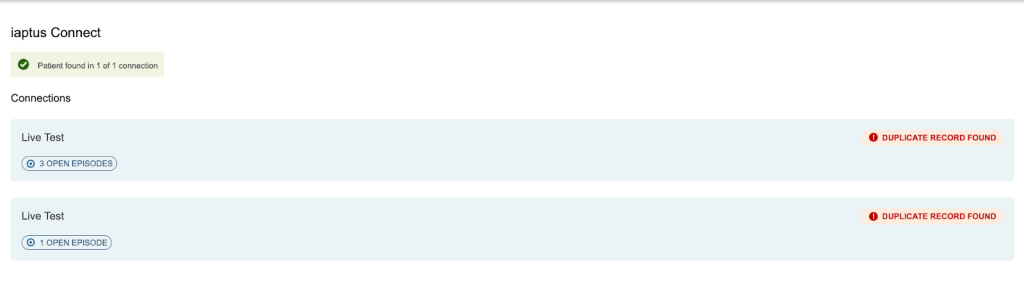
You will also see a warning message in this section if multiple duplicate records are found with the same NHS number in the same connected iaptus instance.
Clicking on one of the blue boxes displayed opens a further tab containing the record summary view for the patient in that connected iaptus instance.
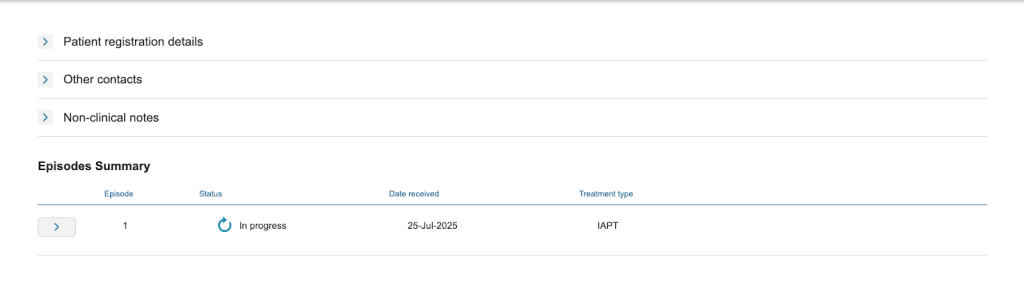
This is a view you might be familiar with from other iaptus integrations. It contains a comprehensive overview of the entire patient record in the connected system.

Please note: The lookup is performed using the NHS Number as the unique patient identifier to search for in other systems. If NHS numbers are not present in both connected systems, the lookup will not be able to succeed.
Record Not Found
When the record found flag is not showing it will be because of 1 of 3 reasons which will appear on the boarding card in place of the flag:
- “Patient not found in iaptus Connect” – This means the client is not registered in the connected iaptus instance(s) with this NHS number
- “Unable to look up patient in iaptus Connect – NHS no. is missing” – This means the patient’s NHS number is invalid or missing and therefore the lookup cannot be performed.
- “NHS lookup failed” – This displays if/when the connection could not be made. Please try again a few minutes later. If the issue persists, please raise a support log with us and provide the iaptus patient ID to help us investigate.
Locked Patients
If the patient does have a record in a connected iaptus instance, but is locked within that instance, the record found flag will still be displayed. However upon clicking through to view the record, an optional setting can be applied to block this view and instead present the user with a screen informing them that the record is locked and they do not have permission to view it.

Please note: iaptus connect can be implemented as either a unidirectional connection (one service can view another iaptus) or bidirectional connection (two services can both view connected patients in each other’s iaptus instances).
Audit Trail
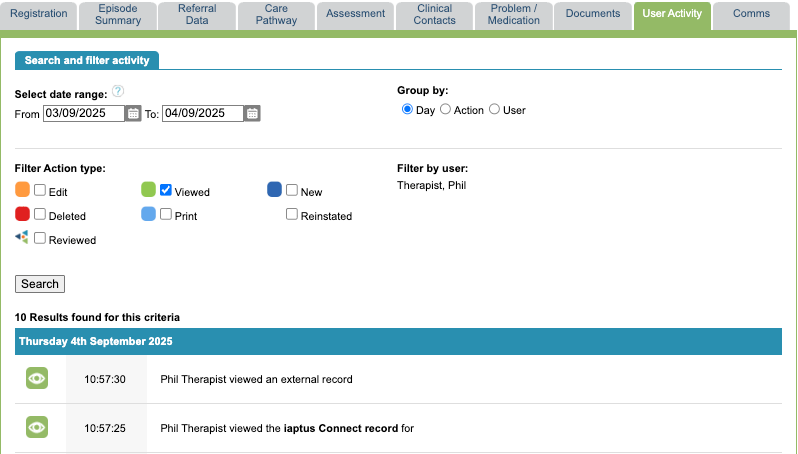
The User Activity tab within the iaptus patient record provides an audit of users who have viewed the iaptus Connect record for that particular patient from within iaptus. Filtering by viewed along with specific dates will help to narrow your search to find this.
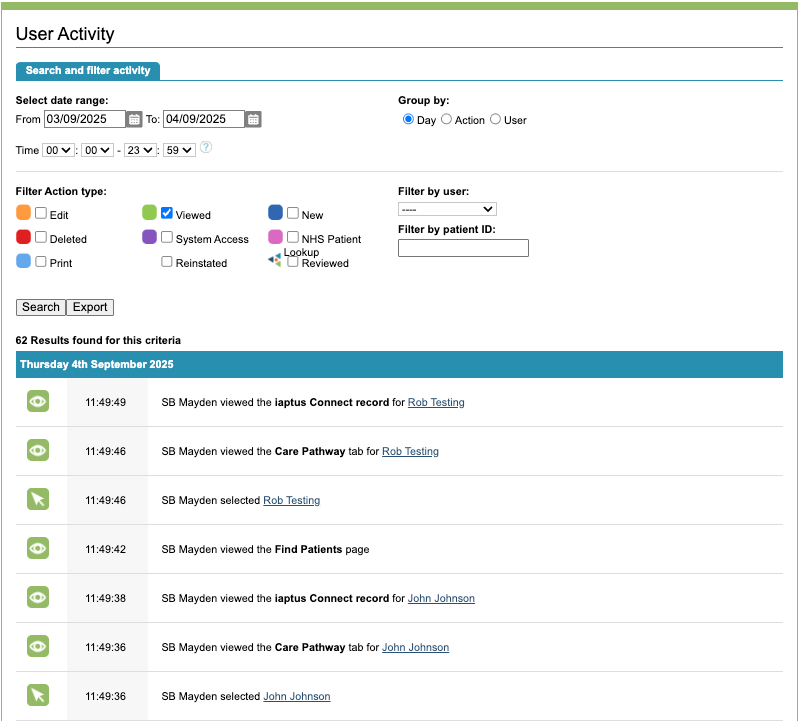
The User Activity section in the superuser menu provides a full audit of all iaptus users who have viewed any iaptus Connect record from iaptus in any given time period. Again we suggest filtering by viewed along with a date range.
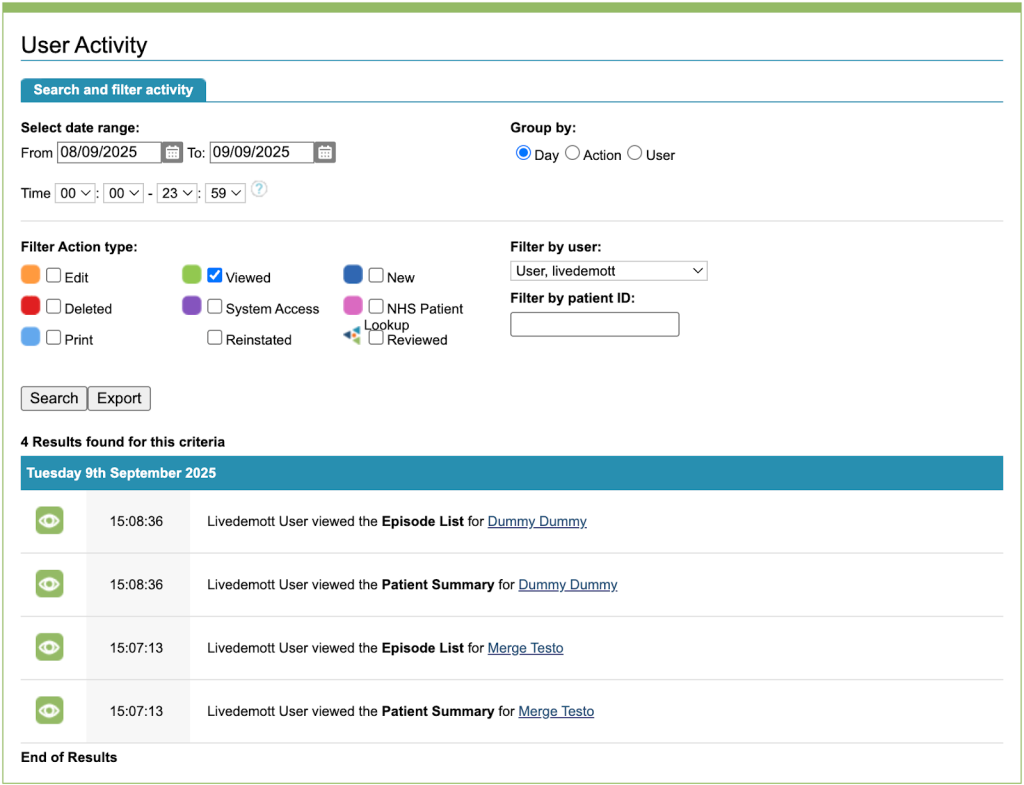
The User Activity section can also be used to see when a user in a connected instance has viewed the patient record in your iaptus instance via iaptus Connect. This will show the date and time the record was viewed, but will not show the name of the user, but rather a generic name indicating the connected instance they were working in at the time (eg. mayden-user).
You will see a new user named after the connected instance, eg. ‘livedemo user’. Filter by this user and the action of viewed. This will show every time the iaptus viewer has been loaded from within the connected iaptus instance. This is broken down into Patient Summary and Episode List which both load automatically when the viewer is opened, and then Episode Summary when an episode has been opened up within the viewer. You will also see Locked Patient Summary appear here indicating that a user has tried to view a locked iaptus record and the locked patient message was displayed.
You may find the User Activity export function helpful to download the audit data and manipulate it locally.