
To create a group or find a previously created group, click on the Groups icon towards the top of iaptus which will take you to the Groups Overview page.

Here you can view all groups that have been previously created. The filters will help you find a specific group you are looking for. The lead therapist for the group will default to you unless you are an admin user, in which case, it will default to the therapist you are currently working on behalf of.
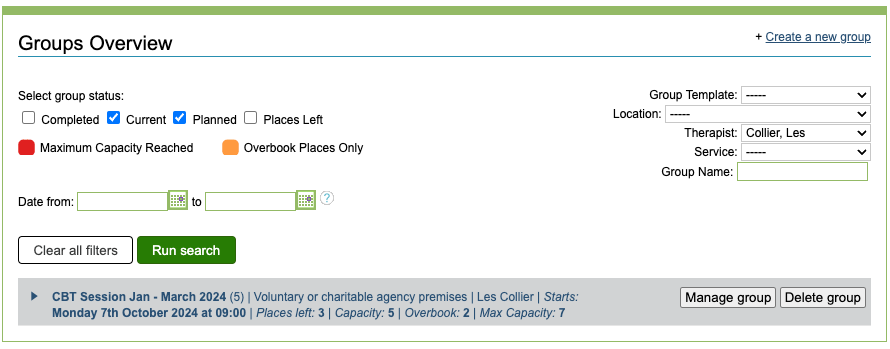
To view more details about the sessions in a group, click on the name or the arrow and the details will show below.
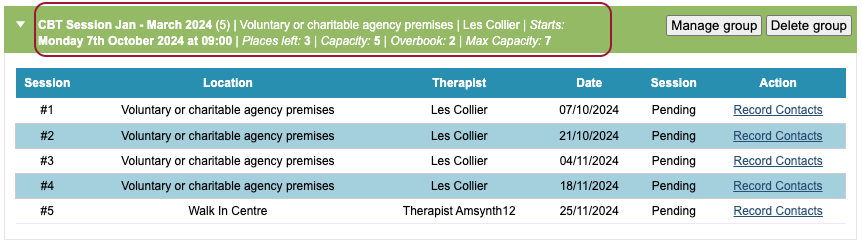
Managing a group
This will allow you to make changes to an existing group and it’s sessions, such as
- changing the session details (Summary tab)
- changing what is recorded at the session (Summary tab)
- Adding or removing sessions (Sessions tab)
- Amending the attendees list (Attendees tab)
- Recording sessions (Record session tab)
- Analysing progress reports for attendees (Progress Report tab)
Deleting a group
You can only delete a group if there are no completed sessions yet that belong to that group. If there is at least one completed session for the group, the ‘Delete group’ option will be greyed out.

If there are no completed sessions for the group you will be able to proceed.
