
Find Patients From allows quick searching for referrals currently in specific stages in the Care Pathway.
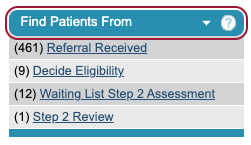
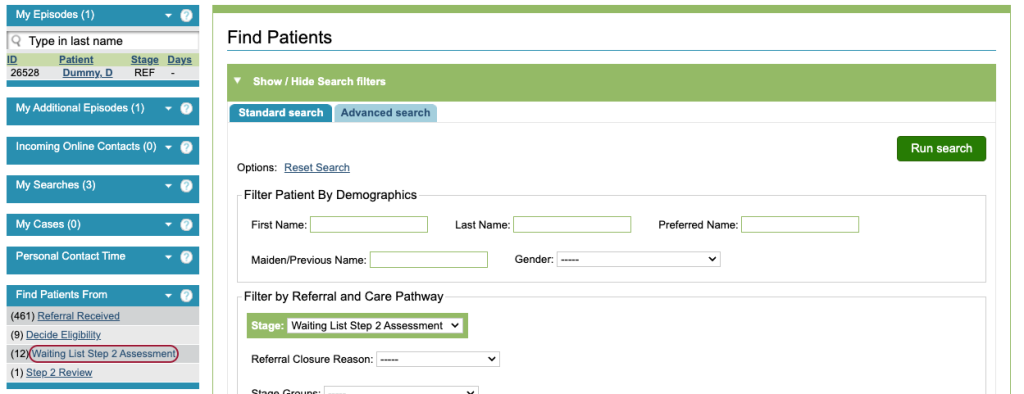
These figures are automatically updated when a referral moves into that Care Pathway stage. Clicking on the name of the stage will take you to the Find Patients Standard search with your stage already selected. Here, you can choose to apply more filters or run the search by clicking ‘Run search’.
To amend the stages that appear in this area, please raise a support log. Stages that appear here will be applied for all of your iaptus users, not just your own iaptus user account.
We recommend closing the Find Patients From section when not in use using the small arrow next to the ‘?’. When the section is closed, the searches will no longer be run with each page reload; this can help speed up loading time.