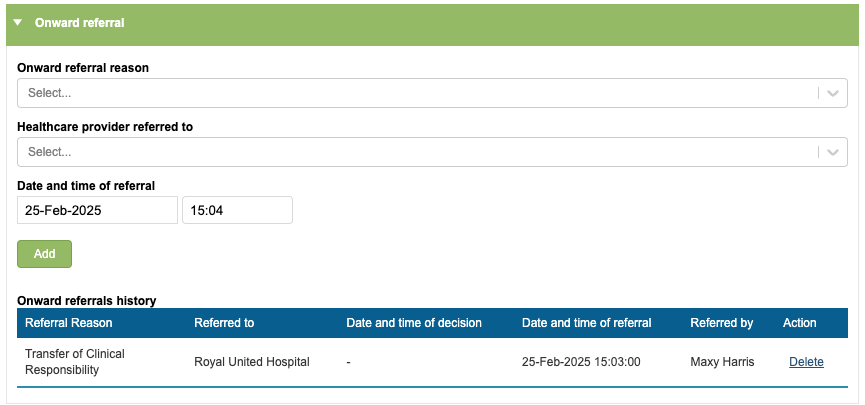
When it’s time to close a referral, you will need to move the patient into the ‘Discharge Planning’ pathway stage in the Care Pathway tab.
Discharging
Discharge Planning
You will see that ‘discharge planning’ is always available at all stages of the Care Pathway, but may have a prefix depending on the service level the current stage is set to.
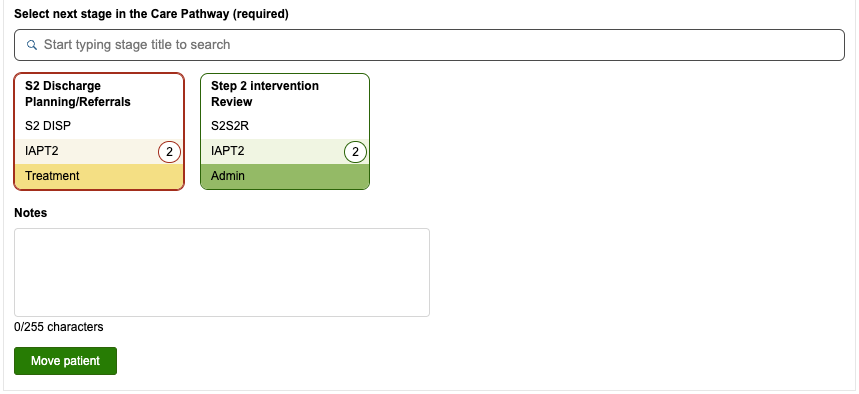
You can move the patient into ‘discharge planning’ the same way as moving into any other stage. Some services will use this stage to carry out Discharge tasks before completely closing the referral
Closing the Referral
After moving into discharge planning, you will see that the care pathway stage boxes have been replaced with the ‘Referral closure reasons’ field.
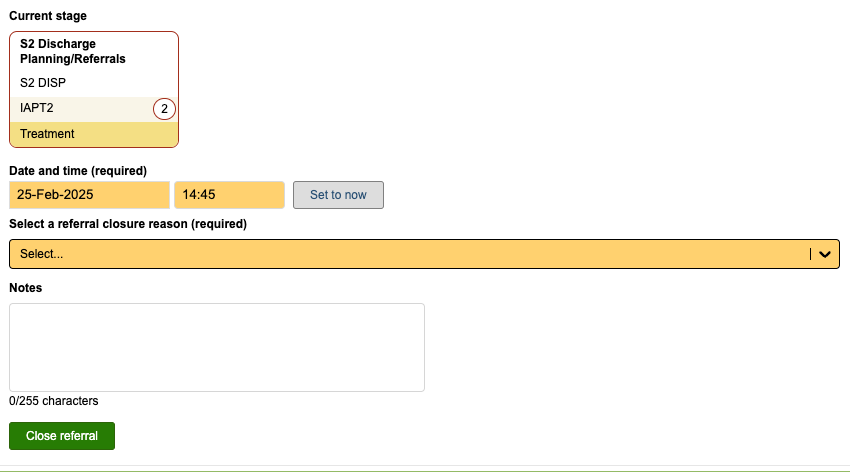
Referral Closure Reason
The referral will NOT be closed until one of these reasons has been selected.
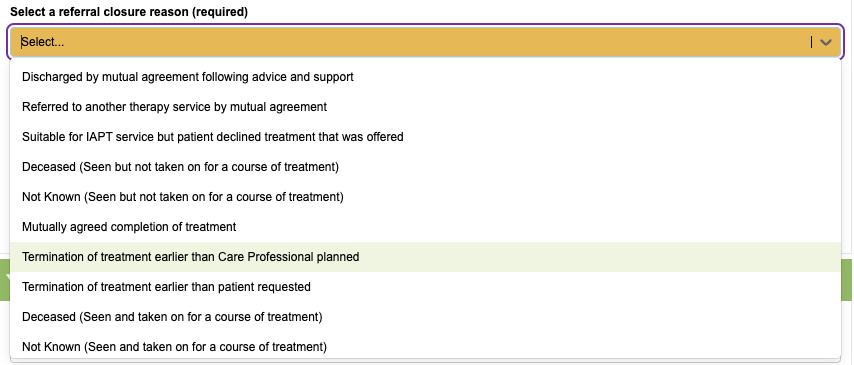
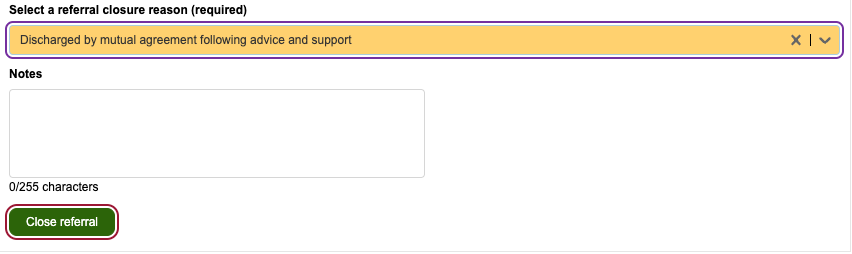
To close the referral, select one of the referral closure reasons from the dropdown. Referral closure reasons can be added by a superuser in List Management, but the options you will see will depend on the service level the referral is being closed from.
Referral closure reasons can be configured to specific service levels via the Referral Closure Reason manager, so that only applicable closure reasons are available to you. You can see how this is done in the ‘Referral Closure Reason Manager’ video.
Once you’ve selected your reason, click the ‘close referral’ button.
The current stage will now change to a purple box, showing the referral is closed along with the date, user and reason.
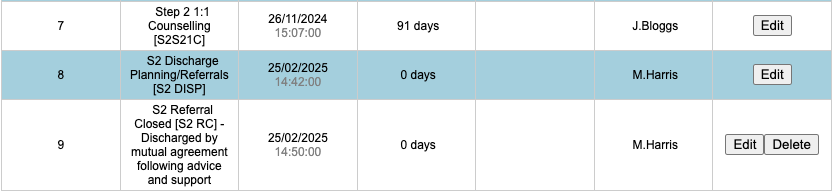
The History Table will be updated.
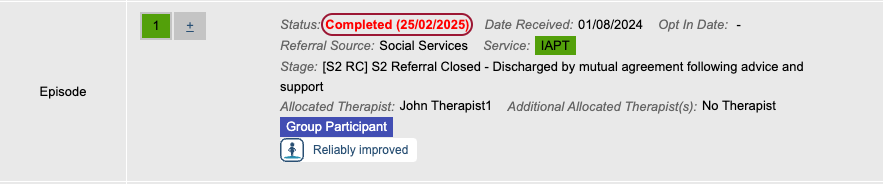
You will also see that the boarding card will update to show that the referral is now closed, in red text.
Onward referrals
These fields would potentially be used after closing a referral, depending on the reason the patient was discharged.
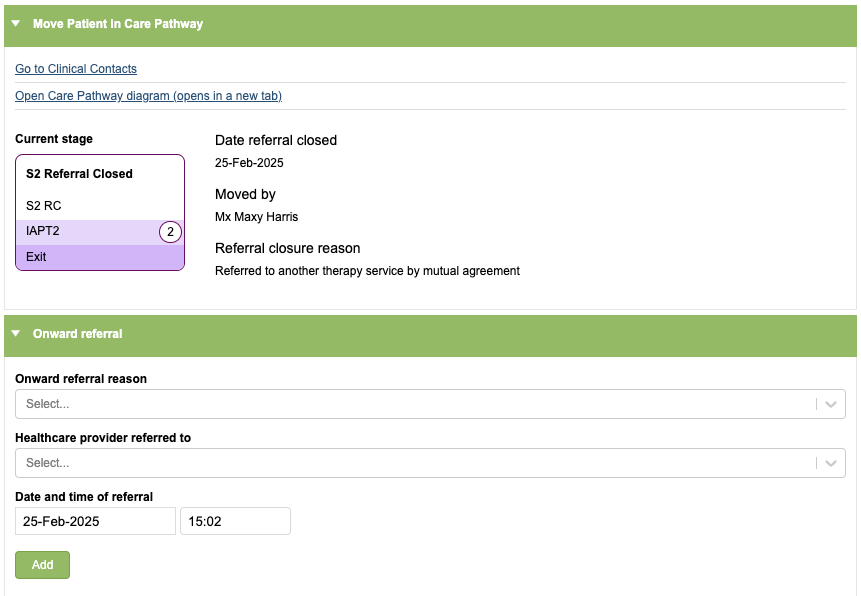
This section allows you to indicate if the patient was referred onto another service as well as a list of national healthcare providers that you can select from, to demonstrate which provider the patient was referred to.
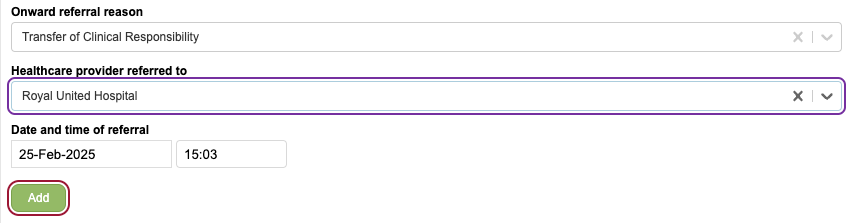
Completing this section does not send a referral to the service you have selected, it is purely informative, for the purposes of data collection and reporting.
Any referrals needing to be made to another service will need to be done by your service using your standard procedures.