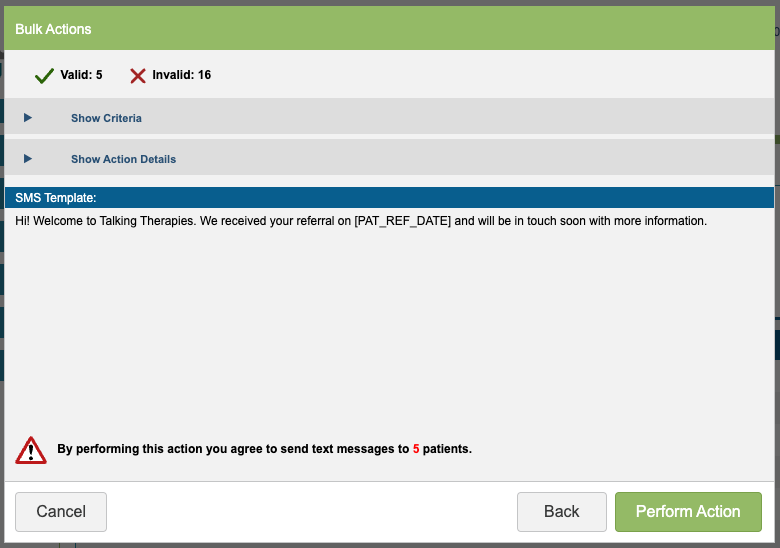
Instructions on how to start a Bulk Action can be found in the main Bulk Action guide.
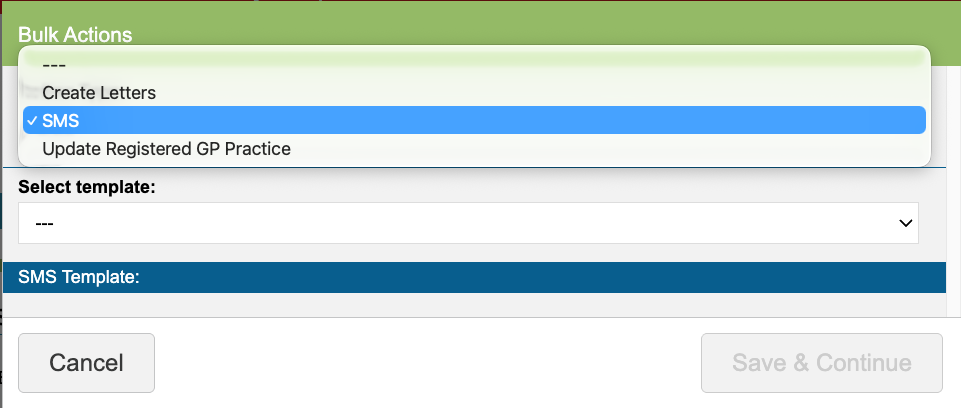
To create a bulk action that creates a text message, select SMS and select the SMS Template.
A preview of the content will be shown in the window.
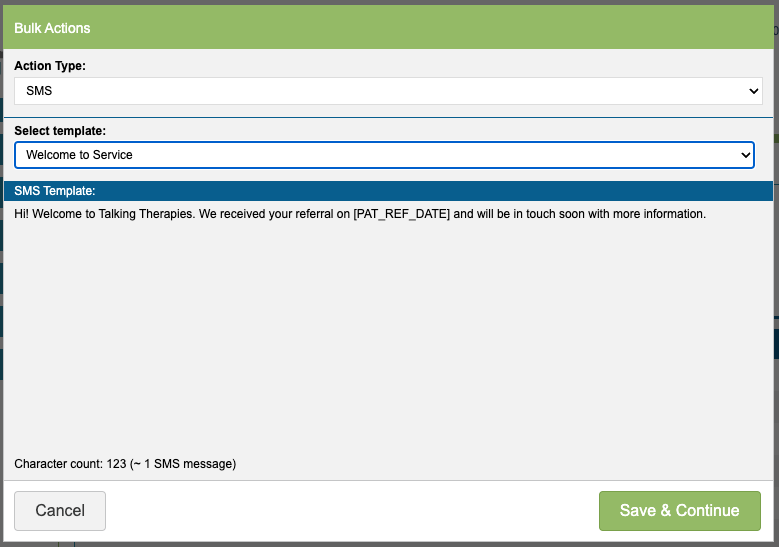
Select ‘Save & Continue’ to proceed.
iaptus will show you whether each patient is able to receive the SMS or not, based on if they have all the necessary requirements to receive the SMS or are missing components.
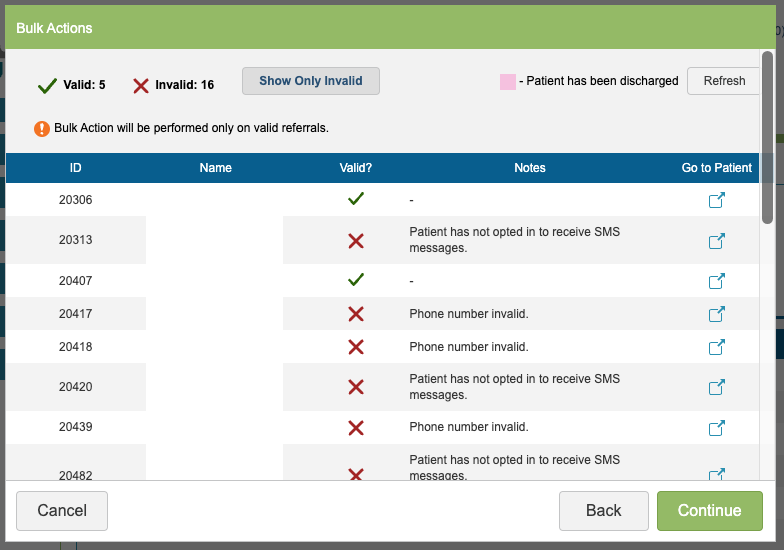
The valid option will show patients that have all the information required and the invalid option will show patients who will not receive the SMS as there is information missing. The information missing or the reason why will be displayed under the ‘Notes’ column.
There is a Go to Patient link if you wish to amend any information on the patient record, before continuing with the action.
When you are happy with the list of recipients, click ‘Continue’. A summary will appear, allowing you to perform the action. iaptus will remind you that you are about to send SMS to patients. If you click ‘Perform Action’ the SMS will be queued so they are sent in the next batch of SMS due to be sent and delivered to patients.