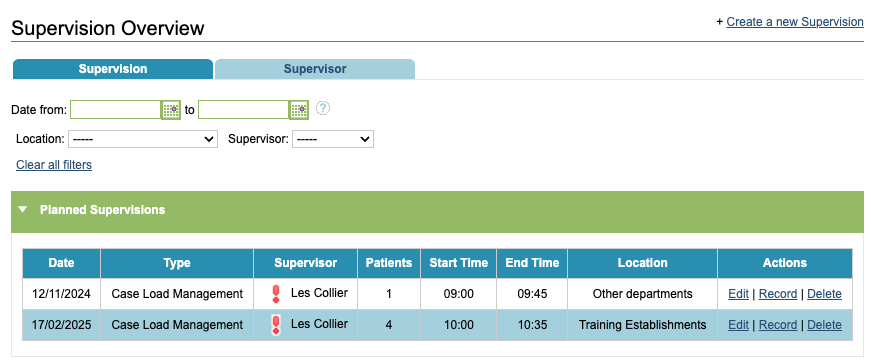
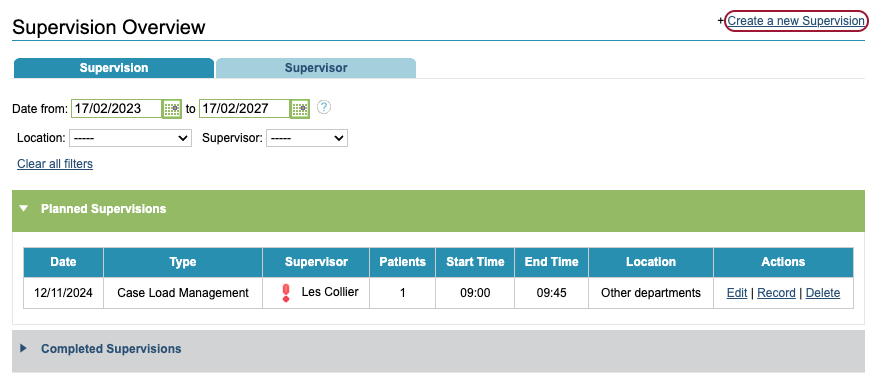
Click Create a new Supervision to start a new session. Only supervisee therapists will see this option.
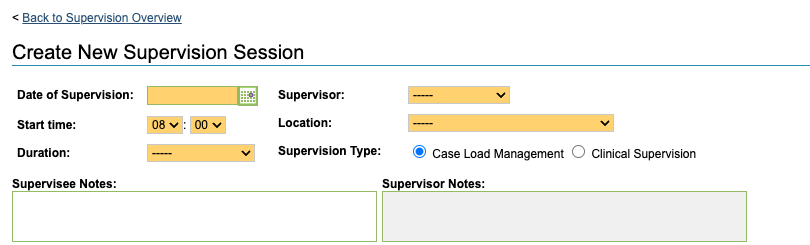
A new supervision form will appear for you to complete.
As the Supervisee creating the session, you can fill in the Supervisee Notes to record notes in preparation for the session or general notes about the session, not about a patient specifically.
Supervisor Notes are also non patient specific notes and can only be filled in by the supervisor once the session has been created.
Selecting patients for a Supervision session
The table displays the supervisee’s current caseload, ready for you to select the patients to discuss in the session.
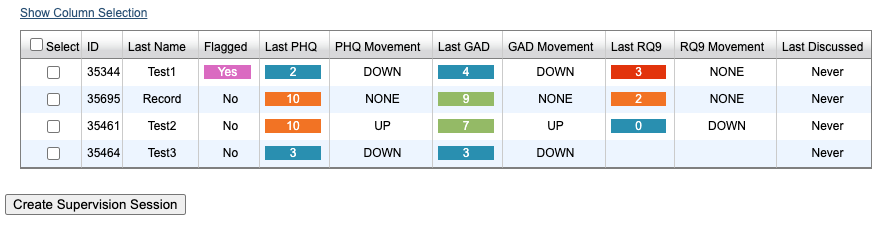
Any patient referrals flagged for supervision using the boarding card option, will appear at the top and the Flagged column will state Yes.


Click Show Column Selection to view all available columns and change which columns are displayed in the patient table. The columns contain information to help inform who might need bringing to supervision.
Tick the Select box next to each patient you wish to discuss at supervision. If you wish to select everyone in your caseload, click the top box.


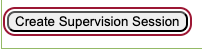
Click Create Supervision Session to save the session.
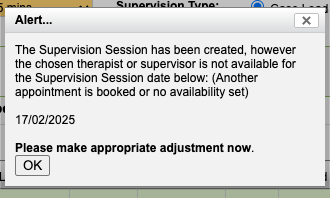
You may receive an alert warning that the chosen therapist is not available. This means there is not an availability slot for the date and time requested in the therapist’s diary. The session will still be added into both diaries but you may wish to check both therapists are available if you have not already done so.
Click Back to Supervision Overview to go back to the Supervision overview area; the session you have just created will now appear in the Planned Sessions area.