
To complete a questionnaire in iaptus you can either:
- Click Fill in Questionnaire in the clinical contact carousel, which will bring you to the Complete a new questionnaire section
- Scroll to the questionnaire section at the bottom of the Clinical Contacts tab.
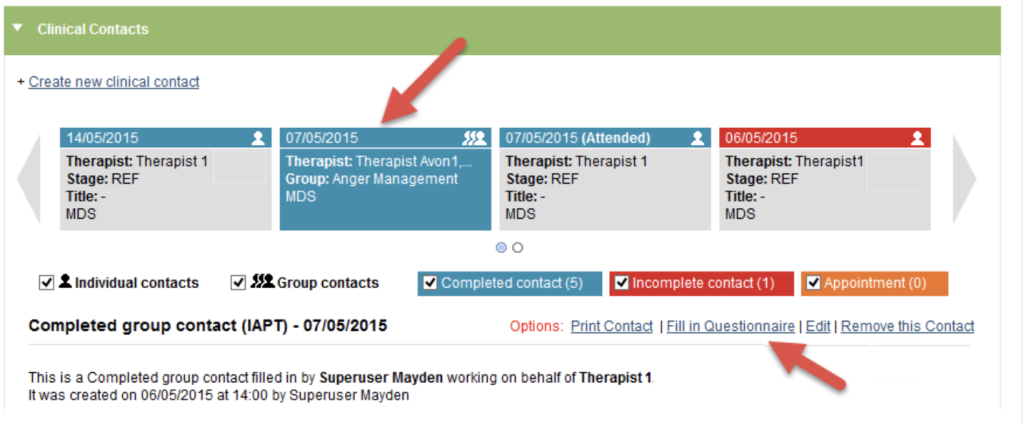
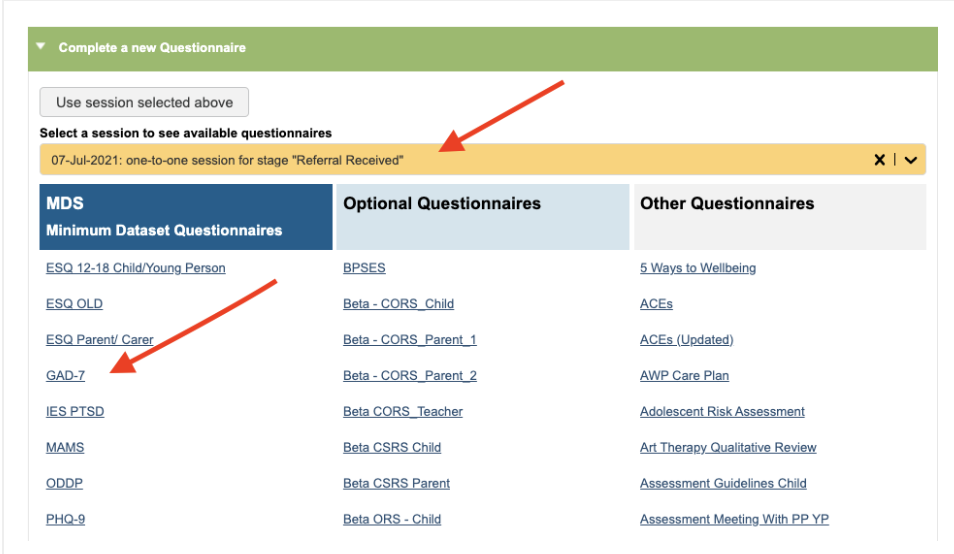
Ensure you have the correct clinical contact selected on the drop down menu.
You can then select a questionnaire from the sections given in this area, as separated out into the following:
- Minimum Dataset (MDS) questionnaires
- Anxiety disorder specific measures (ADSM) questionnaires
- Other questionnaires requested by your service
Click on the link to open the questionnaire.
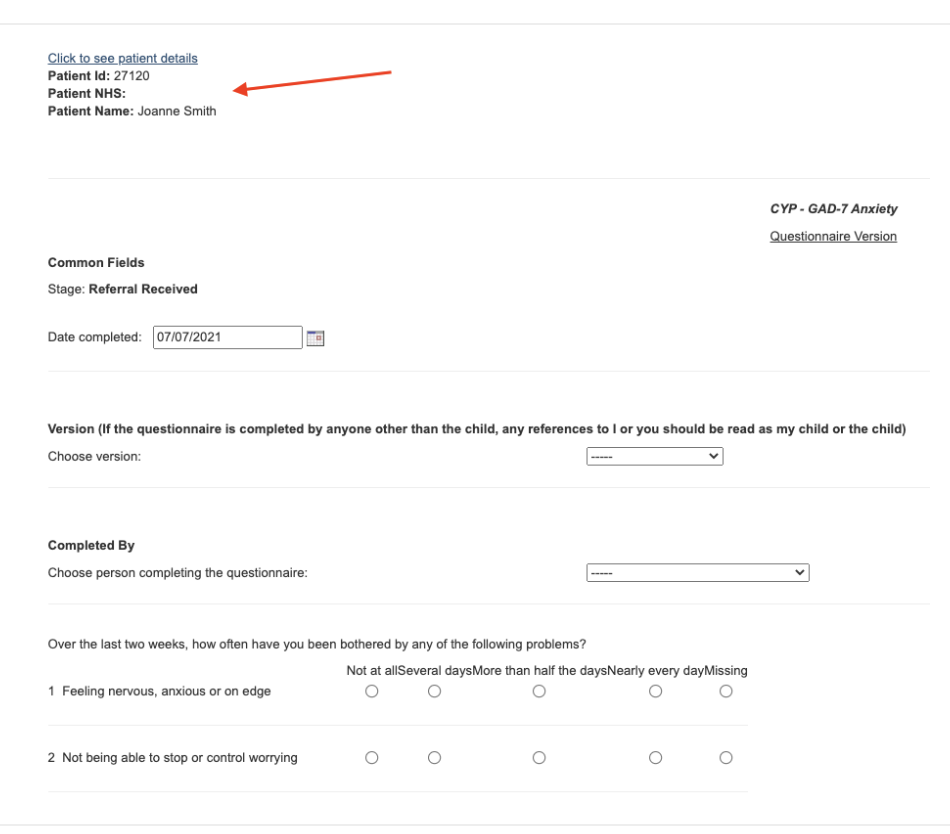
At the top of questionnaire there is a hyperlink to view the patient details, to confirm you are completing the questionnaire for the right patient.
Please note: if you wish to see patient identifiers in your printed questionnaire, you must select Click to see patient details from within the questionnaire prior to printing. A superuser can switch this option on within the Control Panel of the Superuser menu.
Once the questionnaire is complete, the results will show in All Completed Questionnaires and the score will populate in the clinical contact if appropriate.
If your service wishes to add a new questionnaire to the site, please raise a support log for this.
- All currently available questionnaires are available on the demo site.
- We can custom create questionnaires if required (a cost will apply).
- We will need to know you have copyright/permission to use the questionnaire.
All Completed Questionnaires
The All Completed Questionnaires area gives a summary of all the questionnaires for the referral.
This area also includes questionnaires completed by the patient via Online Questionnaires.
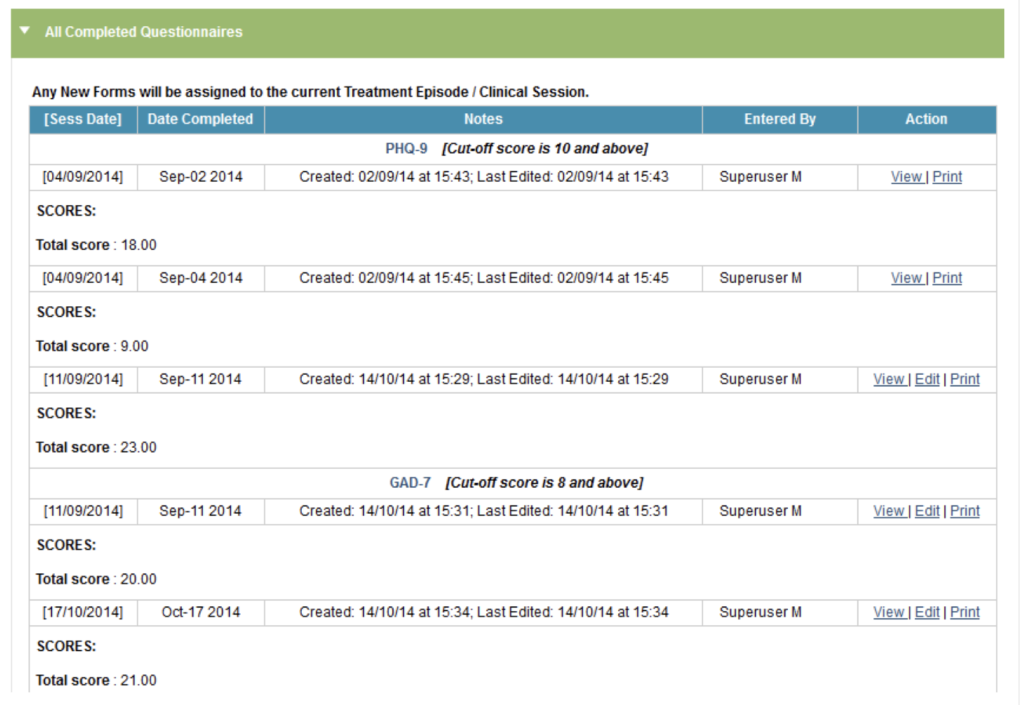
Questionnaires will be grouped by the type of questionnaire, showing the total score for the questionnaire, and details of when it was completed.
From the table you will have the option to ‘view’ the questionnaire, which will open a new tab, allowing you to see the individual answers. Alternatively you may wish to ‘print’ off a paper copy. You can also ‘edit’ the questionnaire if added by yourself.
- View the questionnaire; this will open the completed questionnaire in a new tab.
- Print the questionnaire.
- Edit the questionnaire (if it was completed by you).

Superusers have the option to delete questionnaires.
Please Note: The Assessment PEQ and the Treatment PEQ cannot be printed, edited or viewed by any user.
The Questionnaire Export in the hypercube will allow you to view all PEQ results for the service.