Latest: OMG new page to make you iaptus superhuman, for more information read about our new task feature here.

iaptus helpsite / Reports / Hypercube / Caseness/Recovery

Caseness/Recovery

Table of contents

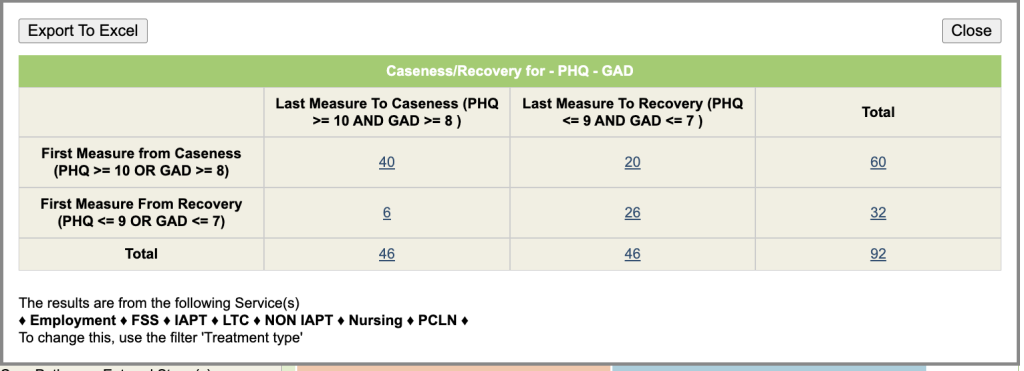
This report uses the first and last session where PHQ and GAD scores are recorded.

Discharged Cases

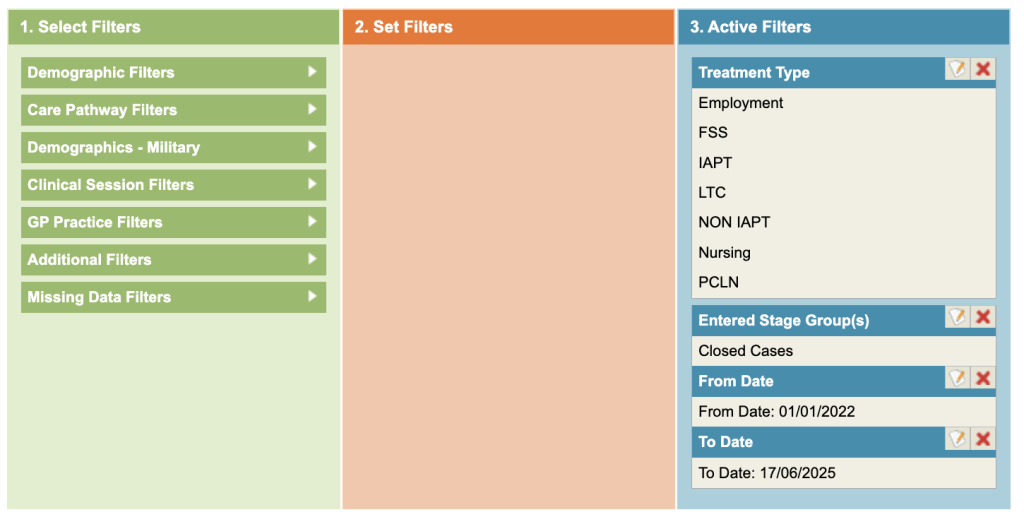
To see results just for discharged cases, select Care Pathway Filters – Entered Stage Groups and select the Group that represents Closed cases. (A Superuser can setup Stage Groups).
Filters

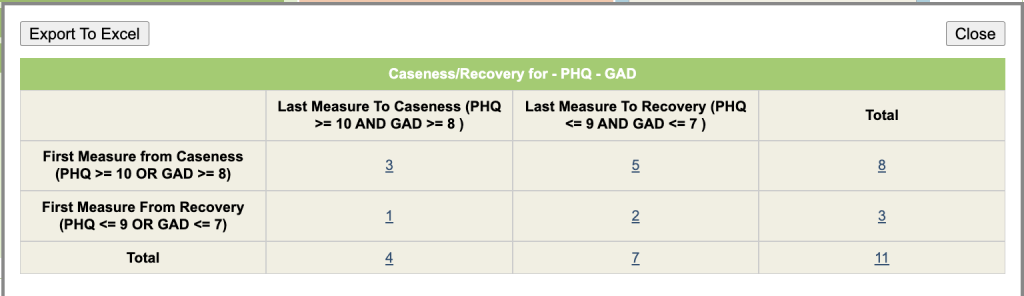
The row headings represent the first Measure from Caseness and Recovery and the Columns represent the Last Measure To Caseness and Recovery.

In the example below, we can see that 3 cases started and finished at caseness and 5 cases started at Caseness but finished as Recovered.
Results

All Cases

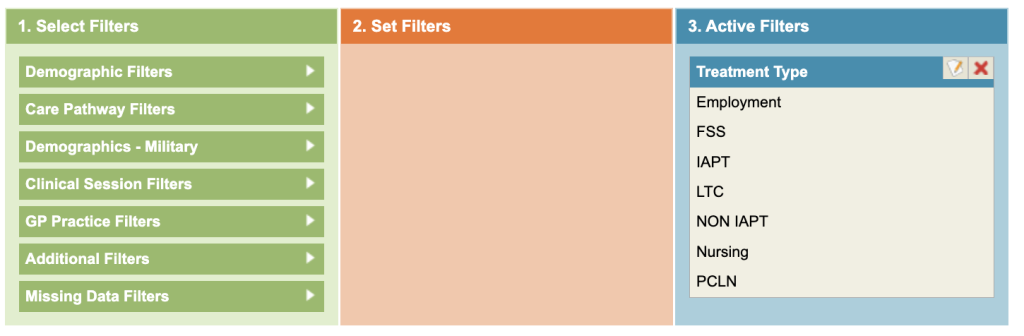
Running the report without any filters will include all referrals, including those still open.
Related posts
Therapist Performance

This report will return a table by the Group by option. Each column is explained below 1. Total number of clinical contact hoursIncludes all sessions

Supervision Report

The Supervision report lists Supervision sessions that can be grouped by the Supervisor/Supervisee, Location and Type.

Introduction to Hypercube

This section will provide users with an overview of Hypercube, including how to use the filters. It will also cover common reporting themes. It is

Table of contents