
This report allows you to calculate the time in days between two care pathway stages.
First you have the option to select the day type:
- Actual Days (include weekends and public holidays)
- Working Days only (exclude weekends and public holidays)
- Weekdays (include public holidays)
Select the stage you want to calculate the days from, either from the day the referral entered the stage or the day the stage was exited.
Select the stage that you are calculating to, either entering or exiting that stage
Next enter a date range, this is the date the to stage was entered/exited.
If you would like patient delays subtracted, select yes.
You also have an option for first instance only. This needs to be considered if the stages you are analysing may have been accessed by a client more than once.
This report relies on clinicians moving patients through the care pathway accurately.
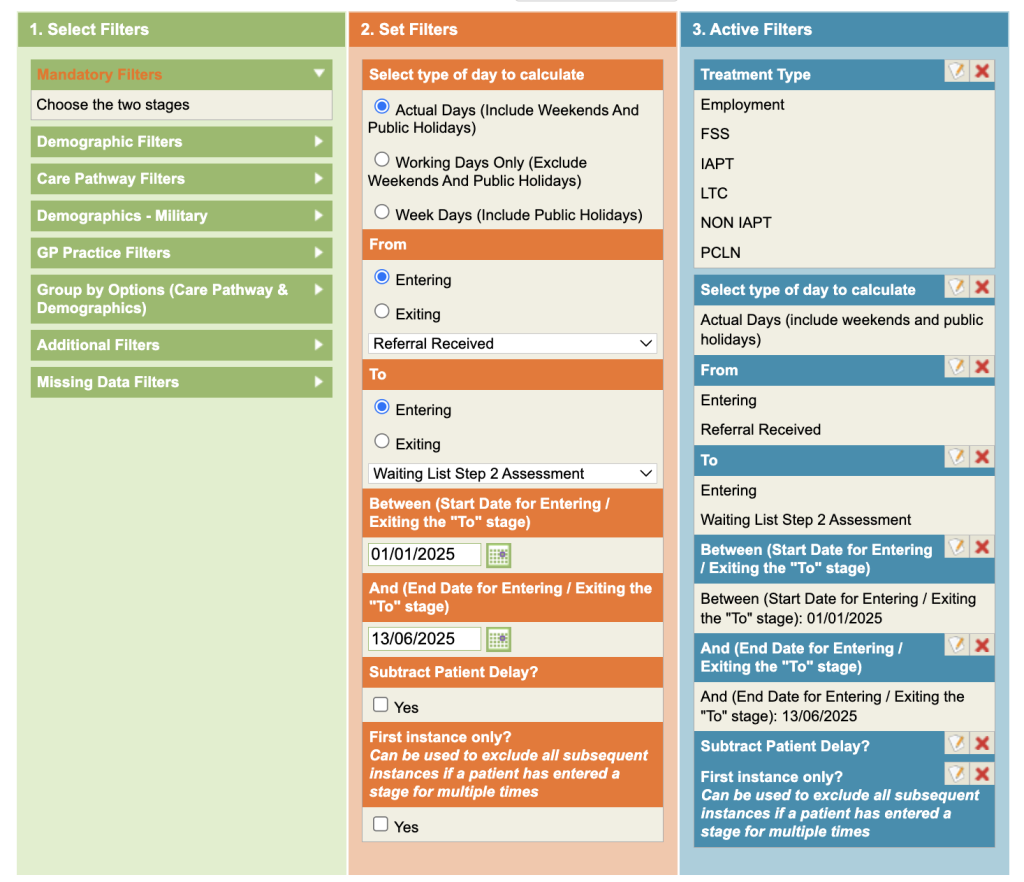
Complete the mandatory filters. Once the report is run, you will be provided with the numbers of days between the stages and how many referrals were affected.