
The Care Pathway Tab, allows you to allocate the patient to a specific therapist for the referral you have selected in the boarding card.
The patient will then appear in that therapist’s case load, as shown in My Patient Episodes.
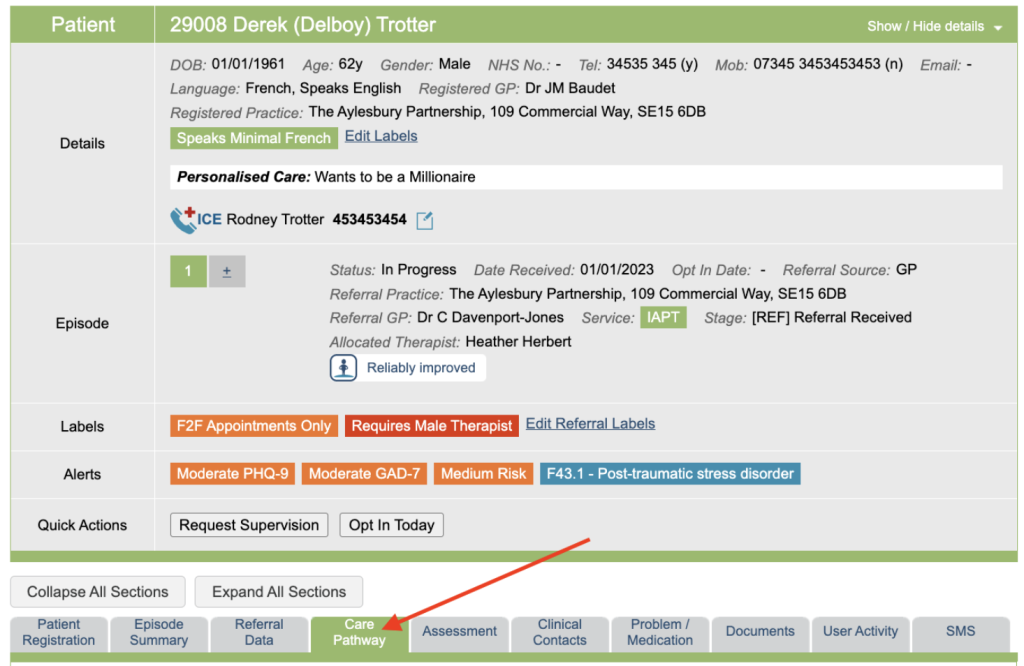
When a new referral is created for a patient, they will not be allocated a therapist, as displayed in this area.
Allocating a Primary Therapist
Once you are ready to allocate the patient, click on the drop down menu, and choose from the list of therapists displayed. Then press the Reassign Episode button.
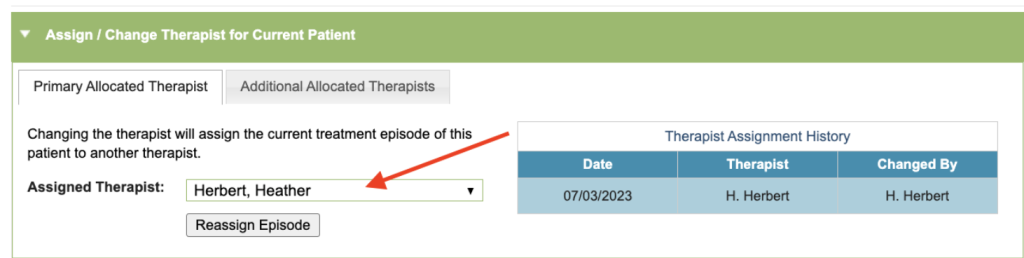
The new therapist will then be displayed in the drop down list, and the Therapist Assignment History table will update.
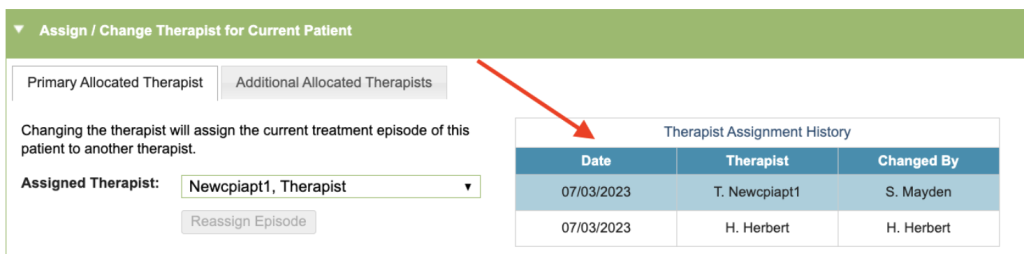
Follow the same procedure to allocate the referral to another therapist.
Additional (Secondary) Therapists
You may have an Additional Allocated Therapists tab available, this can be activated by your Superuser, up to 8 can be made available.
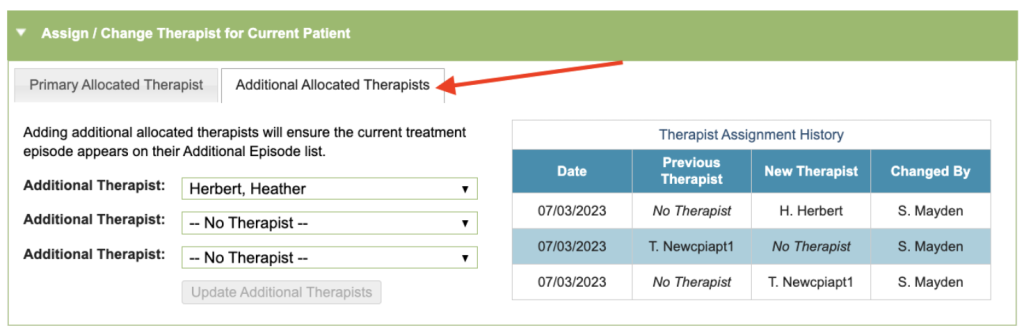
Only users with a therapist account who are still active in your service will appear in this dropdown list. Superusers are able to reactivate users in the User section of the superuser menu.