
After a patient is added to the system a referral form needs to be completed to start the episode of care.

If the patient has no referral, the boarding card will show the message The patient does not have any treatment episodes. Please create a treatment episode by completing the Referral Form below. as seen in red.

Click on the Referral Data to complete a referral for the patient. The form is split into the following sections:
- Dates and Service
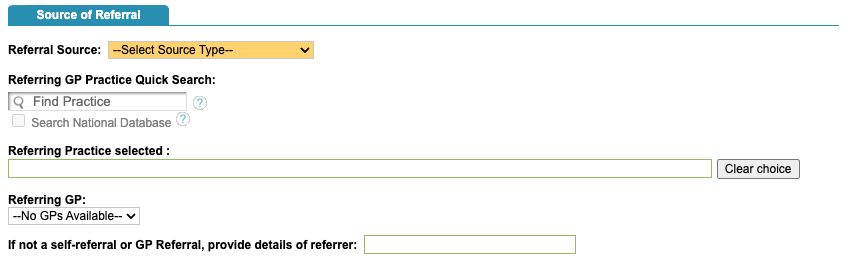
- Source of Referral
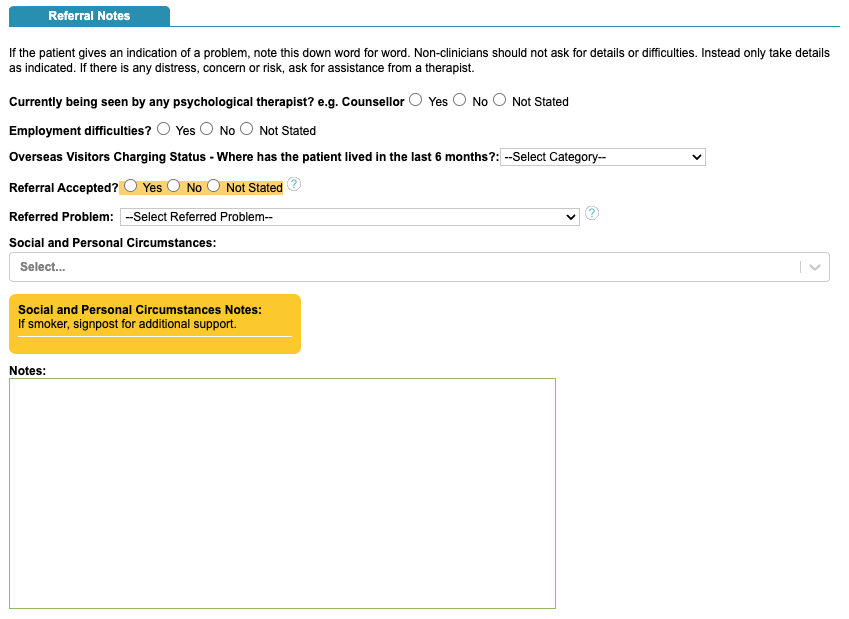
- Referral Notes
- Labels
Dates and Service

Source of Referral
Referral Notes
Referral Labels
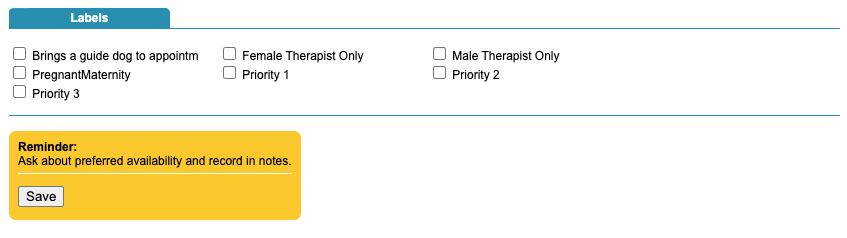
Superusers can configure the referral labels and the reminder notes that you can see in orange.
Once you have added a referral for a patient, more tabs will appear.

You will see the boarding card will populate with some of the key information.

Add additional Referrals
You can add additional referrals using the + button in the Episode section of the boarding card.
