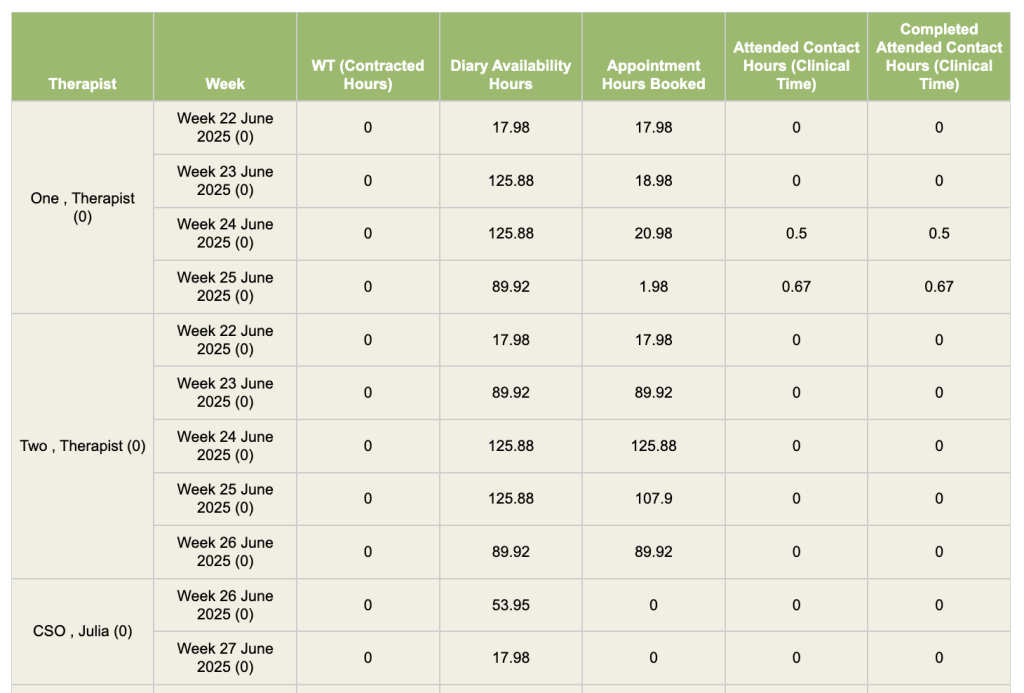
This report shows how many hours therapists are using from the “contracted hours” field from the “users” superuser menu field.
Contracted Hours:
This needs to be set for every user in the user’s superuser menu.
Diary Availability Hours:
Hours made available for the week, from diary.
Appointment Hours Booked:
Diary appointments booked. This figure is calculated using the appointment length box found when booking appointments.
Attended Contact Hours (Clinical Time):
Clinical time for attended contacts (incomplete and complete).
Completed Attended Contact Hours:
Clinical time for attended contacts (completed contacts only).
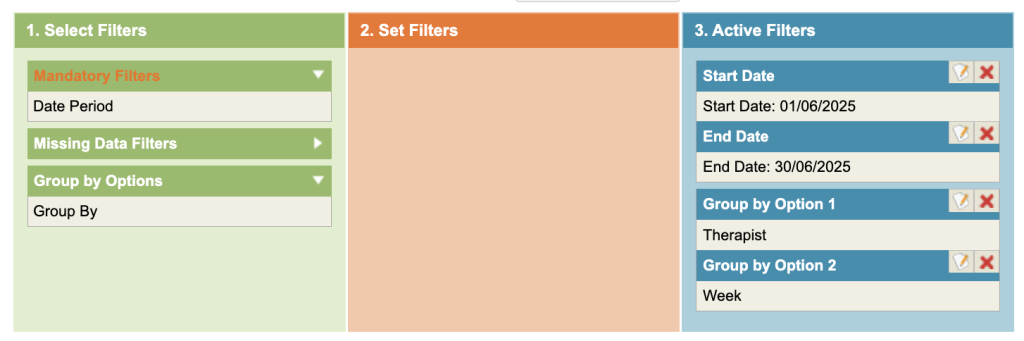
Under the Mandatory Filters, select the date range. Add the Group by Option 1 = Therapist Option 2 = Week.