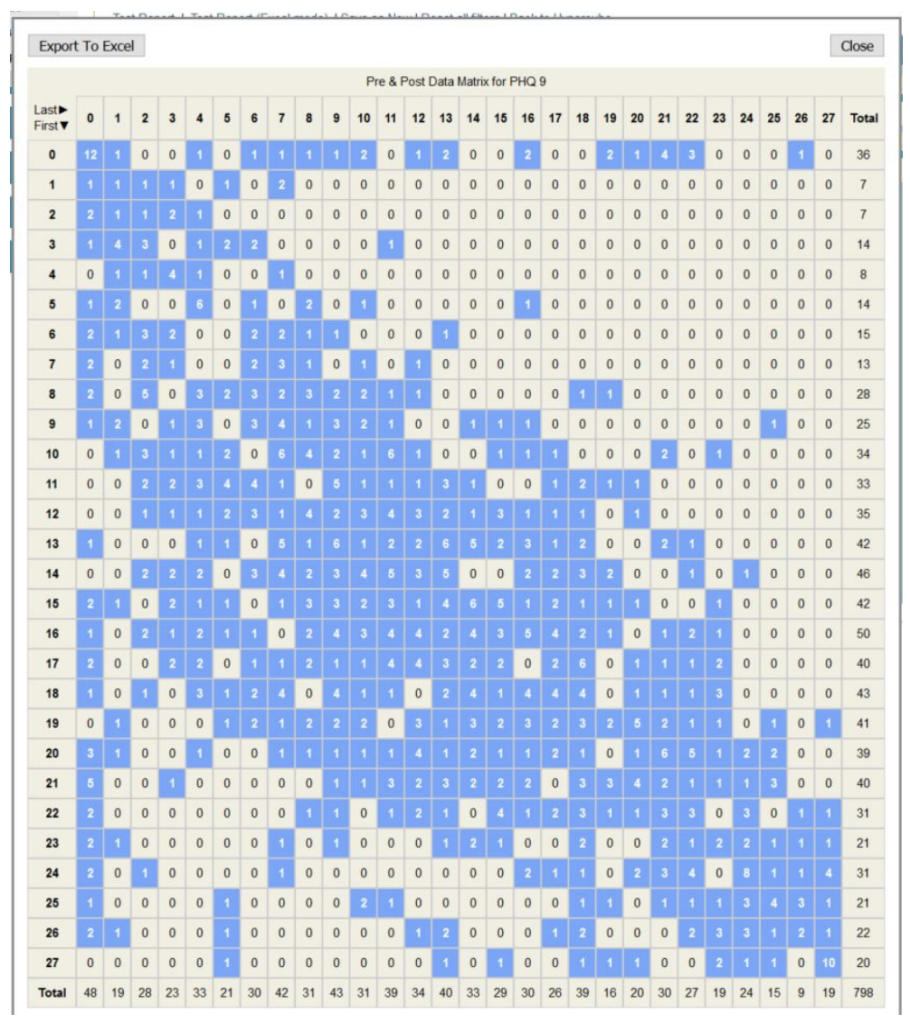
This report will collect the first and last instance of a score/data item whereby the criteria chosen will determine the first/last eg first/last attended appointment etc. Any referral that does not contain 2 or more scores/data items will not be included
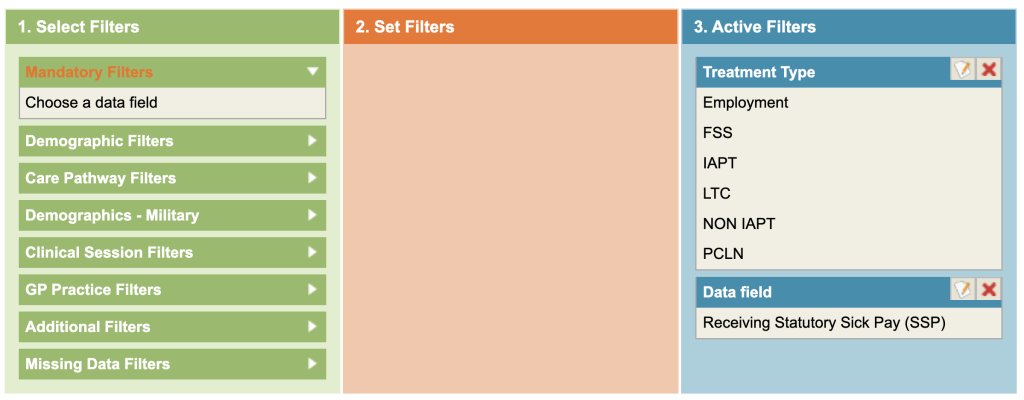
Clear any filters and select the treatment type (Additional Filters).
First and Last value for Receiving Statutory Sick Pay (SSP)
- Click on the Mandatory filters (top of green column) and select the data item you wish to use.
- Apply other filters as required.
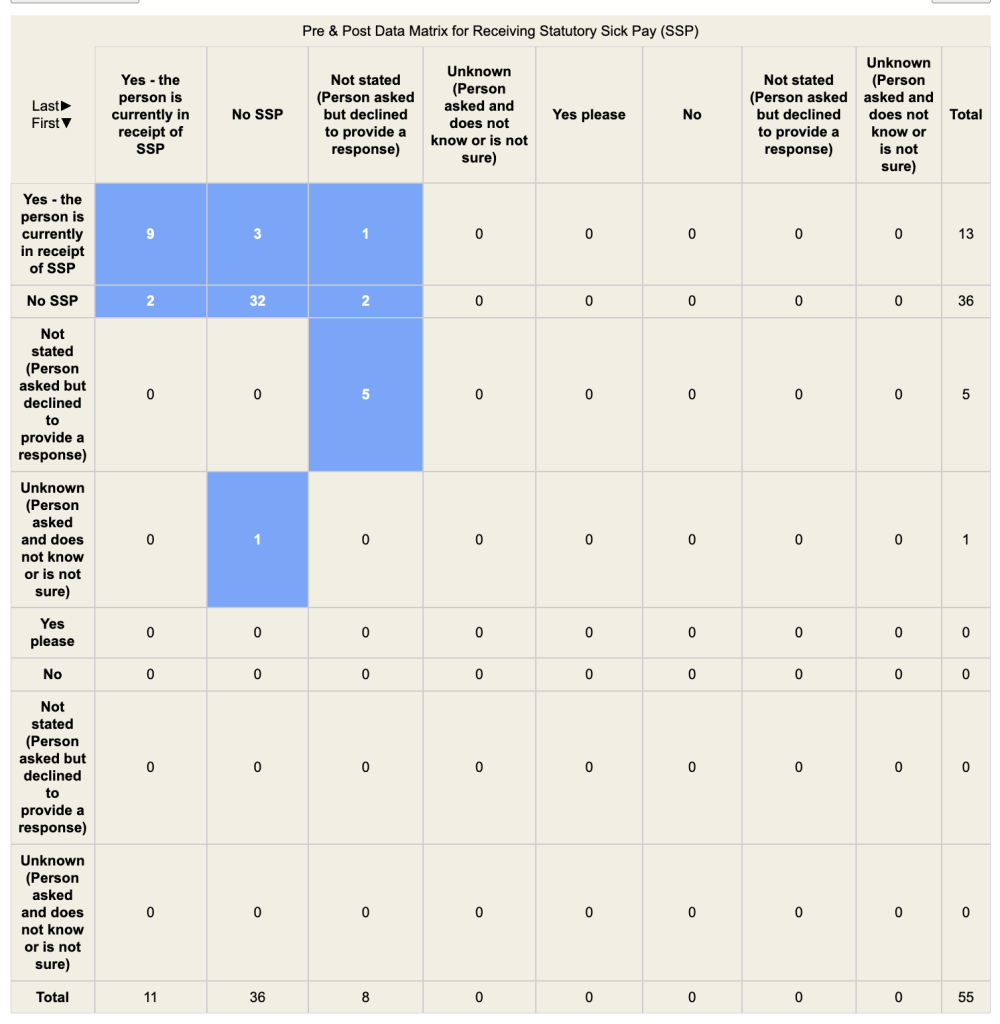
- Run the report and a table will appear such as shown below. (This is based on the data item Receiving
Statutory Sick Pay (SSP) - Look at a value in one of the boxes (ie 3) and then read off the descriptions in the associated row/column
heading. Hence 3 people, on their first session were receiving SSP but on their last session, were not.
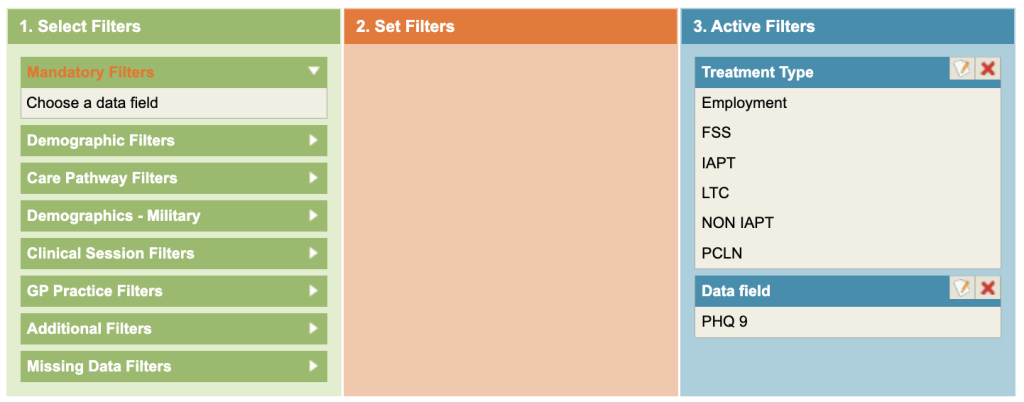
You may also want to run this report for the Mandatory filter of PHQ9. This would then indicate all those referrals that started off below or at caseness at their first session and then their status (ie caseness or recovery) at their last session.
- Click on the Mandatory filters (top of green column) and select the data item you wish to use.
- Apply other filters as required.
- Run the report and a table will appear such as shown below. (This is based on the data item Receiving
Statutory Sick Pay (SSP) - Look at a value in one of the boxes (ie 3) and then read off the descriptions in the associated row/column
heading. Hence 3 people, on their first session were receiving SSP but on their last session, were not.
First and Last value for PHQ9
Anyone in the first 10 rows started off below caseness and if in the remaining rows, at caseness. Anyone in the first 10 columns finished below caseness (ie recovered) and in the other columns, still at caseness. Ideally patients should be in the lower right hand corner of the matrix (Caseness > Recovery) and no one in the top right corner of the matrix (Recovery > Caseness).