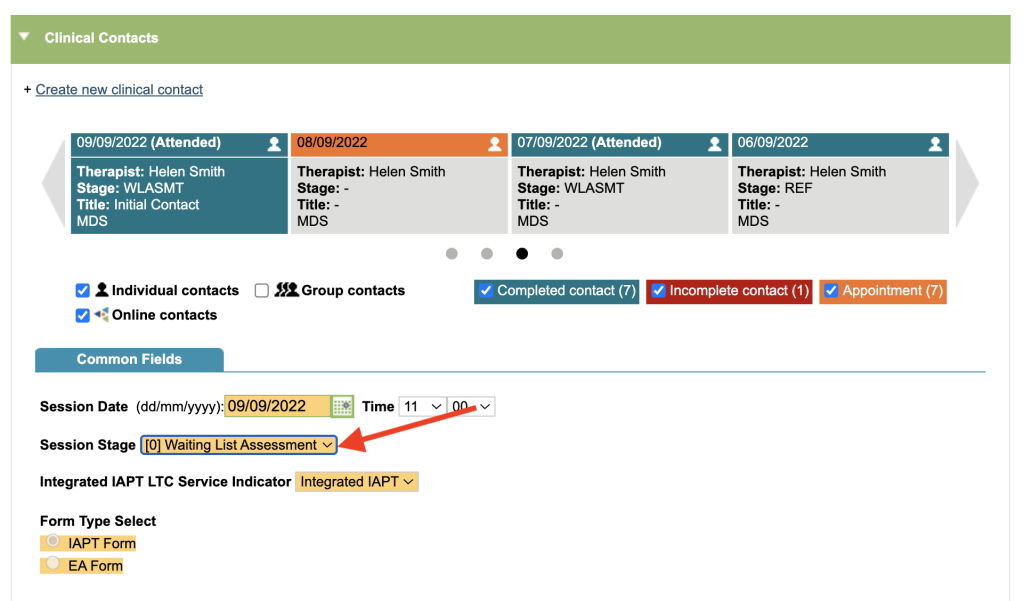
This report analyses information at clinical session level. This report could be used for working out the DNA (did not attend) rate for the service etc.
Referrals without a contact (session) recorded will not be included in this report. Incomplete contacts and other non-MDS contacts are included by default. You may alter this by adding filters from “Additional Filters” section.
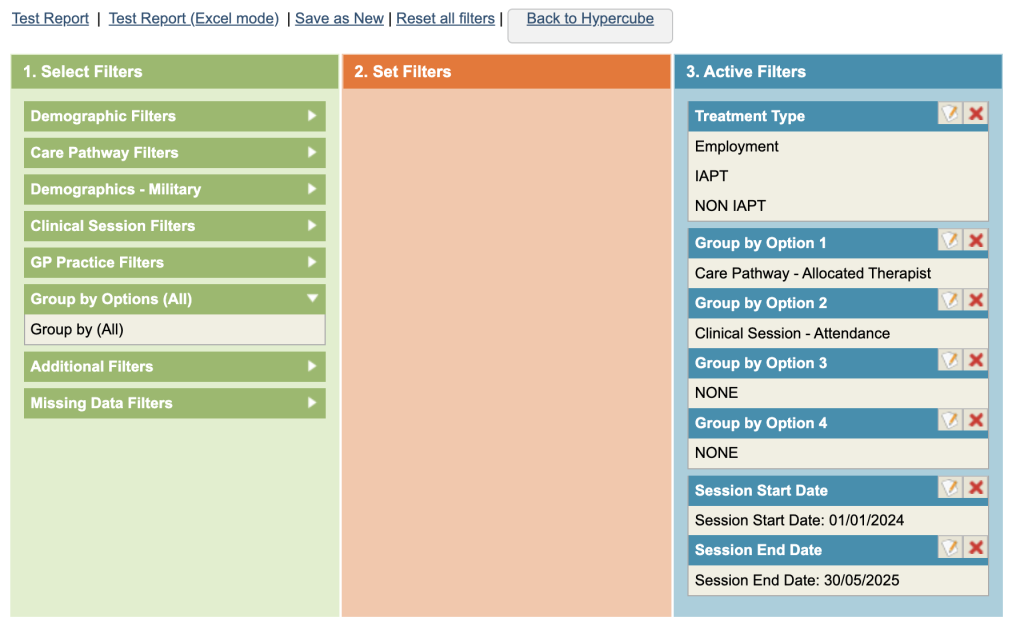
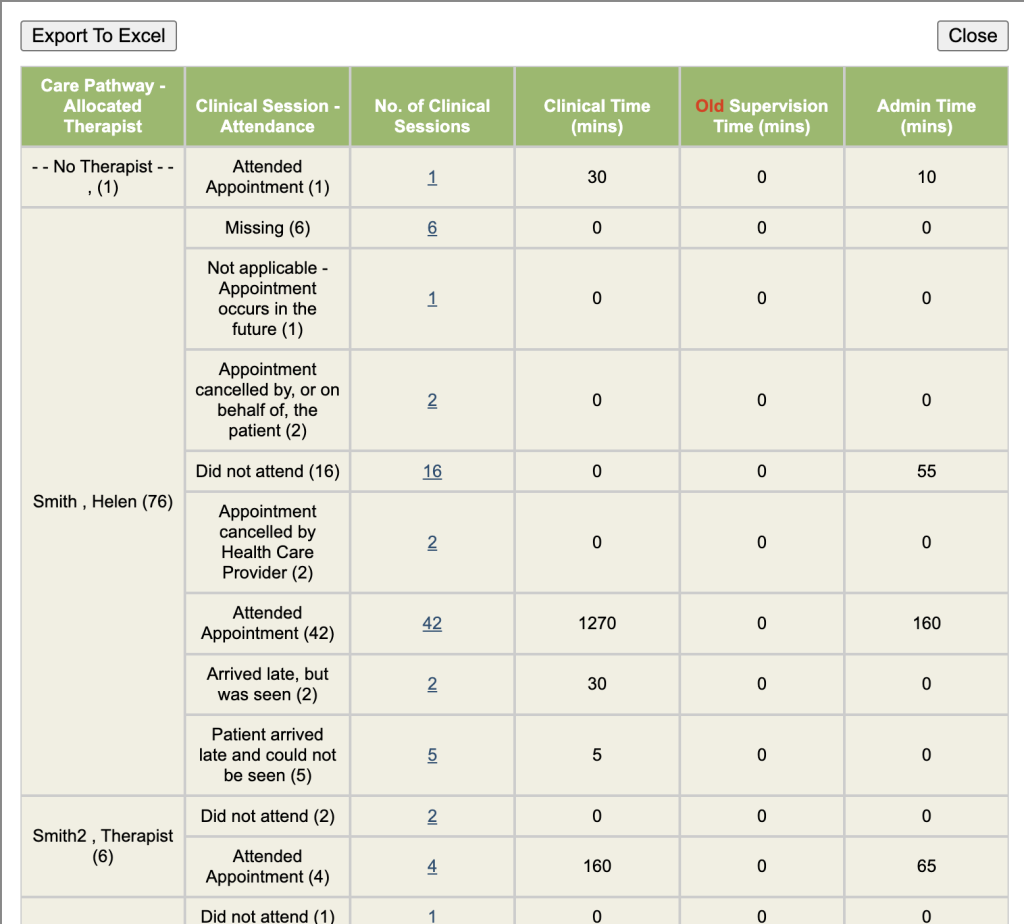
Session Stage analysis
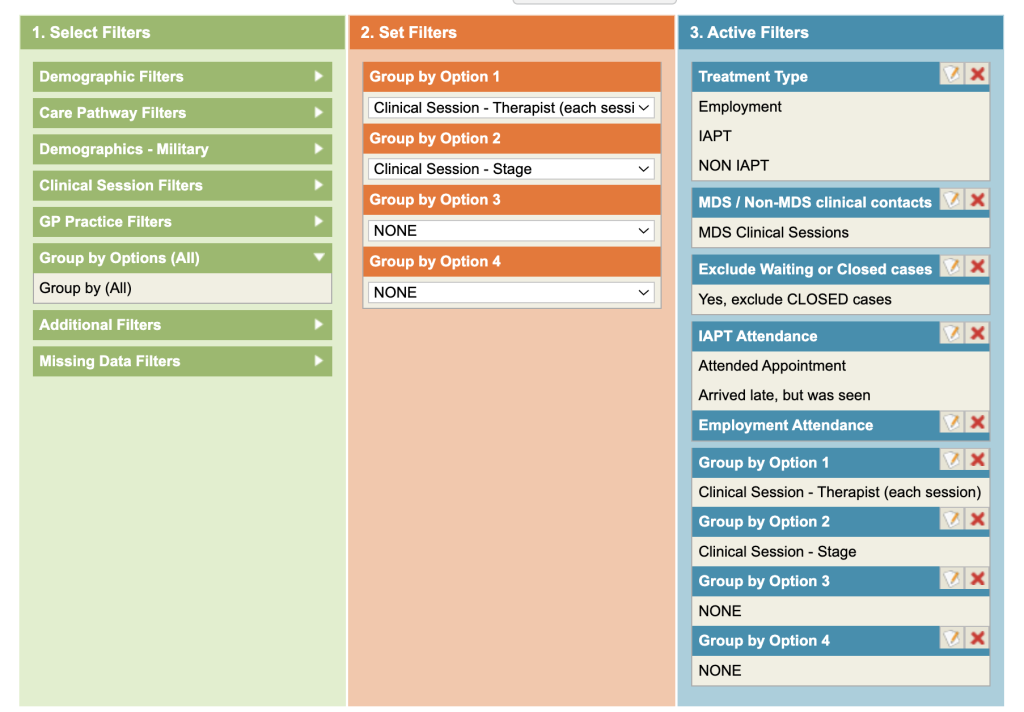
This report is useful for checking clinical sessions are being recorded against the appropriate care pathway stage.
- Under Additional Filters, select MDS Clinical Sessions.
- Under Additional Filters Exclude ClosedCases (Additional Filters).
- Click on the Clinical Session Filters and then on Attendance.
- Select Attended options from the list in column 2.
- Group by Clinical Session – Therapist (each session) & Clinical Session – Stage
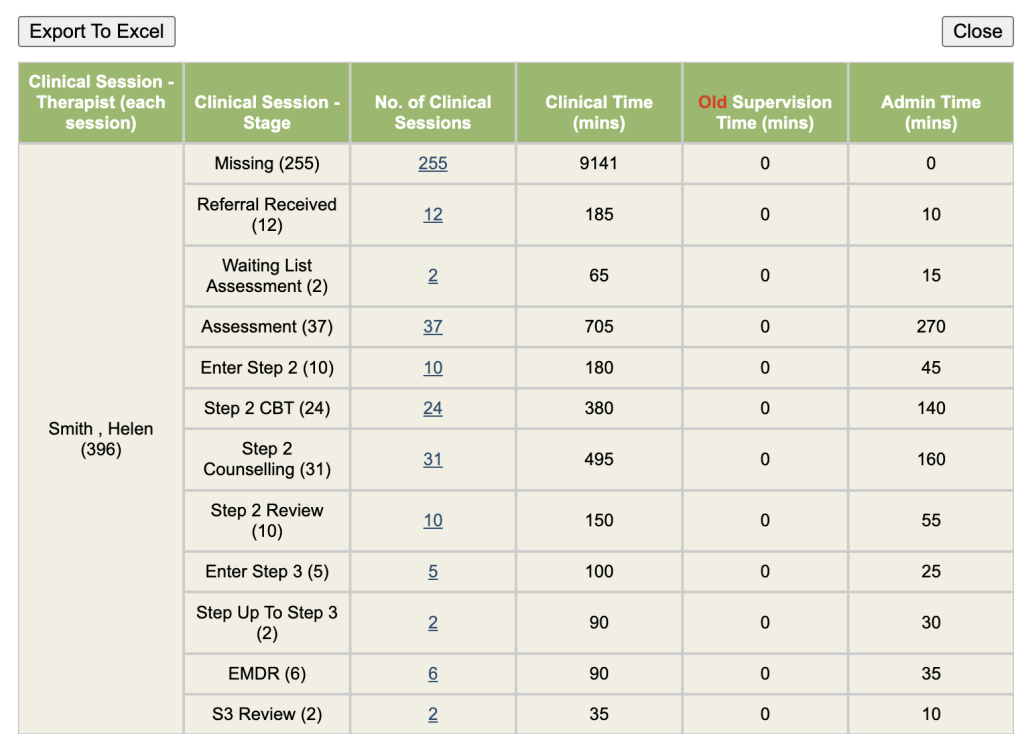
If the wrong stage has been recorded, you will need to edit the clinical contact.