
Latest: OMG new page to make you iaptus superhuman, for more information read about our new task feature here.

iaptus helpsite / Patient / Patient details / Superuser – Patient Lock Status

Superuser – Patient Lock Status

Table of contents

Patients Locking restricts access to certain patients, so only selected users are able to access them.

Only users given patient lock permission can see the details for locked patients, or find them in a search. The allocated therapist will also be able to look at the patient’s record while they are allocated to the patient.

To activate this feature, please raise a support log.

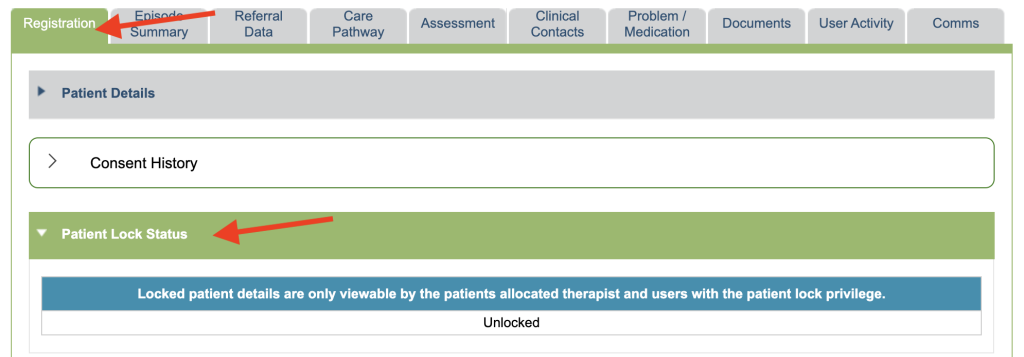
Patient Lock Status is found under the Registration tab.
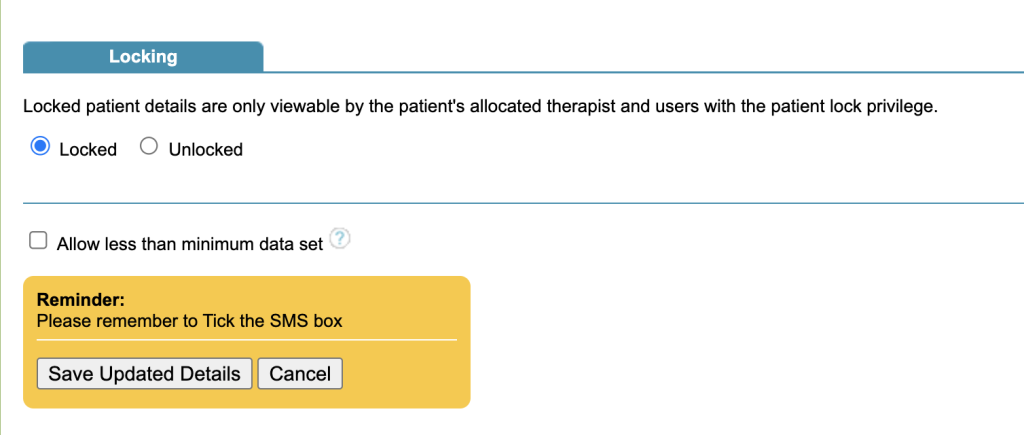
You can lock the patient in the Patient Registration form when you first create the patient or later edit the form.
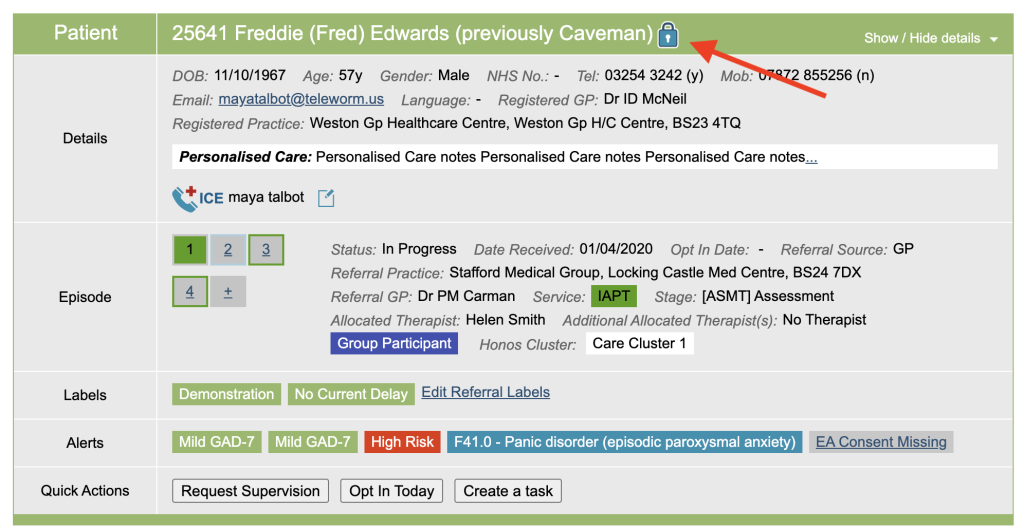
A locked patient will have a lock symbol on the Boarding Card to show they are locked.
Related posts
User Activity (Superuser)

The superuser user activity allows Superusers to monitor all actions across the whole service. Date Range Select the date range of the actions you are

Send Messages

Send Messages in the Superuser menu, allows a Superuser to send messages to other users in iaptus. You can select all users in your service or

User Tips

Please submit your tips here

Table of contents