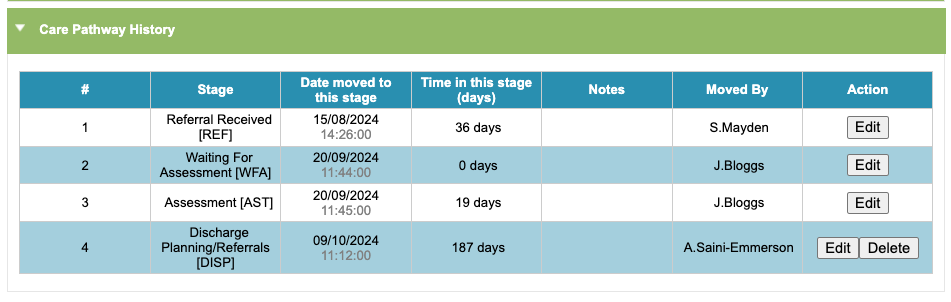
The Care Pathway History table will show all of the stages of the care pathway the patient has moved through in their current episode, up until the current stage they are in.
Editing a Care Pathway move
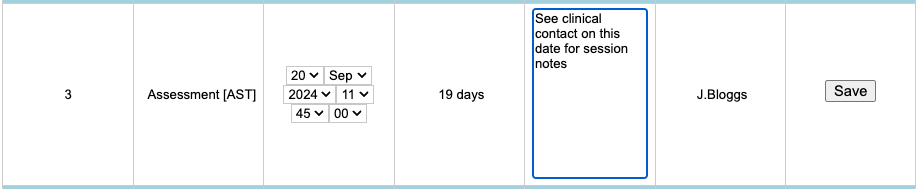
The ‘Edit’ option will allow you to amend the date, time and any notes for the previous stages if needed. Click the ‘Save’ option to save your changes.
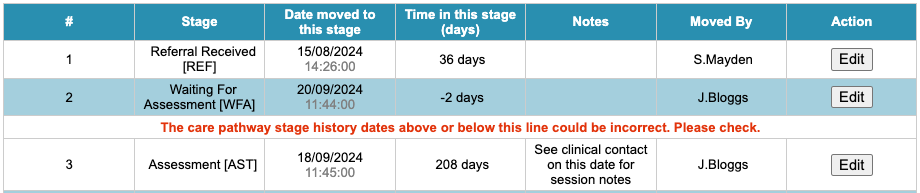
If you edit the stage dates so they become out of date order, iaptus will flag this to you.
Deleting a Care Pathway move
If the patient has been moved into a stage in error, you will have the option to delete the most recent stage. A care pathway stage should only be deleted if moved to by mistake.

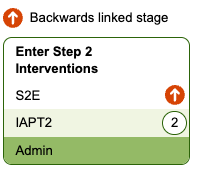
If you need to move the patient back into a previous stage without removing the history of any recorded Care Pathway stages, you will need to select a stage that has a backwards link created, highlighted with an orange arrow.
If this option is not available, you will need to contact Mayden by raising a support log and we can assist you with Care Pathway stage and link changes.