
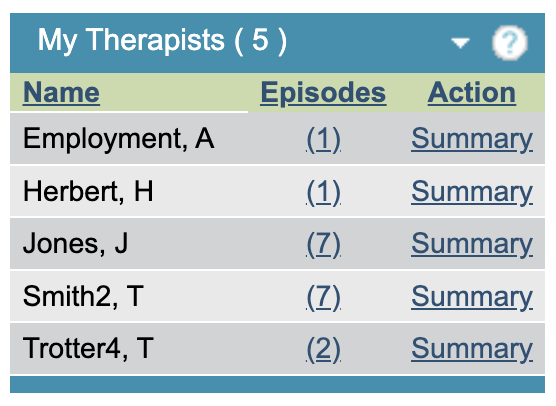
The My Therapists area allows supervisors to view a quick summary of their supervisees.
Therapists can be set as supervisors and have supervisees assigned to them via the Users area of the superuser menu. Supervision sessions can be booked and recorded in the Supervision area.
Click on the number of episodes to view the number of open referrals currently in that therapist’s caseload.
Click on ‘Summary’ for a mini caseload summary for that therapist. The ‘?’ symbol in this area details how these figures are calculated
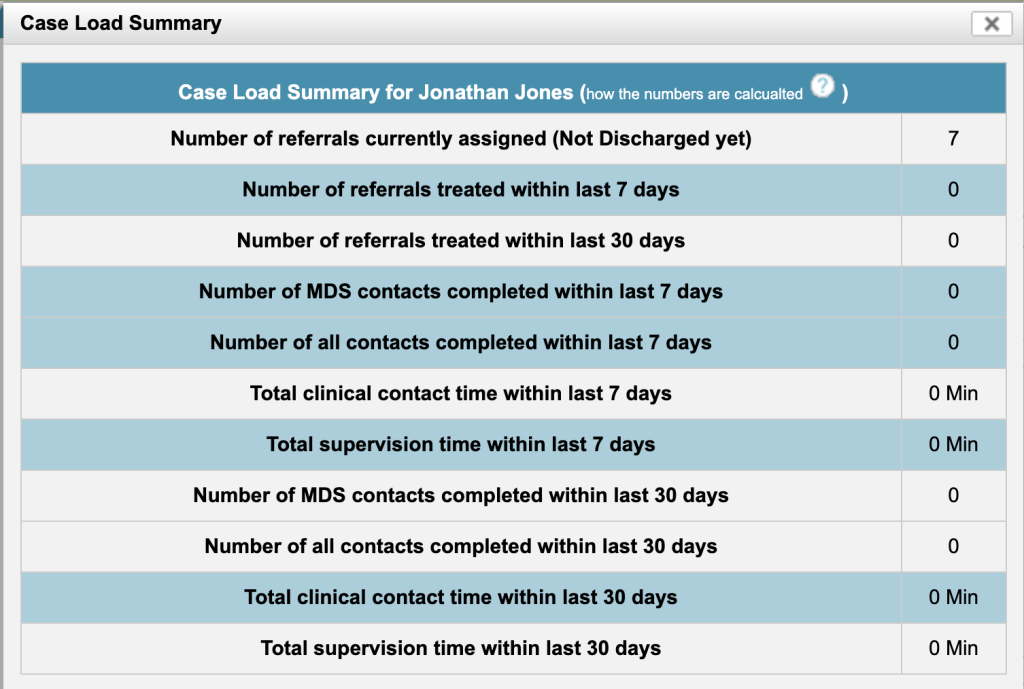
Assigned referrals – All referrals assigned to that therapist.
Treated referrals – Referrals that have had at least one MDS contact, including incomplete contacts for that therapist.
Clinical time & Supervision time – All contacts, including incomplete contacts for that therapist.